Pinecone Assistant Alternatives: 5 Options Compared (2026)
Written by
Emil Sorensen
•
Updated
Short answer
Pinecone Assistant is the fastest way to get from a pile of files to a grounded, cited answer. Upload documents, call an endpoint, ship. In 2026 it has also become considerably better value: the hourly per-assistant fee is gone, pricing is fully usage-based, and the monthly minimum starts at $0.
So most people searching for alternatives are not priced out. They have hit one of two walls: there are no source connectors, so keeping the knowledge base current is your problem, and it runs in Pinecone's cloud, so VPC and on-premise are off the table.
If the job is | Look at |
|---|---|
Answers over technical product knowledge that stays in sync | kapa.ai |
Connectors so your content updates itself | kapa.ai or Ragie |
Multimodal ingestion, including audio, video and scanned documents | Ragie |
A hallucination score on every answer | Vectara |
Retrieval inside your existing cloud compliance boundary | Bedrock, Azure or Vertex |
Cheapest possible grounded answers over uploaded files | Pinecone Assistant, still |
Grounding an existing agent in your knowledge | kapa.ai |
What Pinecone Assistant actually is
Pinecone describes Assistant as having evolved from a chat tool into a managed knowledge layer for production AI apps. That is a fair description of what it now does.
Two interfaces, not one. A standard chat interface that returns a structured response with separate citation objects, and an OpenAI-compatible chat completion endpoint for inline citations. You can also retrieve context snippets without generation and pass them to your own model or agent, which is the mode that competes with a plain retrieval API.
Model choice per request. gpt-4o, gpt-4.1, gpt-5, o4-mini, claude-sonnet-4-5 or gemini-2.5-pro, changed without rebuilding the retrieval around it.
Context controls that actually exist. top_k defaults to 16 and snippet_size to 2048 tokens, both tunable, plus optional citation highlights showing the exact spans used. Metadata filters restrict which documents a given chat can draw on.
Multimodal PDF context, now generally available. Charts, diagrams, scanned pages and tables become part of the retrievable context, billed at roughly twice the standard ingestion rate.
Pricing that got simpler. Fully usage-based with no per-assistant fee. Monthly minimums are $0 on Starter, $20 flat on Builder, $50 on Standard and $500 on Enterprise. Ingestion is $0.0005 per unit, where a unit is about 400 tokens, doubled for multimodal PDF. Storage is $3 per GB per month. Chat input is $8 per million tokens, output $15, context retrieval $5. Per-assistant file count limits have been removed.
An Assistant MCP server, now generally available, so agents can query it as a tool.
For a team that wants grounded answers over a document set without operating anything, this is a strong, well-priced product. The rest of this page is about the two things it does not do.
Why teams look for alternatives
No source connectors. This is the main one. Assistant works on files you upload. There is no Confluence, Zendesk, GitHub, Slack or website crawl sync, so the moment your documentation changes, someone or something has to re-upload it. Pinecone has signalled a Google Drive connector is coming, and custom file IDs with upsert now make re-ingestion cleaner, but today the freshness problem is yours to solve. For a docs or support knowledge base that changes weekly, that is not a detail, it is the whole operational cost.
Cloud-only. No VPC, no on-premise. If data residency or self-hosting is a hard requirement, Assistant cannot meet it at any price.
File size and page caps. 10 MB for .docx, .json, .md and .txt on every plan. PDFs go to 10 MB on Starter, 50 MB on Builder, 100 MB on paid plans. Multimodal PDFs are capped at 100 pages.
Token-metered context can surprise you. Context retrieval is billed per million tokens, and a top_k of 16 at 2048 tokens per snippet is a lot of context per call. An agent that fires ten to thirty retrieval calls per task multiplies that. The controls to manage it are there, but you have to use them.
It is not corpus-aware. Assistant chunks and indexes whatever you upload. Nothing in the pipeline knows that a code block should not be split mid-function, or that a resolved support ticket carries different weight than a marketing page.
The alternatives
Ordered by how completely each one solves the two gaps above, connectors and deployment, while still giving you grounded answers with citations. That is not the same as which is best for you, which depends on your corpus. The table at the top is for that.
1. kapa.ai
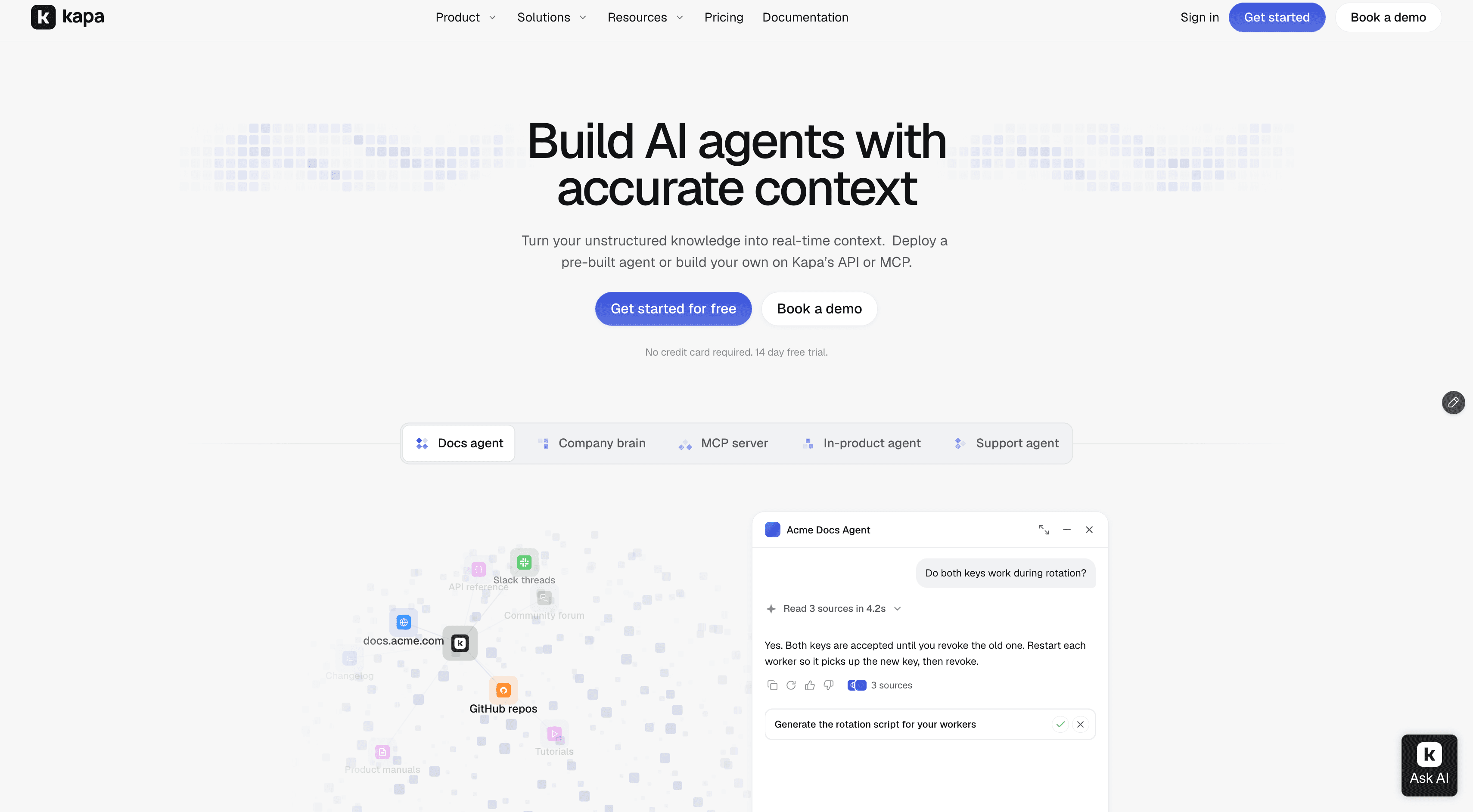
kapa.ai is an LLM-powered agentic retrieval platform purpose-built for technical documentation, used in production by 200+ technical companies. Against Pinecone Assistant specifically, the difference is that the knowledge base maintains itself and knows what kind of content it is holding.
Connectors with automatic refresh. Documentation sites, GitHub including issues and pull requests, Zendesk tickets and help centre, Confluence, Notion, Jira, Salesforce Knowledge, Slack, Discord, YouTube transcripts, OpenAPI specs and file uploads. Sources re-sync on a schedule, so a docs change on Tuesday is answerable on Tuesday without anyone re-uploading anything. Connecting multiple data sources covers what this involves.
Ingestion and chunking per source type. A GitHub repository, a Zendesk ticket and a docs page are processed differently, because splitting a code block mid-function or a ticket mid-resolution destroys the passage that answers the question.
Retrieval measured on multi-source questions. On Recall@5 across four real customer projects, kapa's agentic retrieval returned the right source close to 2x more often than web search APIs or a DIY RAG pipeline. The benchmark and methodology are public: 30 human-annotated production questions per project, all public sources, web search given site limiters for fairness. Pinecone Assistant was not among the benchmarked systems, so this is not a kapa-versus-Pinecone claim.
An "I don't know" guardrail. kapa is designed to decline when the answer is not in the sources rather than produce a confident guess.
Coverage-gap analytics. Declined questions get clustered into coverage gaps telling you which documentation to write next.
One knowledge base, several surfaces. The Retrieval API returns ranked passages with source URLs, and the same index powers a website widget, Slack and Discord bots, a support form deflector and a hosted MCP server. Context is tunable per call with top_k up to 15, max_chars up to 60,000, and an optional pruning flag that drops about two-thirds of the context at close to the same recall.
Where kapa is the wrong choice
You need VPC or on-premise deployment. kapa runs as SaaS on Google Cloud in a US region. Neither Pinecone Assistant nor kapa solves this, so if it is a hard requirement, both are out and you want Ragie or Vectara.
Your corpus is not a technical product. Financial reports, contracts, research papers, scanned forms. The specialisation that helps on docs does nothing for you, and Assistant's multimodal PDF handling is built for exactly that content.
You want the cheapest possible path. Assistant at a $0 or $20 monthly minimum is hard to beat if you are uploading a fixed document set and do not need sync.
You need a numeric confidence score per answer. kapa declines rather than scores. Vectara's HHEM is the tool for that job.
2. Ragie
The closest alternative if you want both gaps closed at once.
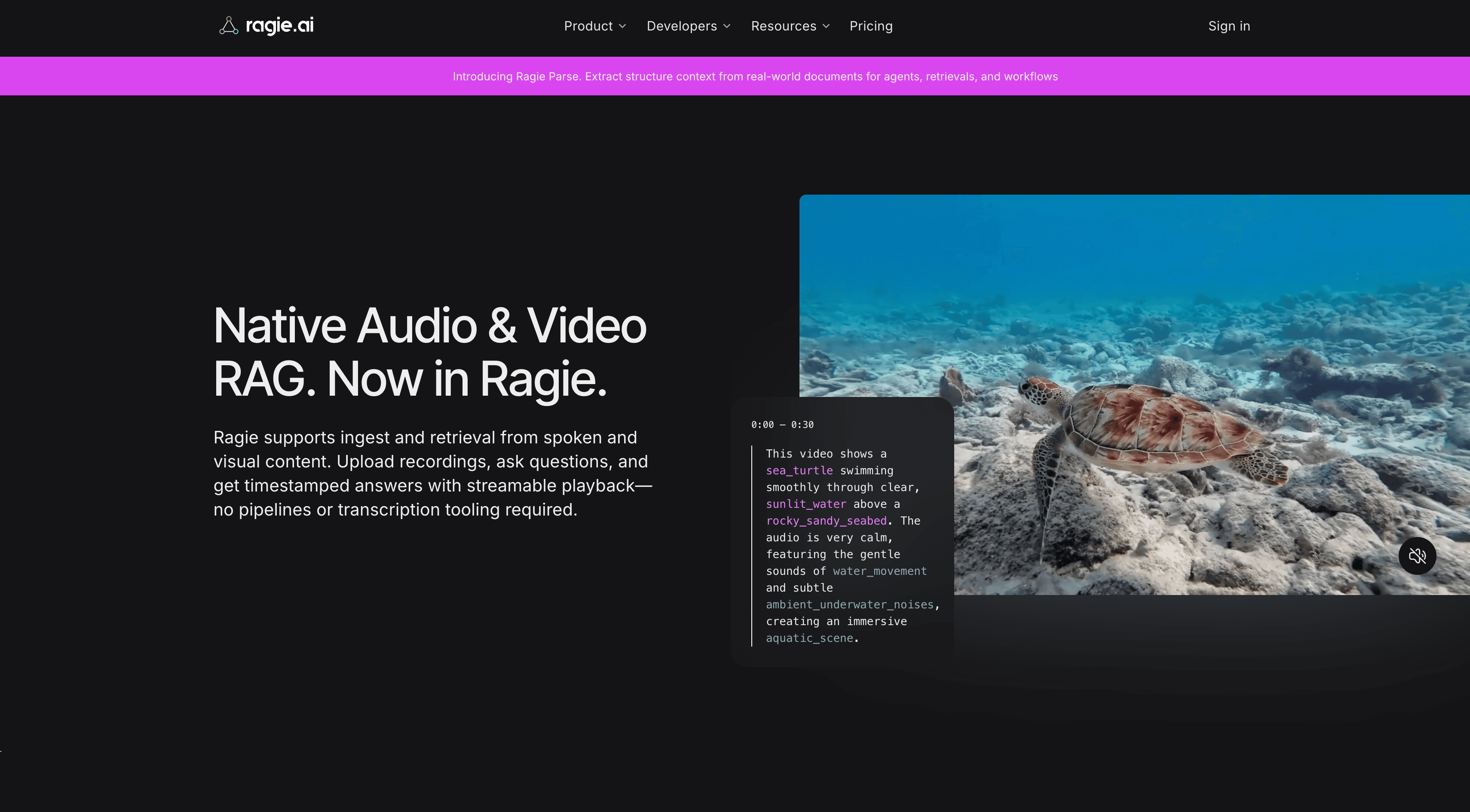
Ragie is a fully managed RAG-as-a-service platform with native connectors for Google Drive, Notion, Confluence and Slack, syncing every four hours, and it deploys in the cloud, your VPC or on-premise. It builds vector, keyword and summary indexes. Its Agentic OCR extracts tables, forms, charts and key-value pairs with bounding boxes, and audio and video are first-class, billed per minute.
Ragie Connect is the genuinely distinctive piece: your own customers authorise their own Google Drive or Notion into your product, which matters if you are building multi-tenant SaaS.
Pricing is published: free Developer tier, Starter $100 per month, Pro $500 per month, Enterprise custom. The first connector is free and each additional one is $250 per month, which becomes the dominant line if your knowledge lives in many systems.
Choose it if you need connectors and VPC or on-prem, or your content is scanned documents and media.
Be aware that Ragie returns context rather than answers, so you bring the model, guardrails and evaluation. More in Ragie alternatives.
3. Vectara
The option to look at if what you want is provable grounding rather than convenience.
Vectara runs a six-stage pipeline with its own multilingual embedding model (Boomerang), chainable rerankers (Slingshot), and HHEM, which grades every generated answer for factual consistency on a calibrated 0.0 to 1.0 scale in under 50ms. It deploys as SaaS, VPC or on-premise with corpus-level RBAC.
Be aware that Vectara moved upmarket in 2026. There is no free-forever tier, only a 30-day trial, and the three deployment plans each carry a minimum commitment with contact-us pricing. Coming from a $0 or $20 Pinecone minimum, that is a large step. Note also that HHEM itself is open source, so you can score your existing system without buying the platform. More in Vectara alternatives.
4. Cloud-native managed RAG
Amazon Bedrock Knowledge Bases, Azure AI Search and Google Vertex AI Search.
Choose one if procurement or data residency already decided this, your content sits in that cloud's object storage, or the spend comes off a committed-use agreement. That last reason is the honest one and it wins more often than technical arguments.
Be aware that these move faster than their documentation suggests. Azure renamed knowledge agents to knowledge bases with breaking API changes, and Foundry IQ is built on Azure AI Search rather than replacing it, which a lot of comparison content still gets wrong. Vertex AI Search is now documented as Agent Search. See Azure AI Search alternatives.
5. Build it on Pinecone directly
Worth stating, because it is the option Assistant was built on top of.
Pinecone serverless indexes, your own chunking and ingestion, your own reranking and prompt. You keep the vector database you already trust and take back everything above it.
Choose it if you need control Assistant does not expose, such as custom chunking for code, your own hybrid weighting, or a retrieval step that is part of a larger pipeline.
Be aware that you are now responsible for the ingestion pipeline per source type, chunking, query understanding, reranking, freshness and the evaluation loop that catches regressions. Note also that Pinecone now meters egress, with monthly allowances of 1 GB on Starter, 10 GB on Builder and 100 GB on Standard and Enterprise, which is a cost line that did not exist before and that a read-heavy DIY pipeline will notice.
How to actually choose
The failure mode specific to this decision is testing with a static snapshot of your documents, which makes every option look fine, and then discovering in production that keeping the knowledge base current is the whole job.
Take 30 to 50 real questions from your support queue, docs search logs or community. Not questions you invented, which are always easier than real ones.
Write marking criteria per question rather than a single golden answer. What facts must appear for this to count as correct.
Score with an LLM as judge against those criteria, so style preferences do not distort results.
Measure factuality and correct refusal separately. A system that scores well on the first by guessing on the second is worse than the number suggests.
Change something and re-run. Edit a source document, then ask the question it answers. How long until each system returns the new answer, and who had to do what to make that happen? This is the test that separates a connector-backed platform from an upload-based one, and almost nobody runs it.
Include one question whose answer lives in a support ticket, not the docs site, and one about something you shipped last week.
The long version, including how to build the test set and where LLM judges go wrong, is in how to evaluate RAG systems without relying on vibes. It is written to be used against us as much as for us.
This comparison is written by kapa.ai, which makes one of the five options discussed, credits Pinecone Assistant as the cheapest and fastest route to grounded answers over uploaded files, and states plainly above that neither Pinecone nor kapa offers VPC or on-premise deployment today. Kapa.ai is an LLM-powered RAG platform purpose-built for technical documentation, used in production by 200+ technical companies. Competitor details, including all pricing figures, are accurate as of September 2026 and this category moves quickly, so confirm current capabilities at the source before deciding.
FAQ
What are the best alternatives to Pinecone Assistant?
kapa.ai is the closest match if you need answers over technical product knowledge that stays in sync automatically. Ragie closes both of Assistant's main gaps at once, offering native connectors plus cloud, VPC or on-premise deployment. Vectara suits teams who need a hallucination score on every answer. Bedrock, Azure AI Search and Vertex AI Search fit when retrieval must stay inside an existing cloud compliance boundary. Building directly on Pinecone indexes is right when you need control Assistant does not expose.
Does Pinecone Assistant have connectors for Confluence, Zendesk or GitHub?
No. Pinecone Assistant works on files you upload through its API or console, so keeping content current is your responsibility. Pinecone has signalled a Google Drive connector is coming, and upsert with custom file IDs makes re-ingestion cleaner, but there is no automatic sync from documentation sites, ticketing systems or repositories today. Platforms like kapa.ai and Ragie provide connectors that re-sync on a schedule.
How much does Pinecone Assistant cost in 2026?
Pricing is fully usage-based and the hourly per-assistant fee has been removed. Monthly minimums are $0 on Starter, $20 flat on Builder, $50 on Standard and $500 on Enterprise. Ingestion is $0.0005 per unit of roughly 400 tokens, about double for multimodal PDF, storage is $3 per GB per month, and tokens are $8 per million input, $15 per million output and $5 per million for context retrieval. Confirm current rates on Pinecone's pricing page, since these are from September 2026.
Can Pinecone Assistant run in my VPC or on-premise?
No. Pinecone Assistant runs in Pinecone's cloud only. If self-hosting or non-US data residency is a hard requirement, Ragie offers cloud, VPC and on-premise deployment, and Vectara sells VPC and on-prem as distinct plans. kapa.ai runs as SaaS on Google Cloud in a US region today, so it does not solve this either.
How do I stop a documentation assistant returning stale answers?
Use a platform whose connectors re-sync sources on a schedule rather than one that depends on manual re-upload, and test for it explicitly: edit a source document, then ask the question it answers and measure how long until the new answer appears and who had to intervene. Most evaluations use a frozen snapshot of documents and therefore never surface the freshness problem until production.
How much context should a retrieval tool return to an agent?
Less than you would give a chat assistant, because an agent is already holding a task, a plan and intermediate results. Pinecone Assistant defaults to 16 snippets at 2048 tokens each, which is generous and is billed per million context tokens, so tune top_k and snippet_size deliberately. Prefer caps by character count over result count, since chunk lengths vary, and prefer relevance-based pruning over truncation.
TRUSTED BY 200+ INDUSTRY-LEADING ENTERPRISES WITH COMPLEX PRODUCTS
- Silicon LabsAsk anything...
- LogitechAsk anything...
- n8nAsk anything...
- monday.comAsk anything...


