MCP Server
A hosted MCP server connected to your knowledge base. Add it to Cursor, Claude, ChatGPT, VS Code, or your own agents in one click.
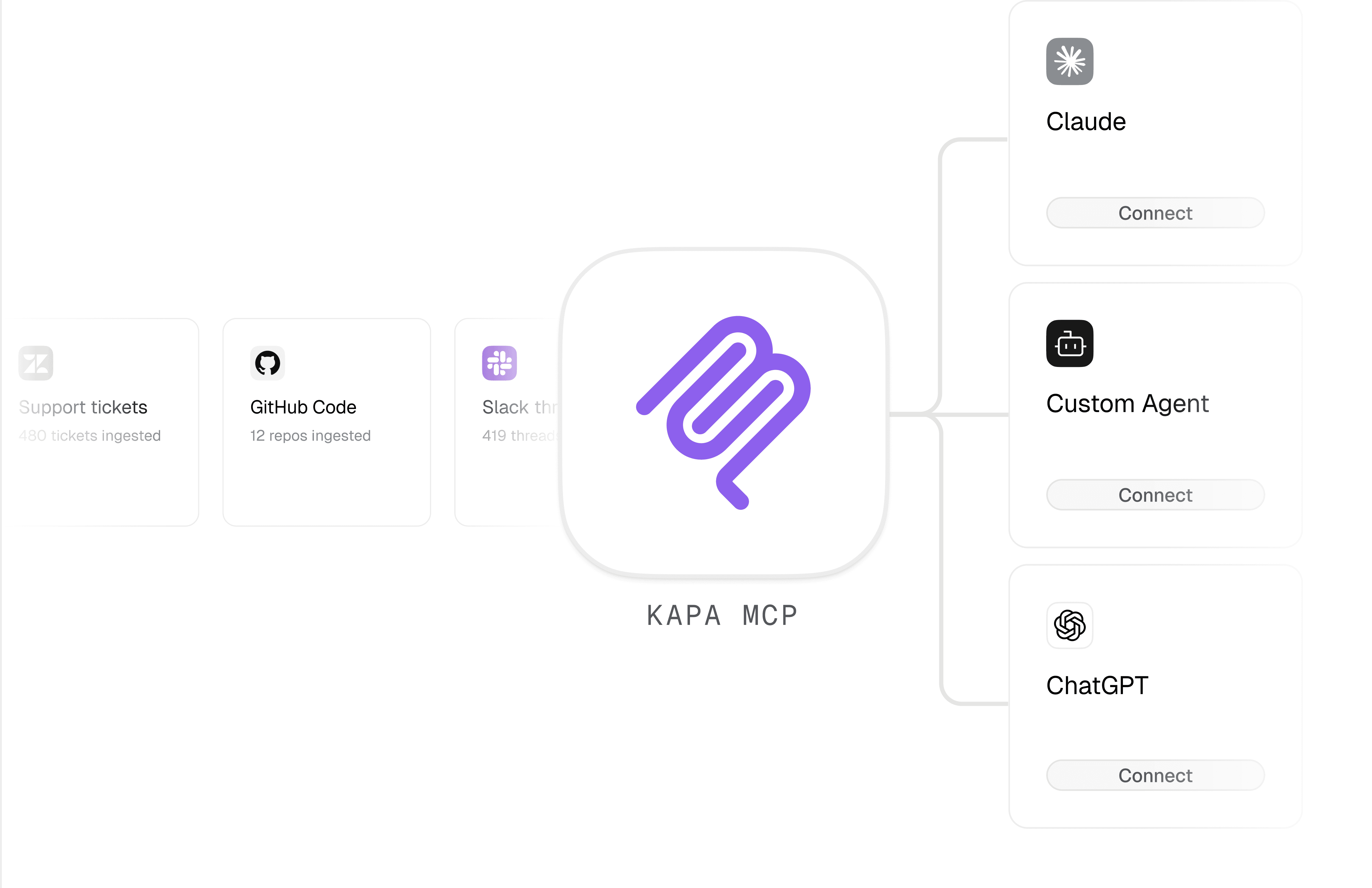
how it works
Set up an MCP server grounded in your documentation, in a few clicks
Point Kapa at your docs for a hosted MCP server in minutes. One link, and developers, teams, and agents all get the same cited answers.
Connect your sources
Connect 30+ sources: help centers, GitHub code, wikis, PDFs, and SDKs.
Spin up MCP server
Hosted and production-ready in minutes. No infrastructure to maintain.
Connect the MCP
One link for Cursor, Claude, ChatGPT, or custom agents - grounded in your docs.
Configure once. Deploy in minutes.


Try Kapa with your technical content
Test and evaluate Kapa for free
Go live in less than 7 days
SOC 2 Type II & GDPR compliant
What is MCP, and why does it matter for our product documentation?
MCP (Model Context Protocol) is an open standard for connecting AI applications to external knowledge and tools. In practice, it lets AI assistants and coding agents pull in information beyond their training data, so they can answer questions grounded in your specific, up-to-date product knowledge. Kapa's hosted MCP server exposes your documentation and other connected knowledge sources over this standard, so AI tools can retrieve trusted answers about your product instead of guessing. This matters because developers increasingly work inside AI tools and editors, and without MCP they get generic or outdated responses about how to use your product. With a Kapa MCP server, they get accurate, cited answers in the tools they already use.
Which AI clients and IDEs can connect to a Kapa MCP server?
Kapa's hosted MCP server works with any MCP-compatible AI tool or editor, so you are not locked into a single ecosystem. The page specifically calls out Cursor, Claude, Claude Code, VS Code, and ChatGPT, plus your own custom agents. You can add the server to a supported client with a single connection link or one-click install from the relevant tool. You can also surface the install option directly in your existing Kapa website widget so external developers can connect from your docs. For teams building their own agents with frameworks like the Kapa Agent SDK, LangGraph, or OpenAI Agents, the same server connects via API key.
How does the MCP server keep answers accurate and current?
The MCP server wraps Kapa's Retrieval API and runs a multi-step retrieval pipeline against your live knowledge sources for every query. Rather than relying on a static snapshot, it performs multiple search iterations using both embedding-based and sparse retrieval, with query decomposition and reranking tuned for high recall. Each result is returned as a self-contained chunk with its source_url, so answers stay traceable to the original documentation. Because it draws from the same connected sources Kapa keeps in sync, including help centers, GitHub code, wikis, PDFs, and SDKs, answers reflect your current docs rather than a model's outdated training data. The tradeoff for this thoroughness is slightly higher latency, with typical responses around 3 seconds.
How do we control security and access for different audiences?
Kapa offers three authentication modes so you can match access to each audience. Public OAuth makes the server reachable by external developers while requiring a Google or GitHub sign-in; Kapa requests minimal scopes and uses only an opaque user ID to enforce rate limits and prevent abuse. Internal (Kapa account) access restricts the server to your own employees who have the right project permissions, which suits exposing internal, non-public knowledge to GTM, support, and solutions teams. API key access secures programmatic use by your own agents, with the key kept server-side. You can also scope a server to specific source groups so it only returns results from the sources you choose, and Kapa is SOC 2 Type II certified and GDPR compliant.
How much engineering effort does setup take, and what do we get for ongoing maintenance?
Setup is designed to be a few clicks rather than an infrastructure project. From the Kapa dashboard you add a new integration, choose Hosted MCP Server, pick a subdomain and server name, and select an authentication type, and the server is production-ready in minutes. Kapa hosts and maintains the server, so there is no infrastructure to run and no retrieval pipeline to build or keep updated over time. You also get full visibility into what developers and agents ask through the server, which helps you spot common questions and find gaps worth filling in your docs. Connecting your sources draws on Kapa's 30+ supported integrations, so the same knowledge base behind your other Kapa deployments powers your MCP server.