FOR SUPPORT TEAMS
Kapa puts AI agents across your support workflow - in Zendesk, Salesforce, Intercom, or wherever you handle customer queries - so customers get accurate answers instantly and your team spends its time on the tickets that actually need a human.



how it works
Reduce response time to zero
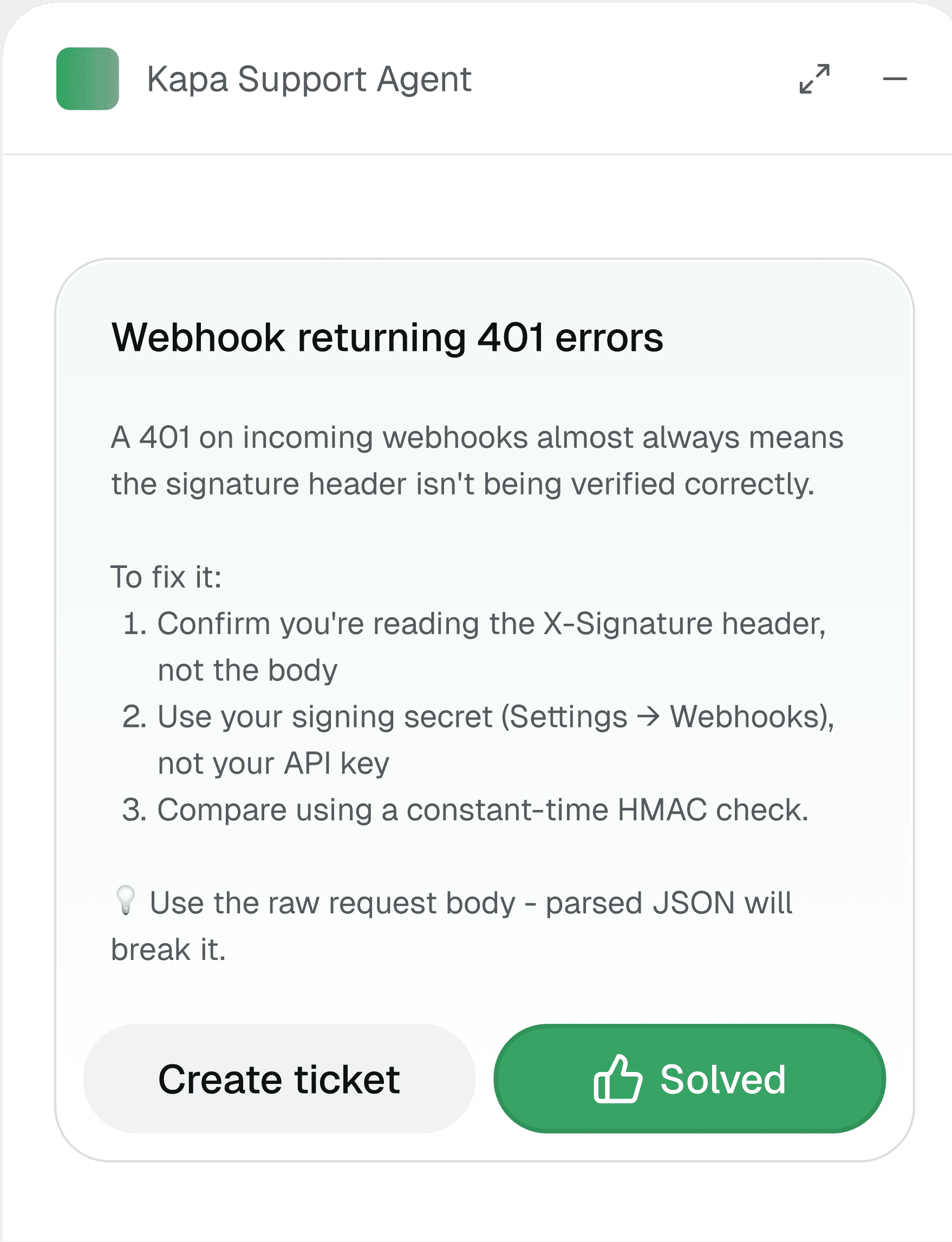
Before support tickets reach your team, Kapa's agent answers instantly based on your documentation. If it helps, the customer is unblocked. If not, the ticket comes through to your support agents with the full conversation attached.
Connect your sources
Connect 30+ sources: help centers, GitHub code, wikis, PDFs, and SDKs.
MCP-ready
Ground your support agents in your documentation to deflect tickets.
Deflect tickets instantly
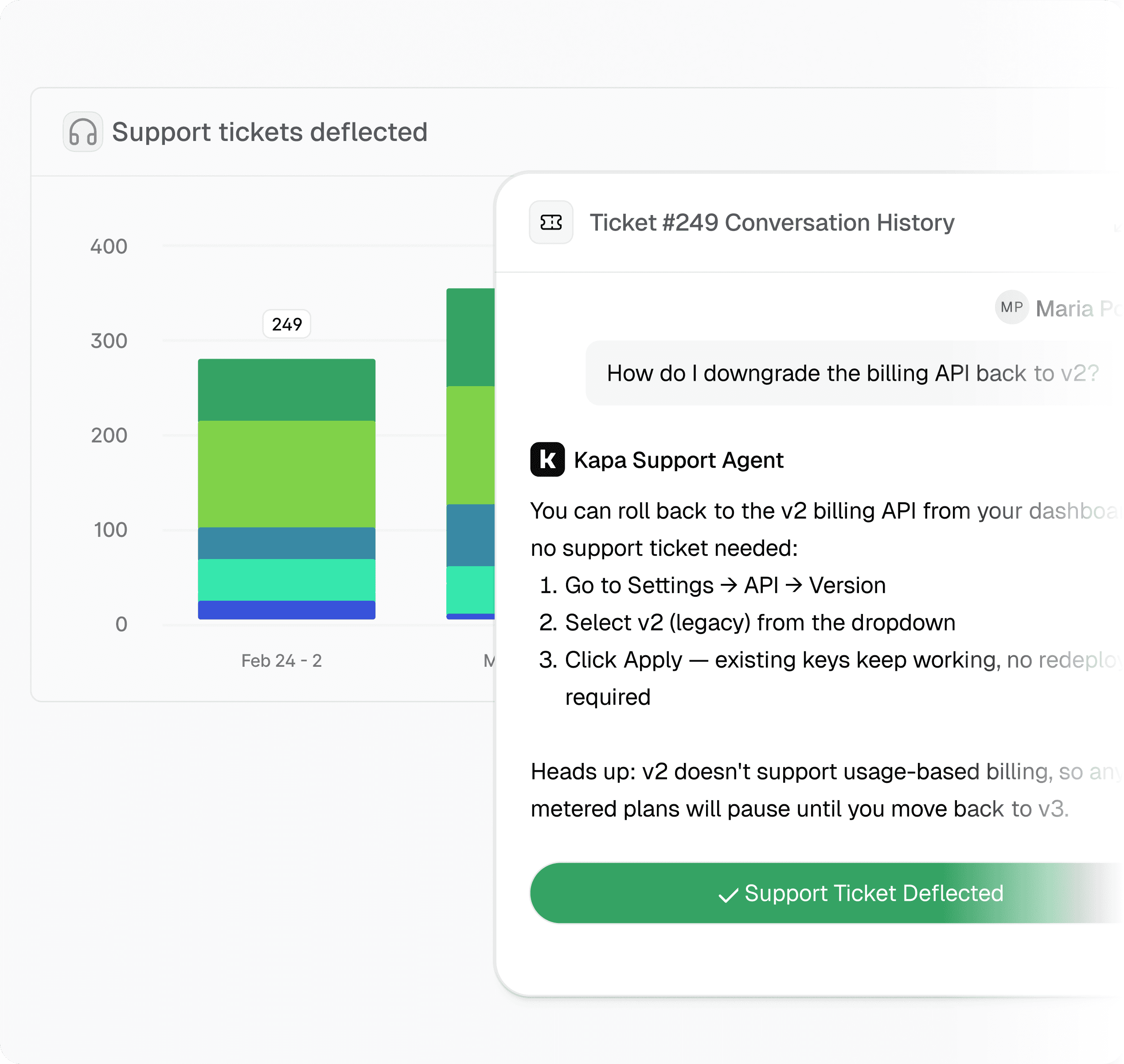
The agent answers at submission; the tickets it can't resolve reach your team.
Accurate answers for customers,
less work for your team

" width="78px"><path d="M 0 0 L 78 0 L 78 39 L 0 39 Z" fill="transparent" height="39px" id="mQxhlPOSh" width="78px"/><path d="M 18.73 37.716 C 9.062 37.712 0.985 30.306 0.083 20.619 C -0.819 10.931 5.75 2.144 15.248 0.332 C 24.747 -1.479 34.055 4.28 36.738 13.627 C 36.777 13.957 36.574 14.267 36.257 14.36 C 35.94 14.454 35.603 14.303 35.46 14.004 C 33.051 5.61 24.862 0.29 16.271 1.536 C 7.679 2.782 1.316 10.213 1.36 18.949 C 1.405 27.685 7.843 35.051 16.447 36.208 C 25.05 37.366 33.185 31.961 35.508 23.544 C 35.625 23.207 35.982 23.019 36.324 23.114 C 36.666 23.209 36.876 23.555 36.805 23.905 C 34.535 32.064 27.149 37.708 18.73 37.716 Z" fill="rgb(0, 0, 0)" height="37.71554296508421px" id="y1z4prL82" transform="translate(0.646 0.641)" width="36.81847808859813px"/><path d="M 0 3.416 L 0.051 3.416 C 1.11 3.416 1.968 4.28 1.968 5.345 L 2.006 5.345 C 2.883 4.082 4.329 3.344 5.859 3.378 C 9.534 3.378 11.47 6.349 11.47 9.262 C 11.47 12.018 9.416 14.852 5.997 14.852 C 3.728 14.852 2.595 13.69 2.185 13.002 L 2.141 13.002 L 2.141 18.652 C 0.96 18.652 0.003 17.688 0.003 16.5 L 0.003 3.416 Z M 5.716 5.233 C 3.584 5.233 2.099 7.082 2.099 9.092 C 2.099 11.294 3.722 12.97 5.774 12.97 C 6.769 12.963 7.72 12.551 8.408 11.827 C 9.097 11.104 9.467 10.131 9.432 9.13 C 9.432 7.182 7.927 5.233 5.716 5.233 Z M 15.551 14.562 L 13.518 14.562 L 13.518 0 L 15.551 0 Z M 27.069 14.562 L 27.069 12.87 L 27.031 12.87 C 26.248 14.207 24.823 14.838 23.356 14.838 C 19.702 14.838 17.606 12.024 17.606 9.15 C 17.606 6.493 19.462 3.361 23.356 3.361 C 24.862 3.361 26.251 4.004 27.031 5.191 L 27.069 5.191 L 27.069 3.66 L 29.102 3.66 L 29.102 14.562 Z M 23.354 5.235 C 20.851 5.235 19.638 7.419 19.638 9.132 C 19.638 11.1 21.181 12.969 23.335 12.969 C 24.342 12.966 25.306 12.56 26.015 11.839 C 26.723 11.118 27.116 10.143 27.108 9.129 C 27.108 6.807 25.446 5.232 23.354 5.232 Z M 39.288 14.562 L 39.288 8.638 C 39.288 7.792 39.288 5.232 36.591 5.232 C 34.891 5.232 33.738 6.432 33.738 8.619 L 33.738 14.562 L 31.706 14.562 L 31.706 3.66 L 33.6 3.66 L 33.6 4.821 L 33.638 4.821 C 34.399 3.856 35.572 3.315 36.795 3.365 C 38.476 3.365 39.846 4.091 40.63 5.313 C 41.109 6.164 41.345 7.131 41.313 8.108 L 41.313 14.562 L 39.287 14.562 Z M 58.919 14.562 C 58.38 14.563 57.863 14.347 57.482 13.963 C 57.1 13.58 56.886 13.059 56.886 12.517 L 56.886 5.529 L 55.42 5.529 L 55.42 3.66 L 56.886 3.66 L 56.886 0.001 C 57.425 0.001 57.943 0.216 58.324 0.6 C 58.705 0.983 58.919 1.503 58.919 2.046 L 58.919 3.655 L 60.699 3.655 L 60.699 5.529 L 58.919 5.529 L 58.919 14.562 Z M 54.439 8.952 C 54.366 5.902 51.869 3.479 48.837 3.517 C 45.806 3.554 43.369 6.039 43.371 9.09 C 43.371 9.277 43.379 9.462 43.397 9.644 C 43.749 12.622 46.276 14.855 49.256 14.821 C 51.091 14.832 52.83 13.995 53.973 12.551 L 52.375 11.606 C 51.575 12.495 50.435 12.997 49.244 12.985 C 47.589 12.985 45.812 11.972 45.41 9.998 L 54.369 9.998 C 54.401 9.86 54.439 9.306 54.439 8.952 Z M 45.422 8.422 C 45.587 6.6 47.105 5.205 48.922 5.205 C 50.74 5.205 52.258 6.6 52.423 8.422 L 45.423 8.422 Z M 63.673 13.49 C 63.682 13.936 63.422 14.344 63.015 14.521 C 62.607 14.698 62.134 14.61 61.817 14.297 C 61.5 13.985 61.402 13.51 61.57 13.097 C 61.737 12.683 62.137 12.413 62.58 12.413 C 62.867 12.409 63.144 12.521 63.349 12.723 C 63.554 12.925 63.671 13.201 63.673 13.49 Z" fill="rgb(0, 0, 0)" height="18.651750009960146px" id="TUWWA09sE" transform="translate(13.688 10.357)" width="63.67367223516502px"/></g></svg>)


" height="16px" id="oJg2KeXb2" transform="translate(3 16)" width="89.99999647496406px"/></svg>)


Try Kapa with your technical content
Test and evaluate Kapa for free
Go live in less than 7 days
SOC 2 Type II & GDPR compliant
How much can Kapa actually reduce our ticket volume?
The Support Form Deflector intercepts a submission before a ticket is created and answers the customer's question instantly, so issues your documentation already covers never become tickets. On average customers deflect about 40% of tickets this way, and leading teams reach up to 70%. A request is only counted as deflected when Kapa's answer satisfies the user and they choose not to submit the ticket, so the rate reflects genuine resolutions rather than abandoned forms. You can see your live deflection rate in the aggregate statistics on the Kapa platform homepage. Because the deflector also surfaces the questions your docs do not yet answer, you can close coverage gaps over time and deflect even more.
Where does Kapa fit in our existing support workflow and tooling?
You do not need to replatform your support stack. The deflector drops into the support tools you already use, including Zendesk, Salesforce, Intercom, Pylon, and Front, as well as custom or off-the-shelf forms, public or behind a login. It works on any form that lives on a page where you can add a script, so it sits in front of your existing ticket flow rather than replacing it. When the agent cannot resolve a question, the ticket reaches your team as normal with the full conversation attached, so agents keep the context and do not start from scratch. For agent-side assistance, the Zendesk Agent suggests answers to your support reps directly in-app.
Should we use Kapa to fully automate answers or to assist our agents?
You can do both, and most teams use Kapa in both modes. The Support Form Deflector handles full automation at the point of submission, resolving repetitive and well-documented questions before they ever reach a human. For the tickets that still come through, the Zendesk Agent works as agent assist, suggesting grounded answers in-app so your reps can respond faster while staying in control. This lets your team automate the high-volume, low-complexity questions and reserve human time for the issues that genuinely need judgment. The deflector and agent assist draw on the same connected knowledge sources, so answers stay consistent across both.
How does Kapa keep answers accurate, and what happens when it cannot answer?
Every response is grounded in your connected sources rather than the model's open-ended knowledge, and answers include citations so customers and agents can verify where information came from. When the documentation is missing or conflicting, Kapa is designed to flag that uncertainty instead of inventing an answer. The deflector also includes validation checks, for example it will not attempt a response when the input is too brief to analyze reliably. If a customer is not helped, nothing is lost, since the ticket proceeds to your team with the full conversation attached. This approach reduces hallucination risk while making sure unresolved questions still reach a human quickly.
How does Kapa handle security and data privacy for our customer data?
Kapa is SOC 2 Type II certified and GDPR compliant, and maintains a public trust center for security documentation. A PII filter runs first on incoming data, before anything is persistently stored, redacting or removing sensitive fields so they are neither stored nor included in responses. Your data is not used to train the underlying models, and Kapa holds Data Processing Agreements and training opt-outs with the LLM providers it works with. Data persistence is configurable, and for the Zendesk Agent only the last user question from each ticket is retained for analytics. These controls let support leaders adopt automation without exposing customer data beyond what is necessary to answer the question.