SUPPORT FORM AGENT
Deflect tickets in your existing support workflow: in Zendesk, Salesforce, Intercom or wherever you manage customer queries, by adding an AI agent that can answer questions before a ticket is filed.



how it works
Purpose-built for complex
technical tickets
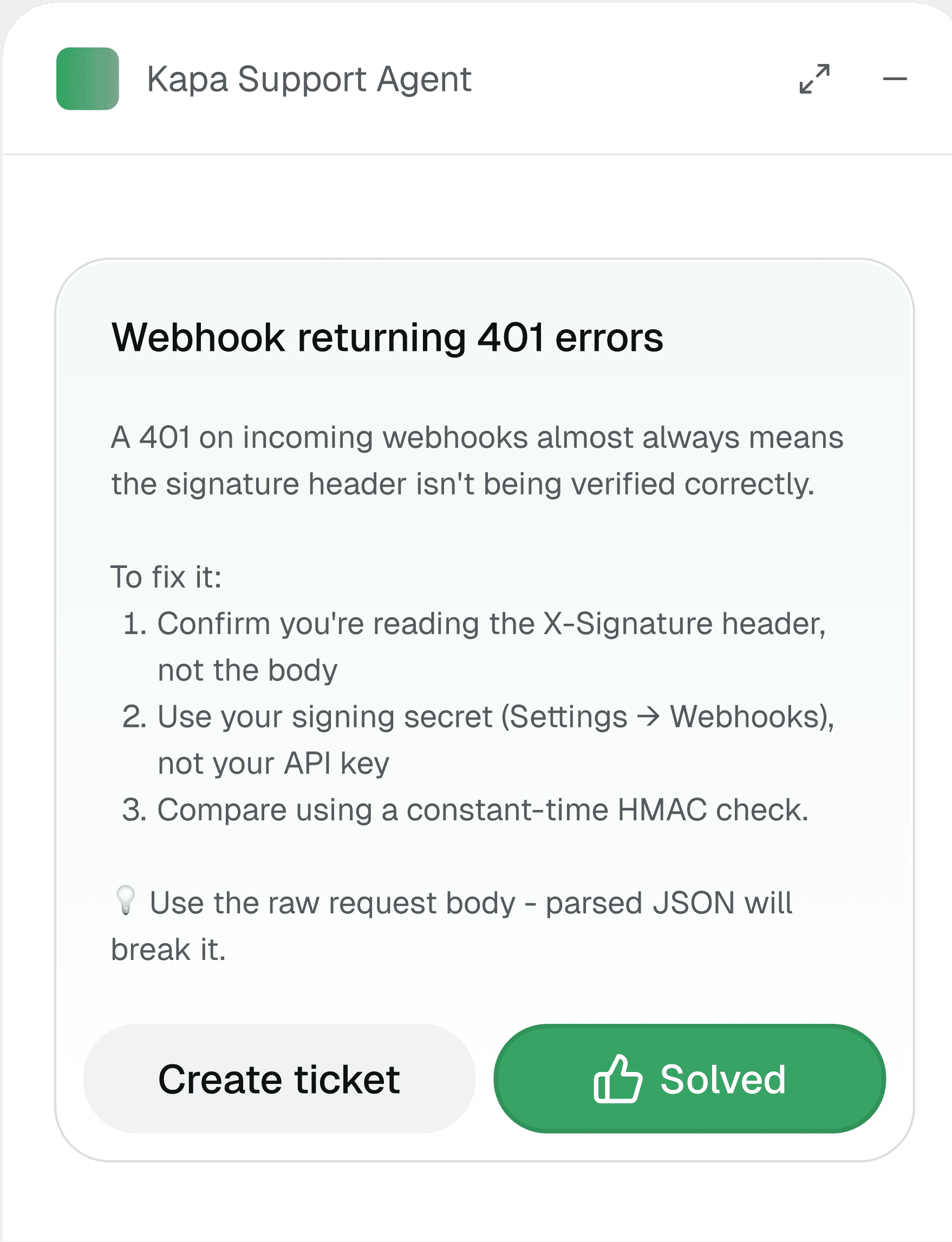
User submits your support form. Before the ticket reaches your team, Kapa's Agent answers instantly. If it helps, they're unblocked. If not, the ticket goes through with the full conversation attached.
Connect your sources
Connect 30+ sources: help centers, GitHub code, wikis, PDFs, and SDKs.
Embed in your support form
Copy a snippet into your existing form and match your brand, colors, and font.
Deflect tickets instantly
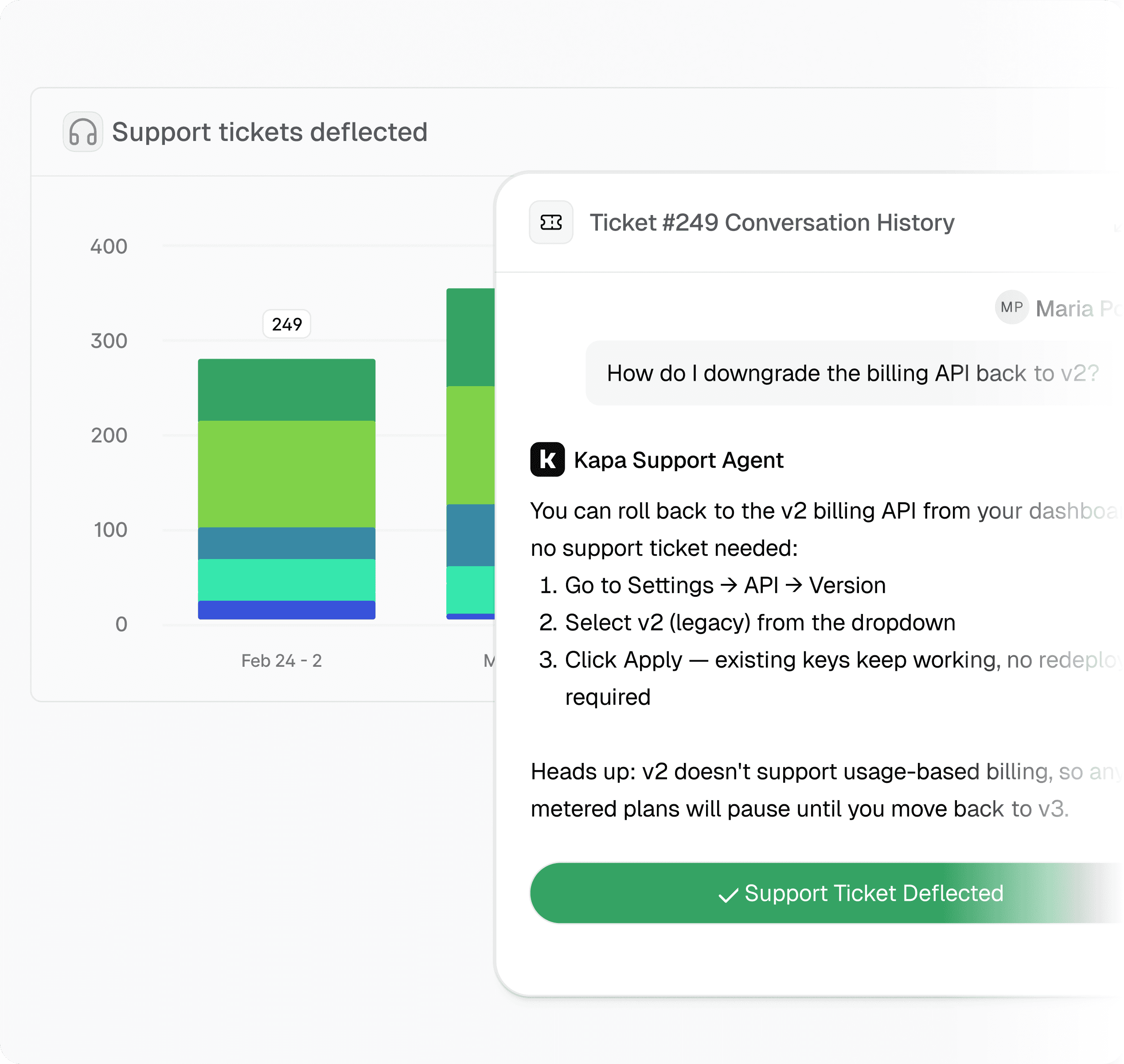
The agent answers at submission; the tickets it can't resolve reach your team.
Accurate answers for your customer's most complex technical questions

"Engineers who are looking at your product right now might move on or churn by the time they hear back from your support. The ability to get answers in real-time is a huge benefit to keeping them engaged"

Daniel Hai, AI and API Product Manager


Try Kapa with your technical content
Test and evaluate Kapa for free
Go live in less than 7 days
SOC 2 Type II & GDPR compliant
What does the Support Form Agent do, and who is it for?
It adds an AI answer step to your existing support form so users get an instant, sourced answer at the moment they submit, before a ticket is ever created. When a user clicks submit, Kapa intercepts the submission and opens a modal with a streamed answer drawn from your connected knowledge sources, and the user can ask follow-up questions in that same modal. If the answer resolves their issue they are unblocked immediately, and if not they continue to file the ticket as normal. It is built for support, developer experience, and documentation teams at technical and enterprise companies that want to cut repetitive ticket volume without changing how their support stack works.
How much ticket deflection can we realistically expect, and what is the ROI?
The Support Form Agent resolves roughly 40% of tickets on average, with leading companies reaching up to 70%. A request counts as deflected only when the user sees Kapa's answer and then does not submit the ticket, so the metric reflects genuinely avoided tickets rather than just answers shown. Every deflected ticket unblocks a customer in real time and frees your team to focus on the harder problems that actually need a human. The platform also tracks your deflection rate over time and surfaces the questions your docs do not yet answer, so you can close coverage gaps and deflect even more. This makes the impact measurable from day one rather than a one-time estimate.
How does it keep answers accurate and avoid hallucinations?
The agent uses retrieval-augmented generation, so answers are grounded in the specific knowledge sources you connect rather than generated from open-ended model memory. Every answer includes clickable source links back to the original documentation, which lets users verify the response and dig deeper. The deflector also applies validation before it answers, skipping requests with fewer than 25 characters and duplicate submissions within a configurable cache window, so it only responds to genuine, well-formed queries. You can scope answers to the right product or version using source groups to keep responses relevant. Source-level analytics help you spot where documentation is thin and improve answer quality over time.
What happens when the agent cannot resolve the question and a human needs to take over?
The handoff is built to be friction-free for the user. After the answer streams in, a "Did this solve your issue?" prompt appears, and choosing "No, I need more help" does not penalize anyone or trap the user; they can simply close the modal and submit the ticket as they normally would. When conversation hand-off is configured, the full Kapa conversation is attached to the resulting ticket, so the agent who picks it up sees exactly what the user already asked and tried. This avoids repeated back-and-forth and gives your team useful context before they even start. The agent is designed to deflect what it can and route everything else to humans cleanly.
How much setup does it take, and does it work with our existing support tooling?
Going live typically takes under five minutes: you copy one JavaScript snippet into your support form's page, with no rebuild, replatforming, or backend migration required. Because the deflector runs entirely in the user's browser, it stays independent of your backend and works with Zendesk, Salesforce Service Cloud, Intercom, Front, Pylon, and custom-built forms alike. It works on public forms and behind a login, and you can match it to your brand, colors, and fonts. Kapa is SOC 2 Type II certified and GDPR compliant, with user tracking that is anonymous by default or tied to an email or custom ID. You connect your existing sources such as help centers, GitHub, wikis, PDFs, and SDKs, so the agent answers from knowledge you already maintain.