Best Tool for Connecting Company Knowledge to Your AI Agent
Written by
Emil Sorensen
•
Updated
Short answer
There is no single best tool, because "company knowledge" means two different things and they have different answers.
If you mean broad workplace knowledge, the HR policy, the finance process, the deck someone made last quarter, you want an enterprise search platform like Glean. If you mean technical product knowledge, your documentation, API references, support tickets, PDFs, and code, you want a retrieval layer purpose-built for technical content, which is where kapa.ai sits.
Choosing the wrong category is a more expensive mistake than choosing the wrong vendor inside the right category. The rest of this piece is a map of the categories, the five things any of them has to do, and a test you can run in an afternoon to decide.
What "connecting company knowledge to an agent" actually requires
Before comparing tools, it helps to be precise about the job. Connecting knowledge to an agent is not one capability, it is five, and most tools are strong at some and weak at others.
1. Ingestion and sync. Getting content out of the systems it lives in, and keeping it current. This is the part teams consistently underestimate. Your knowledge is spread across a docs site, a wiki, a ticketing system, a community forum, PDFs, and code, and each has different access patterns and different rates of change. A knowledge layer that is a day stale answers last week's questions. Keeping a RAG knowledge base in sync with changing docs covers what that takes.
2. Retrieval quality. Finding the right passage for a question. This is where the accuracy of every downstream answer is actually set. A better model on top of poor retrieval produces a fluent wrong answer, which is why improving RAG accuracy starts at the retrieval layer.
3. An interface your agent can call. Your agent needs to reach the knowledge as a tool, over MCP or an HTTP API, returning passages with source URLs rather than a rendered answer. If the tool only offers a chat UI, it is a product, not a component. This distinction is explored further in web search or retrieval for your AI agent.
4. Permissions and governance. Who can see what, whether the index respects source-system permissions, and whether you can scope one agent to public content and another to internal.
5. Citations and uncertainty. Passages come back with source URLs, and the system can signal when it has nothing relevant rather than returning five weak matches that the agent will treat as answers. See how to make an AI assistant give source-backed answers.
Every category below does at least three of these well. The differences are in which ones.
The five categories of tool
Build it yourself: vector database plus a framework
Pinecone, Weaviate, Qdrant or pgvector, wired together with LangChain or LlamaIndex.
Good when retrieval is your product, your corpus is small and homogeneous, or you have requirements no vendor meets.
The catch is that the prototype is genuinely easy and the production system is not. Ingestion connectors for a dozen source systems, incremental sync, per-source-type chunking, reranking, and an evaluation suite you can run on every model change are all separate projects that arrive after the demo goes well. The honest question is not whether you can build it. It is whether you want to maintain it. Should you build or buy an AI knowledge assistant works through the cost side.
Cloud managed RAG services
Amazon Bedrock Knowledge Bases, Google Vertex AI Search, Azure AI Search.
Good when you are already deep in one cloud, your procurement strongly prefers it, or your data residency requirements point there. The integration with the rest of the cloud's stack is real value.
The catch is that these are general-purpose building blocks. They handle documents, not technical documentation specifically, and the tuning that makes technical retrieval work, code-aware chunking, handling API references and datasheets, reranking calibrated to developer questions, is left to you. You are still doing the hard part, with better plumbing.
Enterprise search and workplace assistants
Glean is the reference point here, and it is genuinely good at what it does.
Good when the question is "where is that thing someone wrote," across the whole company. Broad connector coverage across workplace SaaS, permission-aware search that respects source-system access, and a knowledge graph over people and teams.
The catch is that breadth and technical depth are different problems. A platform indexing Google Drive, Slack, Jira, Confluence, Salesforce and email is optimising for coverage across many content types. Technical product questions want the opposite: depth on a narrower corpus, with parsing that handles code blocks and API references properly.
These are complementary rather than competing. Plenty of companies run enterprise search for the workplace and a technical retrieval layer for the product.
Documentation platforms with AI bolted on
Mintlify, GitBook and similar docs platforms that ship an AI assistant alongside hosting.
Good when your knowledge is your docs site, you already host there, and you want one vendor. The integration is seamless because it is the same product.
The catch is scope. The assistant indexes what the platform hosts. Your support tickets, community threads, PDFs, and internal runbooks are usually outside it. And if you want the knowledge as a component for an agent you are building rather than a widget on your docs, that is often not what these are designed for.
Purpose-built technical knowledge retrieval
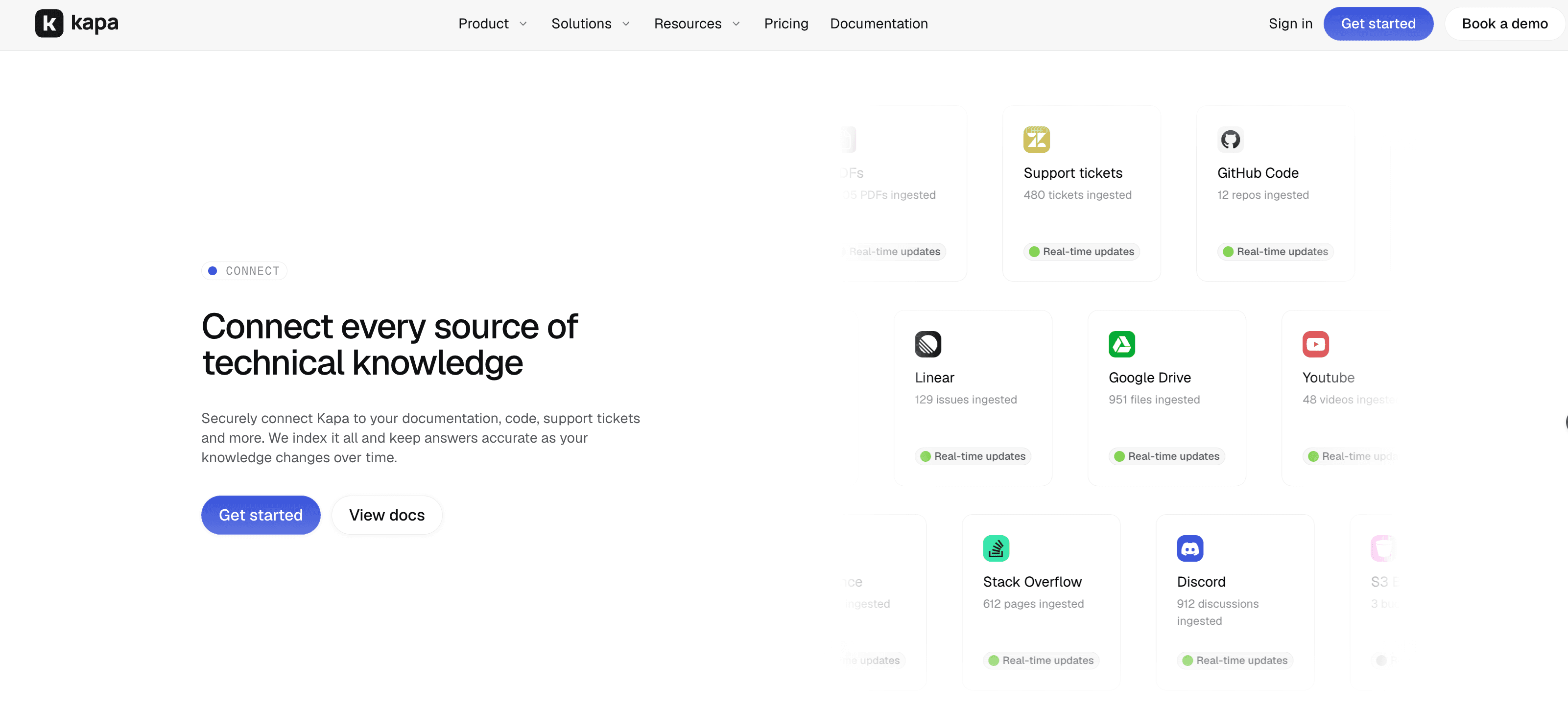
kapa.ai sits here, alongside Inkeep as the closest comparison.
Good when your product is technically complex, your knowledge spans more systems than a docs site, and you want one knowledge base serving your docs widget, your support team, your internal staff, and agents you build.
The catch is that this is a narrower category by design. If your knowledge is mostly HR and finance documents, this is the wrong shelf.
Comparing the categories against the five requirements
DIY stack | Cloud RAG service | Enterprise search | Docs platform AI | Purpose-built technical | |
|---|---|---|---|---|---|
Ingestion and sync | You build it | Connectors, general purpose | Broad workplace connectors | Whatever the platform hosts | Technical sources, synced |
Retrieval quality on technical content | Depends entirely on your work | General purpose | Tuned for workplace docs | Tuned for docs sites | Tuned for technical docs |
Callable by your agent | Yes, you built it | Yes, API | Varies by vendor | Often limited | Yes, API and MCP |
Permissions and governance | You build it | Cloud IAM | Strong, source-aware | Platform-level | Separate internal and external instances |
Citations and uncertainty | You build it | You build it | Varies | Usually present | Built in |
The pattern worth noticing: the DIY column says "you build it" in four of five rows, and each of those is a system, not a feature.
The questions that actually decide it
Rather than comparing feature lists, answer these four.
Where does your knowledge live? Write down every system. If the list is a docs site and nothing else, a docs platform assistant may be sufficient. If it includes tickets, forums, PDFs, and code, you need something that ingests all of them, and the count of systems is the single strongest predictor of which category you need.
Is the knowledge technical? Not "is your company technical," but does answering a typical question require understanding code, an API contract, a hardware specification, or a version difference? Technical content needs syntax-aware chunking and retrieval tuned for it. General-purpose document retrieval degrades noticeably here.
Who is asking? External users, internal staff, and AI agents have different permission needs but can share one knowledge base. A common pattern is two instances over overlapping sources: an external one restricted to public content, and an internal one with the same public sources plus internal wikis and past tickets.
Is this a component or a product? If you need a widget on your docs, buy a widget. If you are building an agent and need retrieval as one tool alongside your own, you need something exposing an API or MCP server that returns passages, not a chat interface you have to scrape.
That last distinction eliminates more options than any other, and it is the one most easily missed when evaluating from a marketing site.
How kapa.ai fits
kapa.ai is an LLM-powered RAG platform purpose-built for technical documentation, and it is designed to be the single technical knowledge layer that serves your users, your employees, and your agents from one synced index.
Against the five requirements:
Ingestion and sync. 50+ source types including documentation sites, GitHub, Confluence, Notion, Zendesk, Discourse, Slack, and PDFs, kept in sync automatically, for most sources within minutes of a change. How data ingestion works covers the incremental sync problem in detail.
Retrieval quality. Chunking tuned per source type rather than uniformly, and a multi-step retrieval pipeline using query decomposition, hybrid embedding and sparse search, and reranking. In kapa's own benchmark, its agentic retrieval returned the right source almost 2x more often than web search APIs or DIY RAG pipelines, measured as Recall@5 across four real customer projects with all sources public and web search given site limiters for fairness. That is a vendor benchmark on 120 questions, so weigh it accordingly.
Callable by your agent. A hosted MCP server and an HTTP Retrieval API return passages with source URLs, so you register kapa as one tool alongside your agent's existing tools. There is also an Agent SDK if you want the agent itself rather than just retrieval, and an overview of both paths for in-product agents.
Permissions and governance. Separate instances with isolated indexes for external and internal use, source groups to restrict what a given integration can return, three authentication modes on the MCP server, SOC 2 Type II, RBAC, and PII detection and masking. Full details on kapa's security page.
Citations and uncertainty. Inline citations on every answer, an explicit "I don't know" when the sources do not cover a question, and those refusals surfaced as coverage gaps so you can see what your documentation is missing.
The internal use case is worth calling out separately, because it is the one people miss. Connecting company knowledge to an agent often means connecting it to ChatGPT or Claude for your own staff. Kapa's internal MCP does this with one server over 30+ connectors rather than managing a separate MCP server per source system, with SSO and enterprise controls. There is a tutorial for connecting internal company knowledge to ChatGPT and Claude.
Where kapa is not the answer: broad workplace search across HR, finance and general company documents. That is enterprise search, and Glean does it better.
How to evaluate any of these in an afternoon
Vendor comparisons are worth less than thirty of your own questions. This works against any tool in any category.
Collect 30 real questions from your support queue, community, or agent logs. Sample randomly. Include some whose answers live in tickets or PDFs rather than the docs site, and include five whose answers are genuinely not documented anywhere.
Record the ground truth for each: which document and which passage actually answers it.
Run each candidate and take the top five results.
Score Recall@5, the fraction of questions where the correct source appeared in the top five.
Split by source type. Report docs site, tickets, PDFs and community separately. The aggregate hides the interesting result, which is that most tools look similar on a clean docs site and diverge sharply everywhere else.
Check the five undocumented questions. Did the system decline, or produce a confident answer with citations attached? A tool that cannot say "I don't know" will not be trustworthy in production regardless of how it scores on the other 25.
Step 5 and step 6 are the ones that separate candidates. Steps 1 to 4 usually produce a tie.
Recommendations by situation
Your situation | Start with |
|---|---|
Knowledge is one docs site, you want a widget | Your docs platform's built-in AI |
Broad workplace knowledge across all departments | Enterprise search such as Glean |
Technical product knowledge across many systems, for users and agents | Purpose-built technical retrieval such as kapa.ai |
Already all-in on one cloud, general document corpus | That cloud's managed RAG service |
Retrieval is your core product | Build it, and invest in evaluation first |
What is the best tool for connecting company knowledge to an AI agent?
It depends which kind of company knowledge you mean. For broad workplace knowledge across departments, an enterprise search platform such as Glean fits best. For technical product knowledge spanning documentation, support tickets, PDFs and code, a purpose-built technical retrieval layer such as kapa.ai fits better, because it exposes retrieval as an API or MCP tool your agent can call.
Should I use a vector database or a managed knowledge platform for my agent?
Build on a vector database if retrieval is your core product or your corpus is small and homogeneous. Use a managed platform if knowledge is infrastructure supporting a product that is about something else, because the expensive parts are not the initial build but ongoing ingestion sync, per-source chunking, reranking, and an evaluation suite you can run on every model change.
Can I connect my company knowledge to ChatGPT or Claude directly?
Yes, through an MCP server. Rather than managing a separate MCP server for each source system, a single knowledge layer can expose one server covering all connected sources with authentication tied to your identity provider. Kapa.ai's internal MCP does this across 30+ connectors with SSO and enterprise controls.
What is the difference between enterprise search and a technical knowledge layer?
Enterprise search optimises for breadth, indexing many workplace systems and answering "where is that thing someone wrote." A technical knowledge layer optimises for depth on a narrower corpus, with chunking and retrieval tuned for code, API references and specifications. They are complementary, and many companies run both.
Do cloud RAG services like Bedrock or Vertex work for connecting company knowledge to an agent?
They work, and they integrate well if you are already invested in that cloud. They are general-purpose building blocks, so the tuning that makes technical retrieval accurate, including code-aware chunking and reranking calibrated to developer questions, remains your responsibility.
How do I compare knowledge retrieval tools fairly?
Collect 30 real user questions, record which document and passage answers each, run every candidate, and measure Recall@5. Split results by source type rather than reporting one average, because most tools score similarly on a clean docs site and diverge on tickets and PDFs. Include five questions with no documented answer to check whether each tool declines or invents.
TRUSTED BY 200+ INDUSTRY-LEADING ENTERPRISES WITH COMPLEX PRODUCTS
- Silicon LabsAsk anything...
- LogitechAsk anything...
- n8nAsk anything...
- monday.comAsk anything...


