All articles
Introducing the Kapa AI node for n8n: RAG for any AI Agent
Give your n8n AI Agents accurate answers from your docs, tickets and wikis, with no RAG pipeline to build. Free for 14 days.
Emil Sorensen
RAG in n8n brings a lot of complexity: a vector store to set up, an indexing workflow for every source, and re-indexing every time something changes. It comes up in the n8n forum every week, from vector store setup errors to chunking problems.
Today we’re releasing the Kapa AI node, now a verified node on n8n. Add it to any n8n AI Agent and it answers from your docs, help center, tickets and wikis, with nothing to build or host. Kapa is free to try for 14 days.
No RAG pipeline to build
To answer questions from a website, Slack and Google Drive, a typical n8n setup has four workflows and 33 nodes: one workflow to index each source and one to answer. With Kapa, it’s one workflow and four nodes.
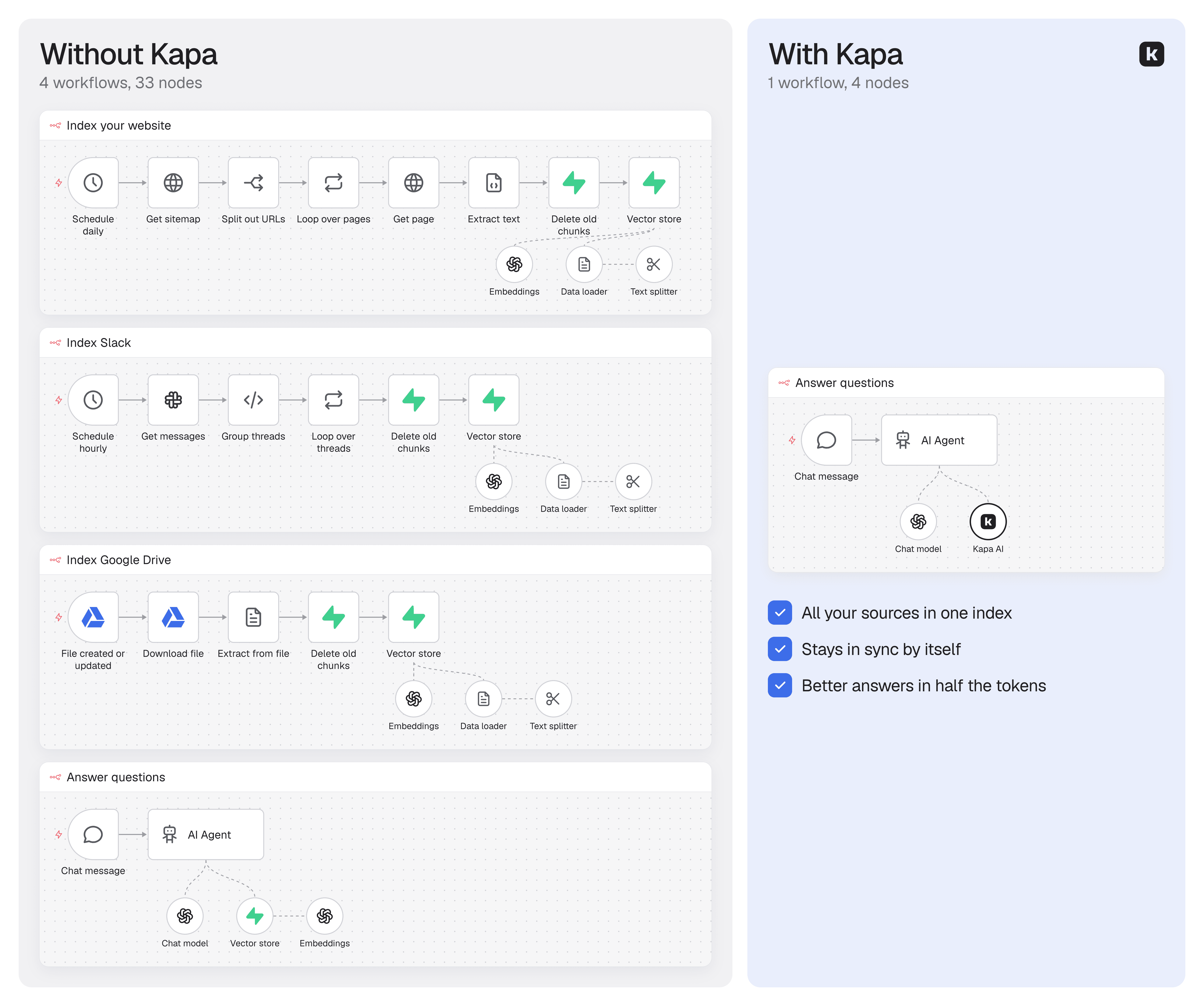
Connect your sources once in Kapa, or have Claude or ChatGPT do it for you with Kapa MCP. Then paste an API key and a project ID into the node, and your agent can search everything you’ve connected.
All your sources, always in sync
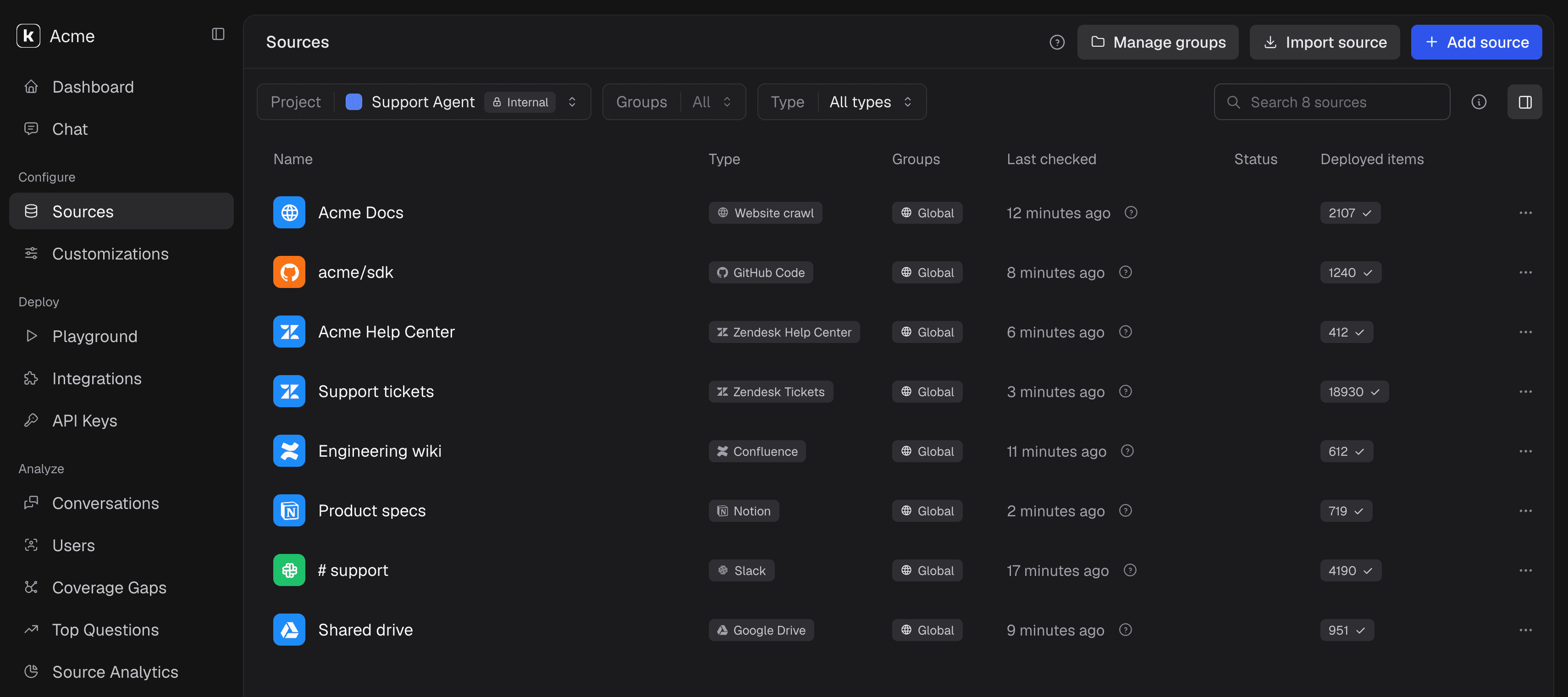
Connect a source once and every n8n workflow that uses the node can search it.
20+ connectors. Docs sites, GitHub, Notion, Confluence, Google Drive, Zendesk, Slack and more, with PDFs, tables and code handled for you.
Always in sync. Kapa picks up changes automatically, most within minutes, so you never rebuild an index.
Private sources stay private. Built-in PII masking, zero data retention and SOC 2 Type II.
Better answers, fewer tokens
On our Company Knowledge Bench, 1,000 questions from real production data, Kapa scored 0.65 against 0.41 for a standard RAG pipeline. It also returned less than half the tokens: about 5,100 per search instead of 11,100.
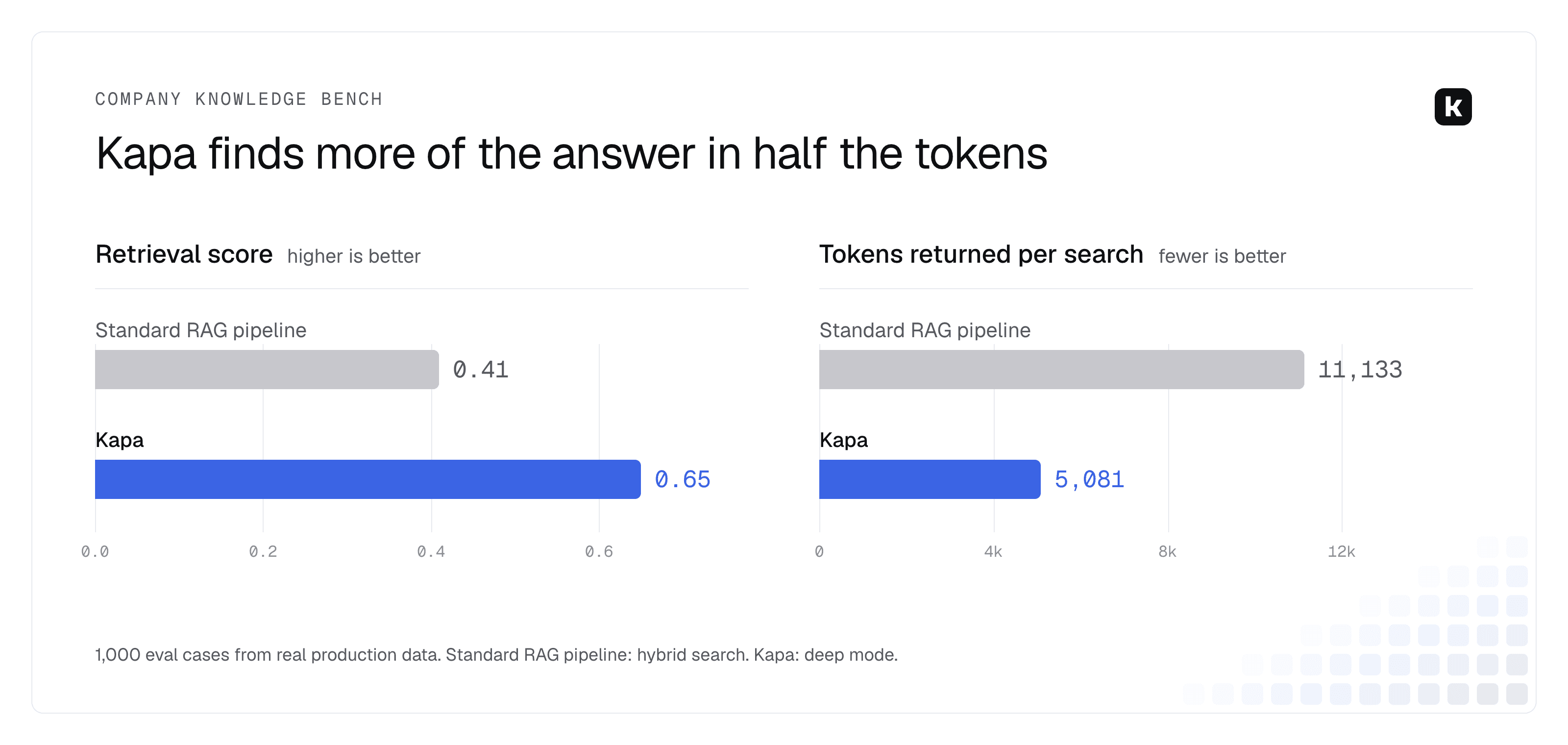
Those tokens are input your agent’s model pays for on every search. With Claude Fable 5.1 at $10 per million input tokens, 10,000 questions cost about $1,110 in retrieved context with a standard pipeline and about $510 with Kapa, a saving of about $600.
Every search your agent makes also shows up in Kapa analytics, so you can see what people are asking.
Get started
Create a free Kapa account. The trial runs 14 days, with no credit card.
Connect your docs site or GitHub repo in the dashboard, or have Claude or ChatGPT do it with Kapa MCP.
In n8n, install Kapa AI from the nodes panel. Add the Kapa AI Tool to your AI Agent and paste your API key and project ID from the Kapa dashboard.
Open the chat and ask a question.
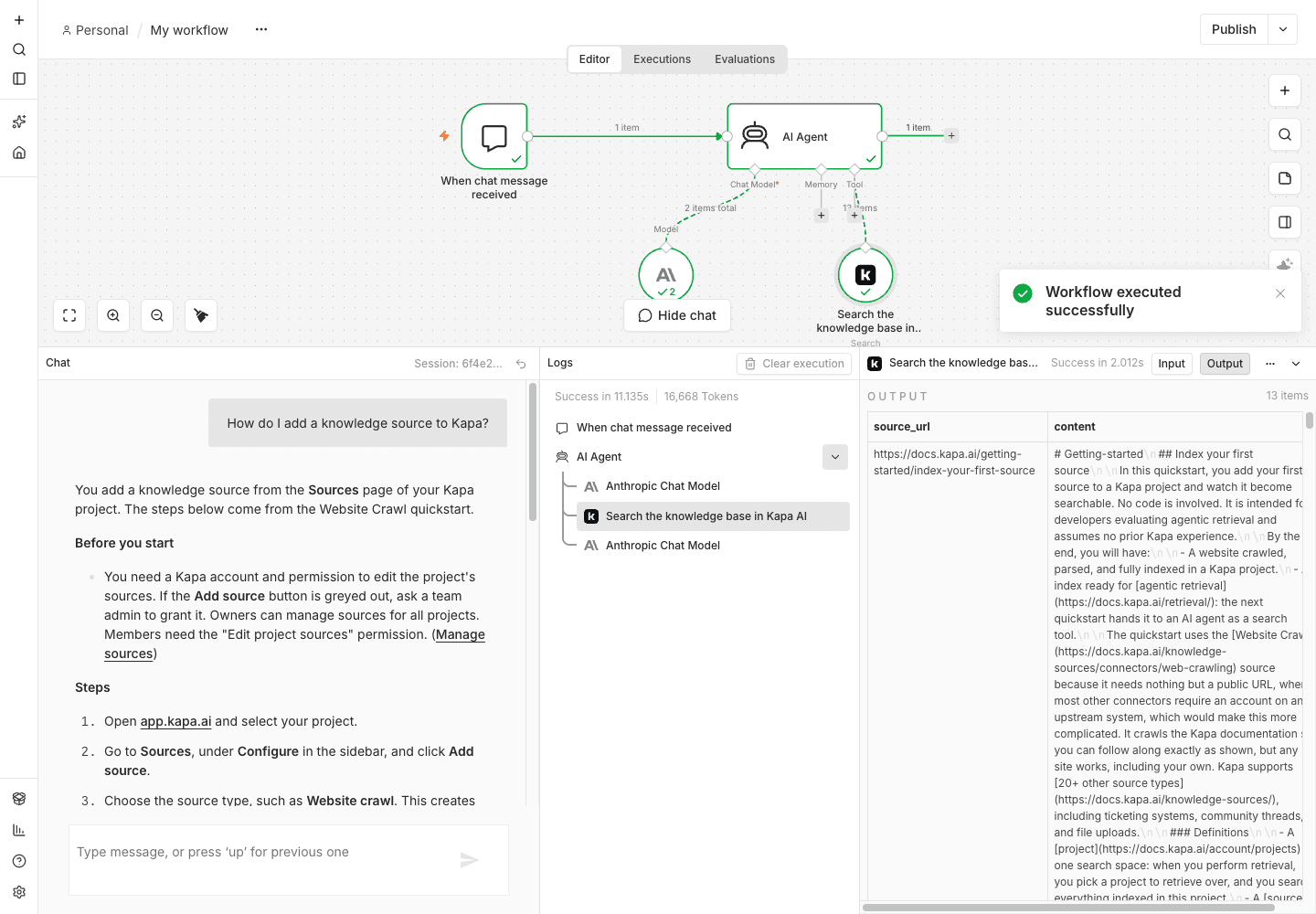
The step-by-step tutorial covers each setting, and the node reference lists every option. If you’d rather use the MCP Client Tool, see how to connect Kapa to n8n with MCP.
What you can build
WhatsApp or Telegram support bot. Answer customer questions from your help docs, and hand off to a person when the answer isn’t there.
Support email drafts. When a new email lands in Gmail or Zendesk, draft a reply from your docs and past tickets for your team to review.
Team knowledge assistant. Answer questions in Slack from Notion, Confluence, Google Drive and your PDFs.
Lead intake. Answer product questions in your website chat while the workflow collects the lead’s details.
Used by n8n
n8n uses Kapa too. The AI assistant on the n8n docs runs on Kapa, which indexes thousands of pages of n8n technical content across many sources and keeps them up to date.
FAQ
Do I need a vector database for RAG in n8n?
No. Kapa handles ingestion, chunking, embeddings and search.
How is it different from the Supabase, Pinecone or Qdrant nodes?
Those store and search the chunks you create. Kapa ingests your sources, keeps them in sync and runs retrieval over them.
Does it work on self-hosted n8n?
Yes, on n8n 2.9 or later, on n8n Cloud or self-hosted.
Can I use it without an AI Agent?
Yes. Use the Search operation as a normal step in any workflow.