Build and run your Kapa agents from Claude, ChatGPT and more
Introducing Kapa MCP. Launch a docs agent, a support agent or a company Slack bot, and manage all of them from one chat.
Emil Sorensen
Kapa turns your company’s knowledge into one knowledge base that stays in sync: product docs, help centers, support tickets, code, Slack, and internal material like policies, contracts and research. Your agents search it and answer with sources.
Today we’re releasing Kapa MCP. Connect it to Claude, ChatGPT, Cursor or any MCP client, and you can set up, customize and run Kapa by asking, without opening the dashboard.
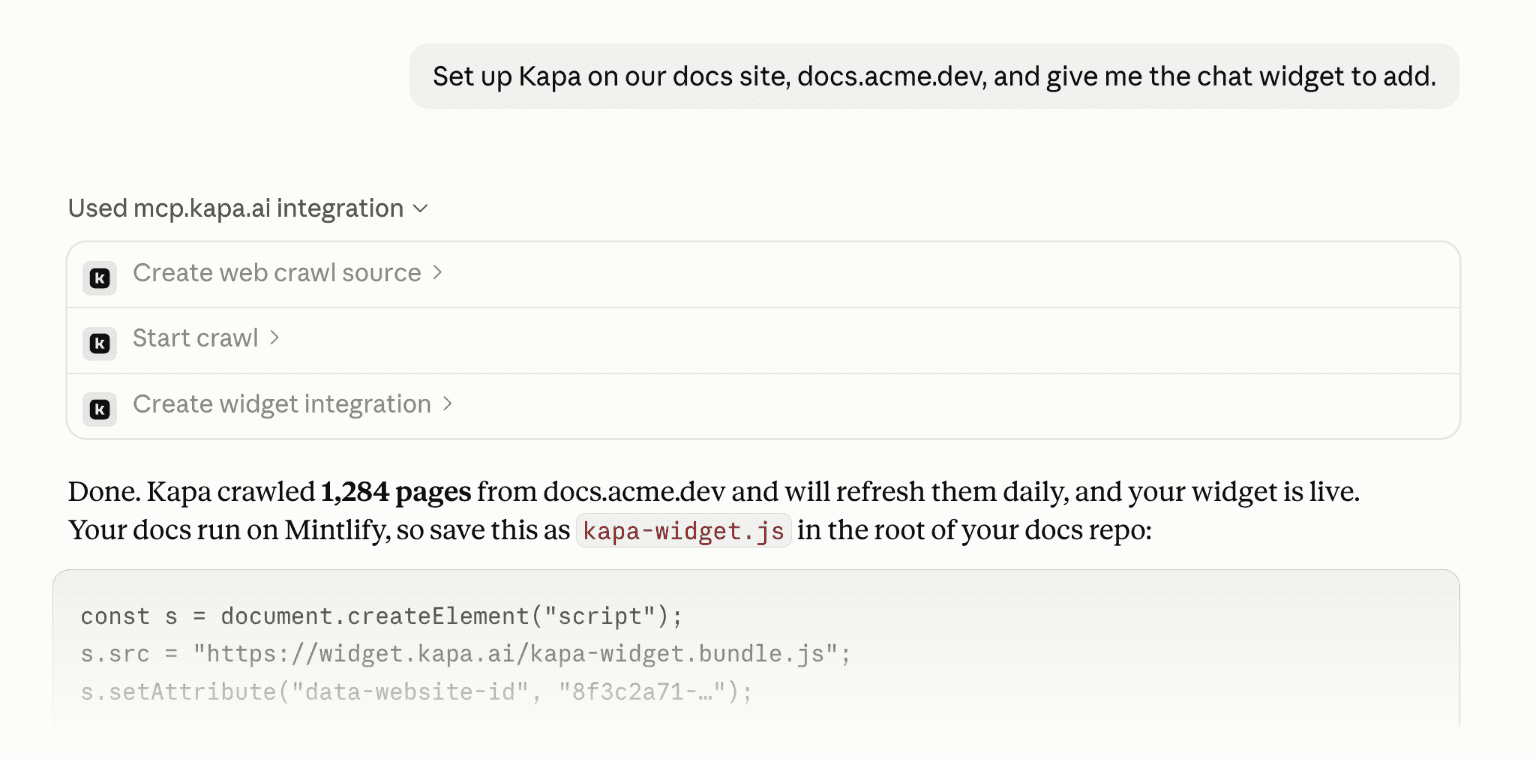
One knowledge base for every agent
Most of context engineering is getting the right, current knowledge in front of the agent. With Kapa you connect a source once and it stays up to date on its own. It supports more than 20 source types, including Zendesk, Confluence, Notion, GitHub, Slack and Google Drive.
Websites work the same way. Kapa’s built-in crawler turns any site into clean text and refreshes it daily, so you don’t need to run your own crawler or stitch together tools like Firecrawl, Exa or Parallel with a vector database you maintain.
Replace your in-house RAG pipeline
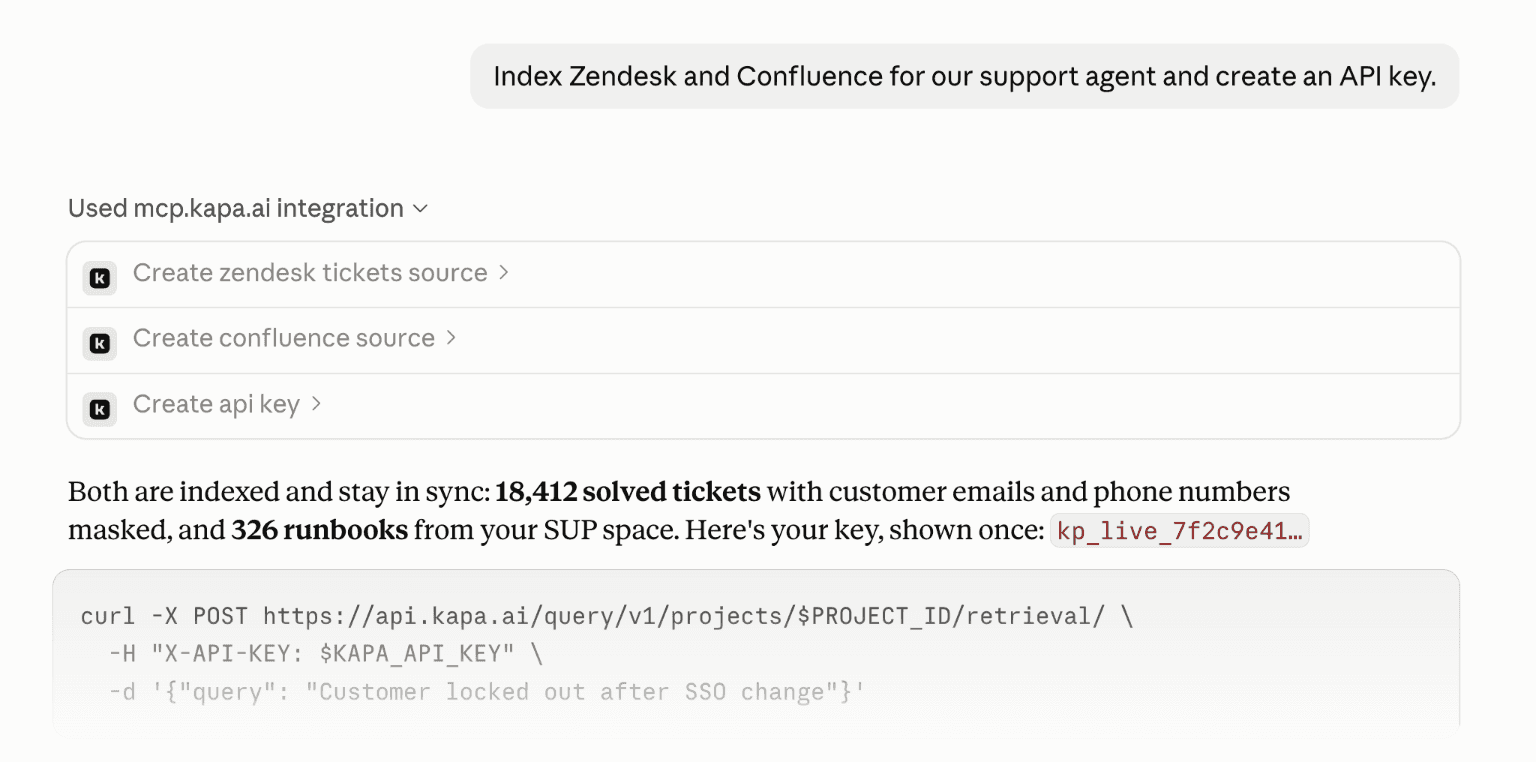
If you’re building your own agent, like an internal support agent, Kapa can be its retrieval layer. Ingestion, chunking, sync, reranking and evals are handled for you. Ask Claude to index the sources and hand you an API key or a hosted MCP server your agent can call.
On our Company Knowledge Bench, 1,000 questions from real production data, Kapa Deep scored highest at 0.65 in about five seconds. Agentic grep agents took 13 to 17 seconds and returned about 8x more tokens.
Close knowledge gaps
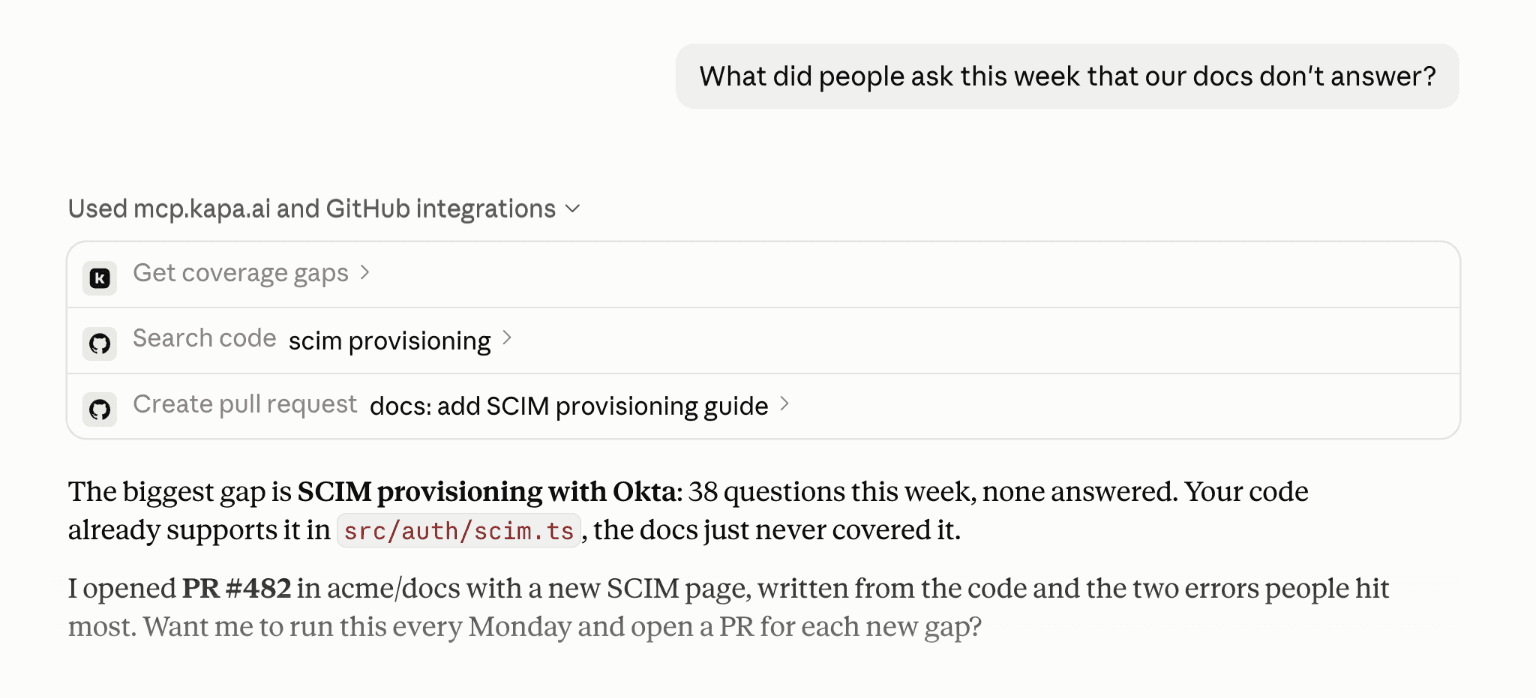
Kapa shows you what people ask and where your content falls short. Claude can take it from there: read this week’s gaps, find the answer in your code, and open a pull request on your docs. Put it on a weekly schedule, and each new gap shows up as a pull request ready for review.
More things you can ask
Kapa’s pre-built agents work the same way. A few prompts to try:
Put a chat widget on docs.acme.dev in our brand colors.
Add a deflector to the support form at acme.dev/support.
Index Confluence and Notion and set up a Slack bot for #ask-eng.
Make an MCP server called engineering-knowledge for the team.
What were the top questions on our website this week?
Crawl our marketing site and keep it refreshed daily.
Get started
New to Kapa? You can start right here. Connect Kapa MCP, create your account when it asks you to sign in, and you get a project to build on. Kapa MCP is a hosted MCP server at https://mcp.kapa.ai/mcp. Sign in with your Kapa account the first time a tool runs. Every tool acts as you, with your permissions, so there is no API key to paste.
Claude Code
Codex
Claude, ChatGPT, Cursor and other clients: add it as a custom connector
The Build with AI guide has setup steps for every client.
What’s next
Official Kapa connectors in the Claude and ChatGPT directories are coming soon, so you can add Kapa in one click. Until then, the URL above works in both.


