
Struggling with Confluence AI search and integrations? Discover its key limitations and the best alternatives built for developer workflows and code-aware AI.

TL;DR
This article breaks down Confluence AI’s limitations and compares top alternatives for technical teams.
Confluence AI works best for teams fully committed to the Atlassian ecosystem, not necessarily for technical teams working with many non-Atlassian or external tools.
Most external connectors default to shallow indexing, resulting in limited search quality across tools such as GitHub, Slack, Gmail, and many others.
Rovo has no code-aware retrieval and does not work well for technical teams that need an AI assistant that understands and generates code.
A developer in your team wants to integrate a particular API endpoint into a new feature. The answer lies in a GitHub pull request, a Slack conversation thread, and a Confluence page detailing the different parameters. The developer spends 15 minutes searching across different tools with every keyword they can think of before giving up and asking another colleague for the answer.
When Atlassian introduced Confluence AI (Rovo), many teams hoped it would solve exactly this problem. For teams fully within Atlassian, it does deliver. However, for technical teams whose knowledge lives across GitHub, Slack, Google Drive, Notion and more, the gaps start to show.
This article breaks down where Confluence AI falls short for technical teams, what capabilities actually matter, and which Confluence alternatives are worth evaluating.
The Confluence AI (Rovo) Promise vs. Reality
When Atlassian introduced Rovo in April 2024, the pitch was compelling: a single AI layer that could search across your entire work stack. The objective was to help teams surface relevant knowledge faster without switching context. Teams could ask questions and get answers from Atlassian products such as Confluence and Jira, as well as 50+ external tools, such as Google Drive, Slack, GitHub, and many more.
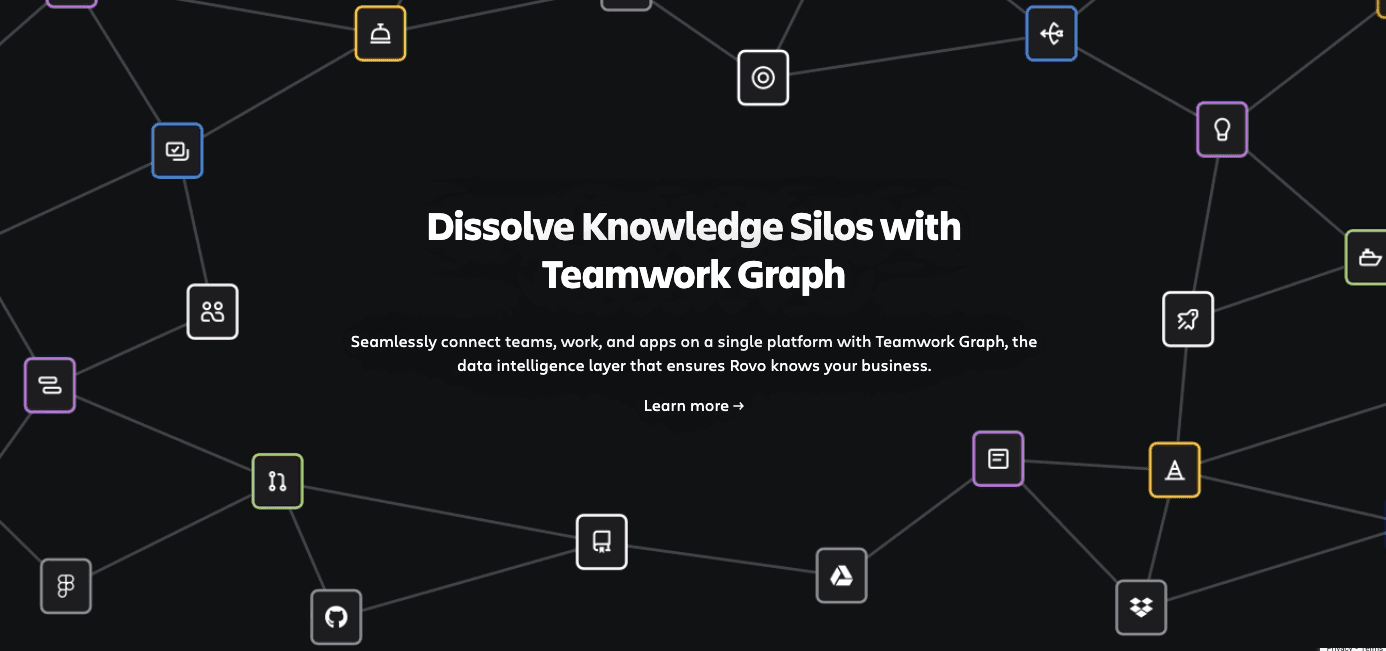
Remove Knowledge Silos with Teamwork Graph - binding together diverse data sources into one unified platform
However, not all connectors provide the same depth of search. According to Atlassian’s own documentation, the default connector type for most external tools is the Smart Link, which is their lowest tier for search quality. Content from these links is not stored and indexed, as Rovo only recognizes links that are manually pasted into Confluence or Jira.
In order to have the highest search quality, an admin has to manually configure each connector with OAuth, permissions, and, in some cases, even Marketplace app installations. Atlassian’s own guide recommends starting the admin approval process early with a focus on 6-8 high-priority apps.
Even after a full setup, tools like Slack and Gmail that fall under the “Direct” connector category can only reach medium quality in search, as the data from these tools are only queried live and never fully indexed. Here is a screenshot showing the different connector types along with the search quality.
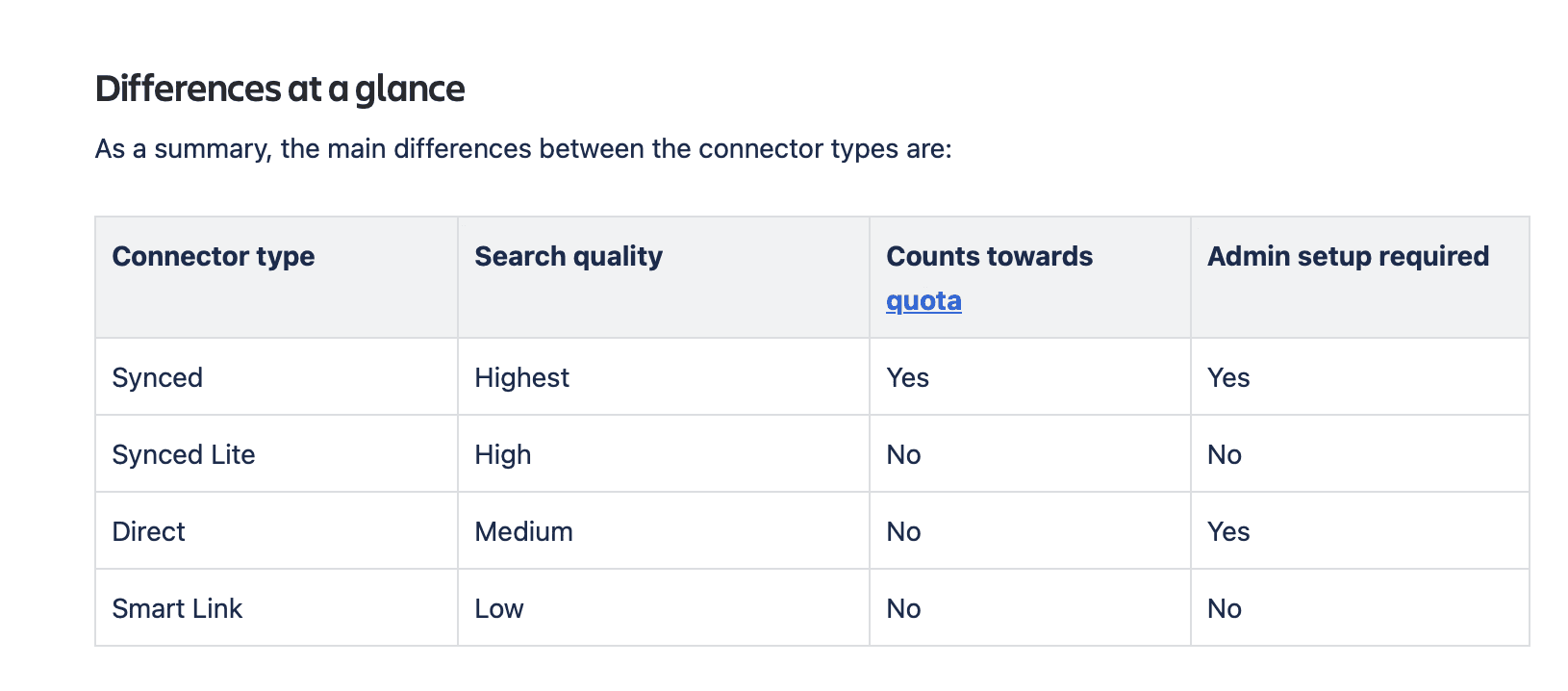
Image showing the different connector types provided by Rovo and their features
Teams whose workflows extend beyond the Atlassian ecosystem should understand this quality gap before deciding whether Confluence AI is the right fit.
What Confluence AI Actually Does?
Confluence AI makes it easy for teams to manage content while working within Confluence workflows. Users have direct access to an AI assistant that helps with writing and editing content. You can generate new Confluence pages from a brief, rough notes, or a mere idea.
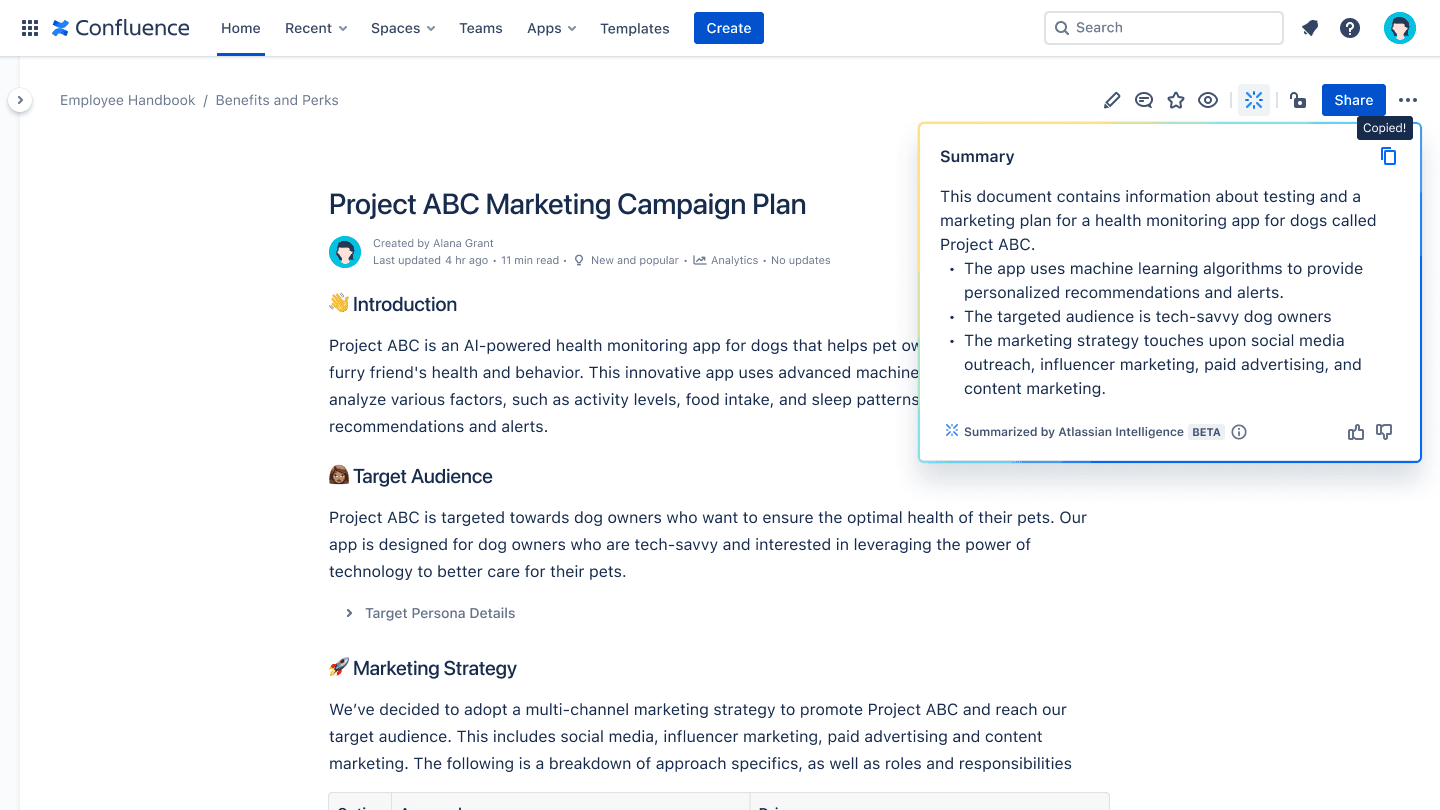
Image showing Atlassian intelligence summarizing a Confluence page
You can summarize long documents or pull together a summary of blog posts. These features help save so much time when a reader has a mountain of docs to go through. You can even revise your content for clarity and tone with suggestions designed for a specific audience.
Another prominent feature is the natural language search across Confluence pages and Jira tickets. Rather than searching for keywords and reading multiple pages, you can simply ask a question to the AI assistant, which will then comb through the entire knowledge base and come up with answers, without you having to leave Confluence. This cuts down a lot of time teams spent searching for relevant docs. Atlassian’s underlying data model, Teamwork Graph, stores and indexes data from across their product suite, which allows Rovo to retrieve accurate information from a unified and continuously updated knowledge base.
Beyond content creation and search, Rovo also extends into workflow automation. It offers many agentic frameworks designed to handle routine workflows without any manual input. A popular example is automating meeting notes into Jira tasks, where agent scans meeting summaries and creates tickets based on action items. Other pre-built agents include:
Work Item Planner that breaks epics into tasks
Release Notes Drafter that synthesizes notes from Jira tickets
Issue Organizer that manages sprint items and much more
For teams operating fully within Atlassian, these AI capabilities are genuinely powerful. However, many teams use workflows whose tools go beyond a particular ecosystem. It turns out that Confluence AI has some limitations in these cases, and they have begun to surface.
Why Confluence AI Falls Short for Technical Teams
When technical teams tried out Confluence AI, they came across four problems that were hard to ignore.
Problem 1: Technical Knowledge Doesn’t Live in One Place
A Platform Lead at a Cloud Storage Company described it this way:
"Knowledge lives in Confluence, Paper, our internal dev portal, and Jira tickets. Engineers spend 3-20 minutes per query just trying to find what they need."
Confluence AI struggles when information is inside other tools. This is an issue because developer workflow typically spreads across multiple tools, which they use for code, team conversations, documentation, product specs, PDFs, and internal wikis.
Teams that turned to Confluence AI hoping they can use it reliably for all their content have had mixed reactions. For example, one CTO at a developer tools startup had this remark:
"The current Confluence AI only works within Confluence. We need something that connects to GitHub, Slack, and our API documentation too."
This reflects a structural limitation in how Atlassian Rovo indexes content from external tools.
As discussed in the first section, Rovo’s ability for high-quality search across these external tools depends on the connector type. Many third-party tools like Slack and Gmail can at best fall under Direct connector type, which does not fully index data, and their default mode, “Smart Link,” provides the lowest search quality.
This matters because search quality is directly related to what gets indexed. If the knowledge base is fragmented and shallow, the chance that the AI assistant will miss relevant documents or fill the gaps with hallucinated responses is significantly higher. AI needs the full picture and cannot accurately reason over data that is only partially ingested or continuously refreshed.
Problem 2: Confluence Search Has Well-Documented Limitations
Even before Atlassian Rovo was introduced, there were pain points that developers faced with Confluence’s search infrastructure. Because Rovo’s AI search is built on top of the same foundation, those pain points still remain and break the search. Data storing, indexing, and regular updating is fundamental to a retrieval pipeline; otherwise, AI will hallucinate and generate false results.
The frustration is widely documented. On the Atlassian Community forum, one administrator wrote this:
I often get complaints about the search function in Confluence. I always have to tell my colleagues that they must use the precise word/string they are looking for.
Another thread on Hacker News also addressed the issue saying that the Confluence’s search fails to bring up relevant documents. Teams that tested this feature also had similar comments. An Engineering Lead at a security software company described it this way:
"Our developers surveyed it and the feedback was clear: they struggle to find relevant documentation in our extensive Confluence setup. The search just doesn't work for technical content."
A VP of documentation in an Enterprise software company also reported:
"Users give up too early when searching because they don't know the right terms to use. Even when the answer exists, they can't find it."
All these quotes seem to be stating that the issue with Confluence’s search is not a one-off problem. It has been around for quite a few years now and has contributed to Rovo’s inaccuracy.
Problem 3: No Code-Aware Features
The issue becomes more apparent for technical teams working with code on a daily basis. Teams might not be searching for text documentation. Instead, they often need to retrieve a specific function, understand how to use an API endpoint, or track code changes across pull requests. For such a search to work, the AI has to fully understand code structure and syntax and not just perform text matching. This is another limitation of Rovo’s that technical teams have brought forward.
Rovo does not seem to distinguish well between code and text. It doesn’t have syntax-aware chunking, which makes retrieving relevant code-related information more difficult. It’s one thing to highlight a topic in Confluence, but it’s a completely different matter to surface the actual implementation of an API endpoint.
Problem 4: Hallucination Risk Without Reliable Citations
All AI assistant carry a risk of hallucination when they don’t receive accurate information in the context. Such a risk increases when the underlying knowledge base is incomplete or poorly indexed. Problems 1 and 2 already address the fact that Confluence AI does not work well for teams whose workflows have multiple external tools and whose search infrastructures already had limitations before Rovo appeared. Here is what a VP of Engineering at an industrial IoT company had to say about such risks:
"A bad chatbot is worse than no chatbot. If it gives wrong answers, developers lose trust immediately."
A Developer Experience Lead at a large developer tool described this firsthand as:
"Our current AI agent on docs makes up answers when search fails. Not a single customer has reported it as useful."
The hallucination risks are real for any AI assistant, and before you put such an application in production, you need to make sure that hallucinations have been minimized. Saying, “I don’t know” is much better than generating false answers. Also, every response has to be accompanied by appropriate citations that you can click on to verify the sources. An Engineering Manager at a geospatial software company was of a similar opinion:
"The AI needs to point to exact sources of information with clickable citations. Otherwise how do we know it's not hallucinating?"
Hence, for technical teams that work with diverse developer workflows and tools, it is fundamental that the knowledge base is complete, the chunking is code-aware, and that the system avoids hallucinating when there isn’t enough relevant information to fully answer a question. The responses should always be accompanied with citations for quick validation.
What Technical Teams Actually Need
So, what does a genuinely useful AI assistant look like for a technical team? Again, there are four things that are worth evaluating in any alternative you’re considering:
More native integrations: The tool needs to connect to the full documentation stack, wherever technical knowledge actually lives. Data from all these tools must be stored, indexed, and continuously refreshed so that AI can reason over accurate and up-to-date information at all times.
Technical accuracy and code-awareness: The RAG pipeline needs to understand code, not just text. This means the tool must have syntax-aware chunking to be able to accurately surface implementations in the context of either a function, API endpoint, or a pull request. Simple text retrieval will not be sufficient for code-related queries.
Minimal hallucination and source citations: It is extremely important that your AI assistant does not generate fabricated responses. There is a significant risk that users will quickly lose trust in your product. An honest “I don’t know” is actually much better than a fluent yet incorrect answer. Every AI-generated result should be supported by proper citations that take the user directly to the source and allow them to validate the answers.
Analytics dashboard: Teams should be able to see what questions their users are asking. This helps them identify topics where accuracy is consistently poor and shows them exactly where their documentation has room for improvement. If no relevant document surfaces for a particular query, then it is a clear signal that the knowledge base does not have enough coverage to answer that question.
Confluence Alternatives for Technical Teams
Technical teams relying on multiple tools have experienced enough limitations with Confluence AI, which has pushed them to explore Confluence alternatives. So, the next question is: which alternatives are out there?
Even though there are several that are worth considering, it’s important to mention that none of them are perfect. Each has its own pros and cons, and the right choice heavily depends on your documentation stack and the kind of problems you are trying to solve.
Here is a straightforward overview of the four most commonly evaluated options.
Kapa.ai
Kapa.ai is purpose-built for technical documentation. Its AI layer is designed from the ground up to handle code snippets, API references, GitHub discussions, and other technical content. You can connect to 50+ sources including Confluence, GitHub, Slack, and many more with syntax-aware retrieval that understand code structures. Kapa follows a zero-hallucination design and provides source citations with every response for instant validation. It is already trusted by 200+ technical companies. In fact, Mapbox has reported almost 20% reduction in monthly support tickets after integrating Kapa.
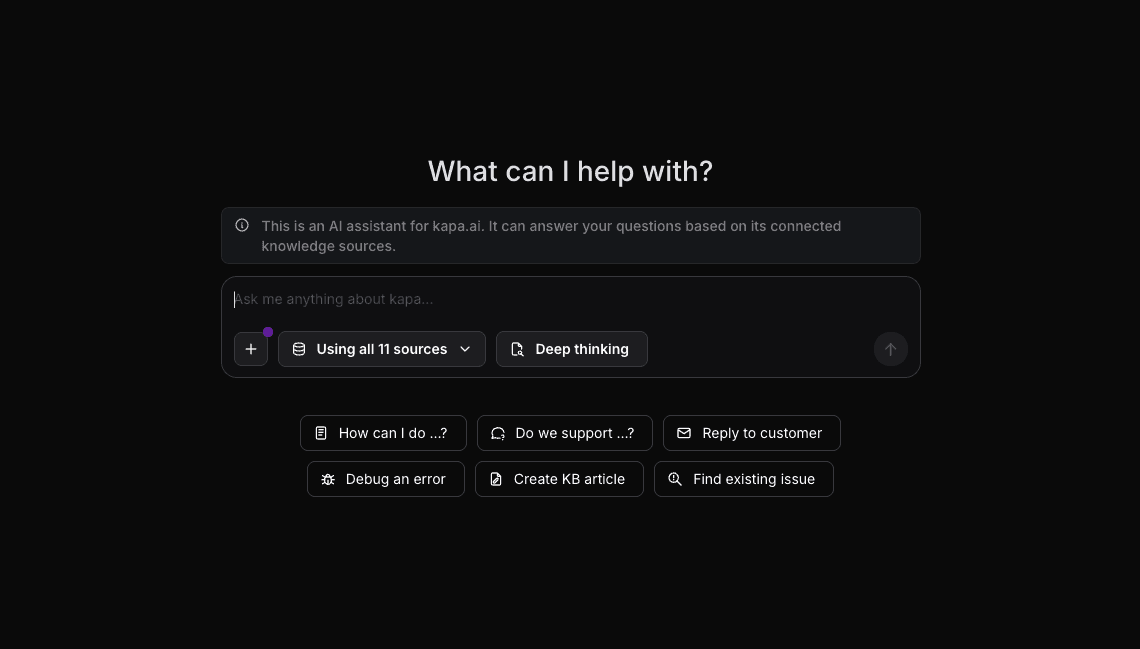
Image showing Kapa’s AI assistant where you ask a question based on the connected data sources
Glean
Glean is an enterprise search platform that takes a broader approach to integrating company knowledge. It’s built for large organizations where retrieving the right information from a diverse set of tools across many departments has become a frustrating bottleneck. Glean connects to 100+ workplace apps and provides a conversation-style rather than just keyword-based search experience. It even offers a personalized search using a knowledge graph, meaning any two people looking the same query might receive different responses based on their interactions and what’s relevant to them.
However, being a general-purpose platform, it is not well-suited for developer-specific workflows. It’s based on the search-first approach and has limited workflow automation.
Glean might not be suitable for small teams with a tight budget, as it follows an enterprise-first pricing model.
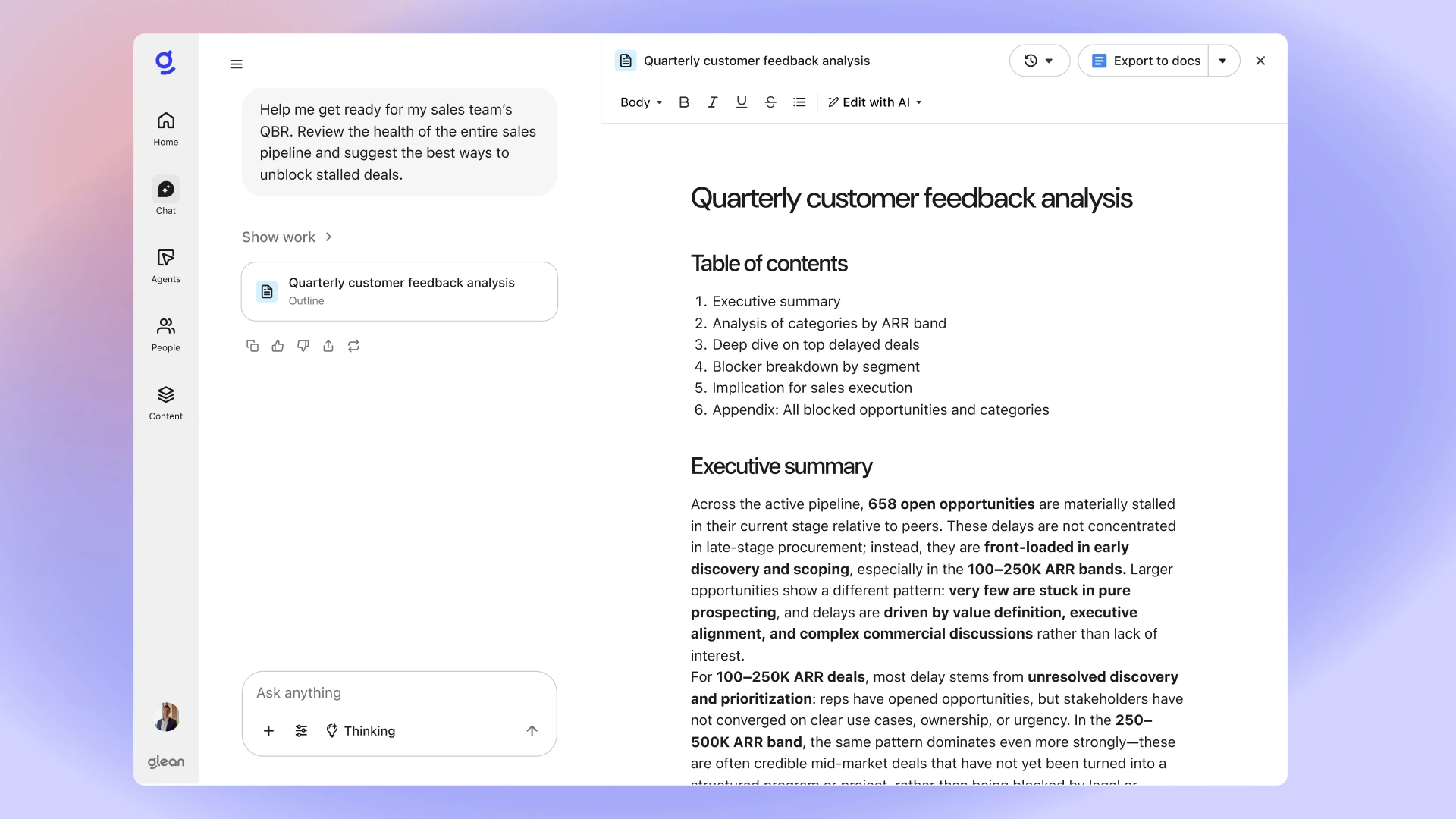
Image showing Glean’s AI assistant in action providing a detailed Quarterly customer feedback analysis
Guru
Guru is also a knowledge management platform that integrates with popular tools and everyday workflows via browser extensions. It has a user-friendly interface that makes it easy for both technical and non-technical users to navigate the platform. A notable strength is its built-in verification setup, where subject matter experts are assigned to regularly review and confirm the accuracy of the content in their centralized knowledge base. This ensures that the knowledge in the system is trustworthy.
As stated by Bloomfire, the platform was built primarily for customer-facing use cases such as onboarding, up-to-date product information, and customer inquiries. For teams that require deep technical retrieval, Guru might not be the right fit in their quest for the primary AI assistant for developer-specific workflows.
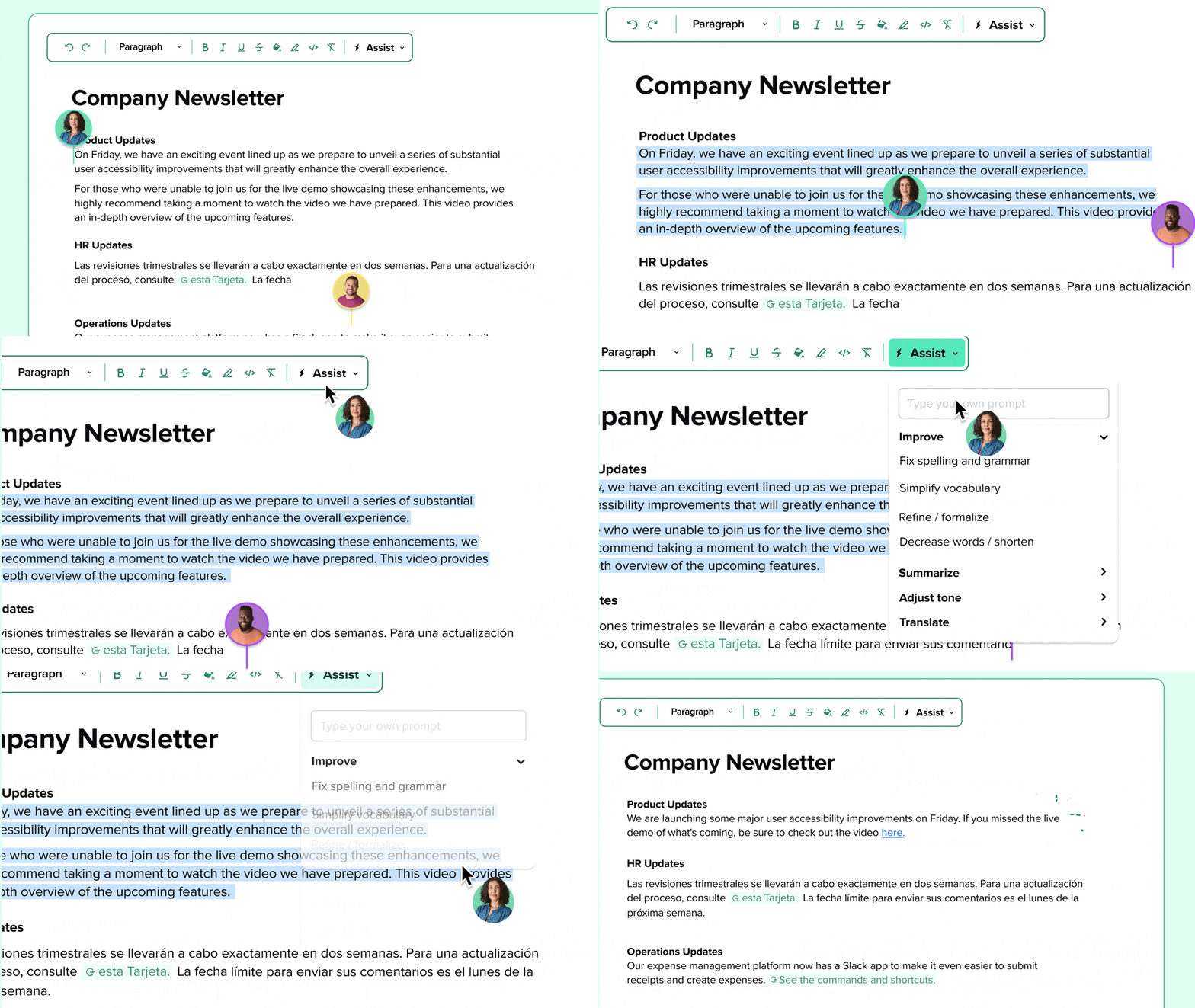
Guru’s AI Assist embedded in a company’s newsletter
Custom GPT Solutions
Some teams choose to build their own solution by setting up a retrieval-augmented generation (RAG) pipeline over their knowledge base. This approach gives full control over which data sources to connect, what chunking strategy suits the team, and how responses are generated.
But building and maintaining a RAG pipeline requires significant engineering effort. Keeping the data fresh and indexed, handling permissions, implementing guardrails, and iterating the pipeline are all ongoing responsibilities a RAG pipeline demands. For teams that want to move fast and stay focused on their core-product, building custom solutions might not be the ideal choice.
How to Evaluate Your Options
Choosing the right AI assistant isn’t about picking the solution that has the largest number of features. It should actually depend on your documentation stack.
First, you have to list all the sources where your technical knowledge lives. Any alternative you are evaluating must be able to index across all the tools on your list.
Do not depend on demo scenarios. Prepare 5-10 solid questions that your team often struggles to find answers to, and use them to test the alternatives. The results will tell you whether they can actually rely on the tool or not. Also, every response should be accompanied by citations that you can click to verify if the response matches the source. Responses without citations carry high risk of hallucination.
If your team is working with code, your AI assistant should be able to understand and generate it. So, make sure to test the alternative with various code-related questions and check things like formatting, syntax, or API endpoint examples to thoroughly review how it handles technical content.
Last but not the least, prioritize integration depth over breadth. If a platform integrates 50+ tools but fully indexes only a few, it is less useful than one that has 10 connectors but indexes them fully. Make sure to understand how each of your tools is handled under the hood.
See Multi-Source AI in Action
If you have reached this point and recognized some of these limitations in your own team’s workflow, you are not alone. Most technical teams struggle to find an AI assistant that is code-aware and can surface accurate knowledge from multiple tools at once. Many have tried Confluence AI, found it worked well within Atlassian, but still ended up hitting a wall when their workflows extended beyond it. Ultimately, they had to start looking for viable alternatives that work for developers.
Kapa.ai is a good choice for technical teams that are looking for accurate, code-aware responses. Readers who are interested can go through a free evaluation process, where we show exactly how multi-source AI works with your own documentation. You will get a real look on how your data gets indexed and how AI answers questions that your team is already asking.
FAQ
Why does Confluence AI fall short for technical teams using multiple tools?
Most external connectors in Rovo default to Smart Link, the lowest tier for search quality. With it, content is never stored or indexed, as Rovo only picks up links manually pasted into Confluence or Jira, so knowledge from tools like Slack and GitHub rarely makes it into search results.
Does Confluence AI have code-aware search for developer workflows?
No. Rovo has no syntax-aware chunking, meaning it treats code the same as plain text. It cannot accurately surface specific functions, API endpoint implementations, or code changes across pull requests.
Why does Confluence AI hallucinate and how does it affect developer trust?
When the underlying knowledge base is incomplete or poorly indexed, Confluence AI fills gaps with fabricated answers. Developers quickly lose trust in an AI assistant that gives wrong answers, making hallucination one of the most damaging limitations for technical teams.
What are the best Confluence AI alternatives?
Alternatives are Kapa.ai, Glean, Guru, and custom RAG pipeline solutions. Each has trade-offs depending on your documentation stack and whether your team needs code-aware retrieval, enterprise search, or full control over indexing.
What should technical teams look for in a Confluence AI alternative?
Four things: native integrations that fully index your entire documentation stack, syntax-aware code retrieval, responses with clickable source citations to prevent hallucination, and an analytics dashboard that identifies gaps in knowledge base coverage.

Turn technical documentation into customer-facing AI assistants
See how kapa.ai can transform your docs, support, and product experience