
After analyzing 1,192 real conversations in our own dashboard, we found that documentation search did more than answer product questions. It helped the agent decide which tools to use.

I am Finn, co-founder of Kapa - we make customer-facing AI assistants on top of technical documentation.
Once teams go live with AI chat on their docs their users quickly start asking lots of questions and it can become quite unmanageable to keep track of these.
In the past, we’ve built a lot of analytics tooling (like clustering, custom tagging) to try to help our customers make sense of this data. But ultimately none of these are flexible enough to cover all use-cases.
So we built an agent into our app. Customers could ask questions about their data in natural language instead of clicking through filters.
We expected it to be useful, but secondary. Instead it became our most-used AI integration.
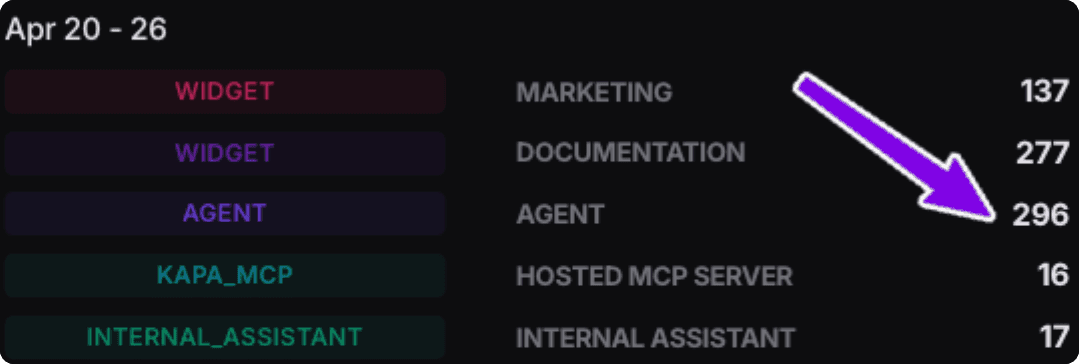
Questions per week across our customer-facing AI deployments
That usage made us curious. Was the agent mostly working because the native analytics tools were useful? Or because the chat interface had become a more general product surface?
To find out, we categorized the last 1,192 conversations by tool use.
That is where search_knowledge_base stood out.
The agent setup
So you have context: our agent lives in a side panel inside our web app and customers use it to ask questions like:
"How many pricing questions did we get this month?"
"Show me the documentation gaps and help me prioritize them"
“Graph uncertain trend over the last quarter for a report"
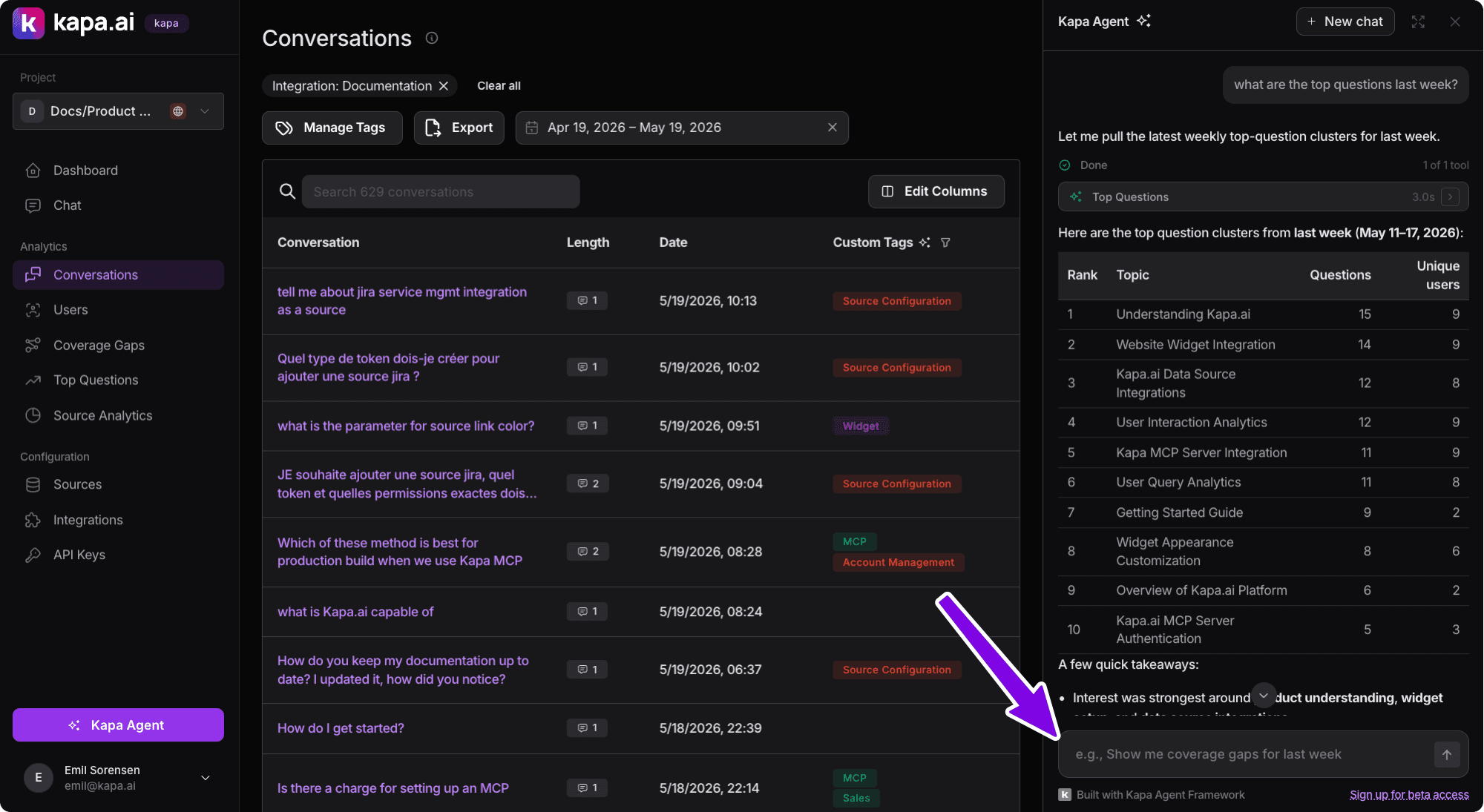
Example of the agent used to answer simple question like “What were my top questions last week?”
Under the hood, the agent has access to two kinds of tools:
Around 30 native tools like
search_conversations,list_integrations,navigate_to_conversation, anddisplay_chart. These let the agent query account data, inspect setup, move around the app, and generate charts.One knowledge-base search tool:
search_knowledge_base. This lets the agent search our docs, code examples, support FAQs, marketing site, and API reference.
Finding #1: Knowledge base search gets used a LOT
We expected most useful conversations to go through the native tools.
That did happen. But only 53.2% of conversations used native tools only.
Instead a surprising 39.1% called search_knowledge_base at least once. And in 32.1% of conversations the agent ONLY used it.
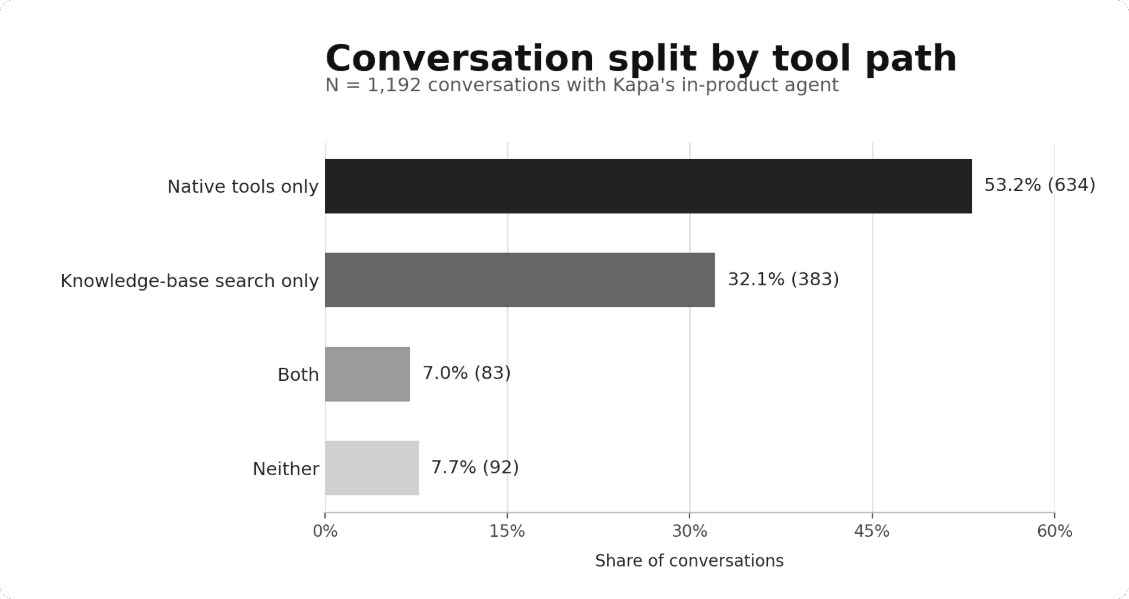
This told us the knowledge base search matters a lot, but not yet what kind of work it was doing. So we kept digging.
Finding #2: Knowledge base search acts as a failover
The main use case for knowledge based search was acting as a failover for the agent when users asked questions that no native tool calls could help. That accounts for 32.1% of conversations.
These are conversations were users asking completely reasonable product questions like:
"How do I set up the Slack integration?"
"Why am I getting CORS errors on the widget?"
"How often do website crawls ingest?”
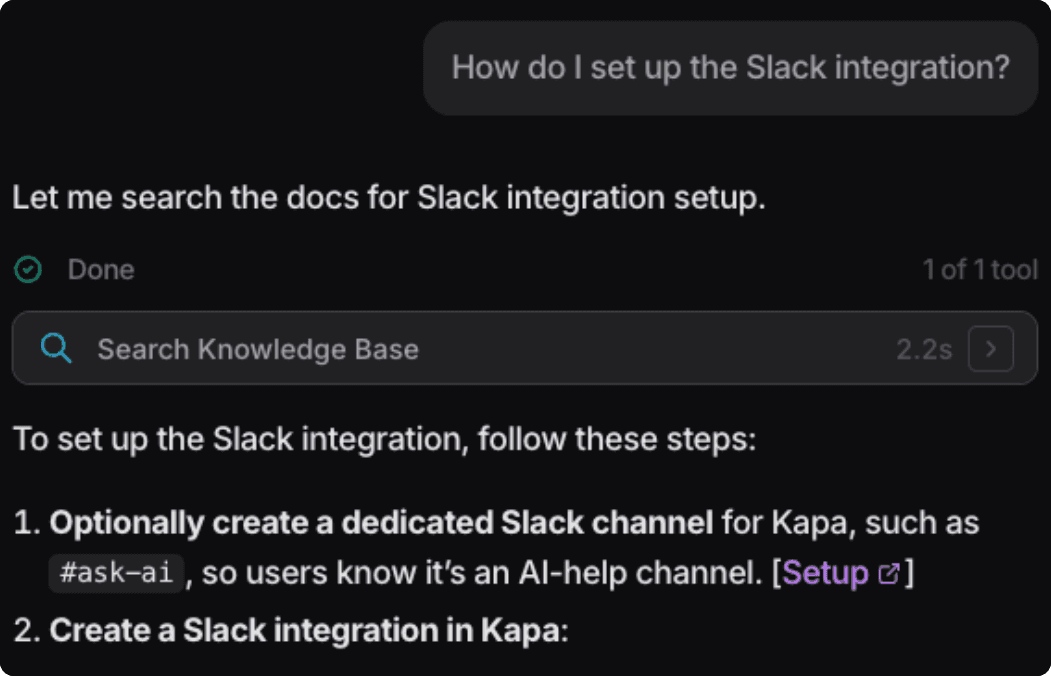
If we had shipped with native tools but no search_knowledge_base, the agent would have had to refuse or guess
What happened here is we had built an analytics agent but our users treated it as a “catch-all” product agent.
That is probably what happens when you put a chat box inside a product: users ask whatever is blocking them.
Finding #3: Knowledge base search adds context to the other tools
The more nuanced cases were the 83 (7%) conversations where the agent used both native tools and search_knowledge_base.
Those made the division of labor clear:
Native tools answered what was true about the dashboard state
Knowledge-base search explained what that meant
For example, one user asked what type of MCP integration they had set up and how it differed from the other options.
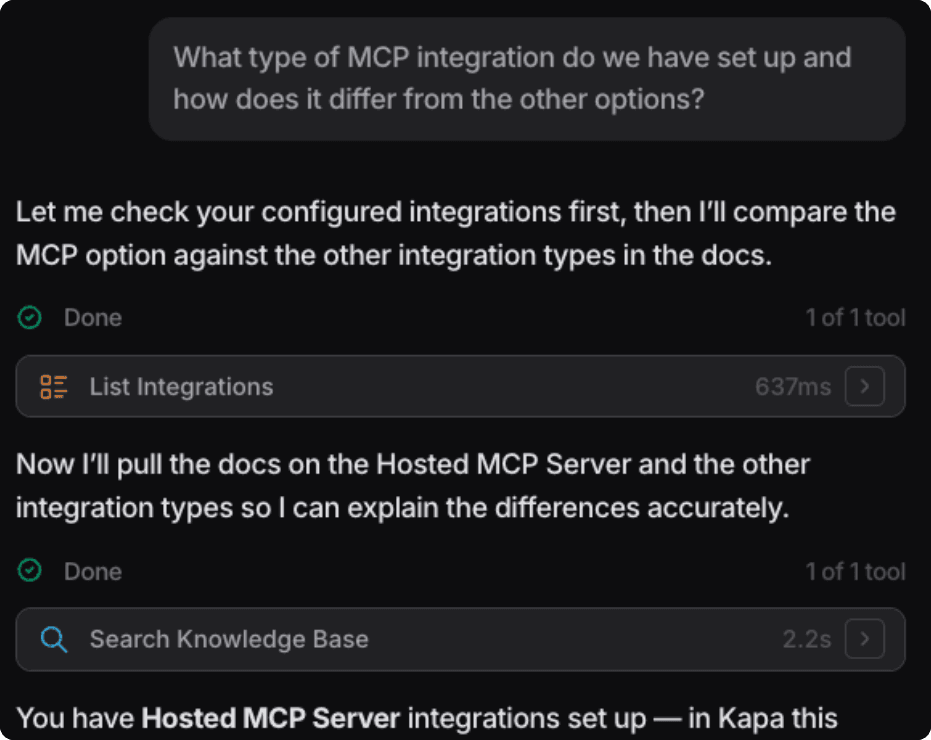
The native tool call (list_integrations) could answer the first half. But to contextualize what this meant the agent needed context from the documentation.
Finding #4: A planning tool in disguise
This was the most interesting pattern.
In some conversations, search_knowledge_base did not just help the agent answer. It helped the agent decide what to do next.
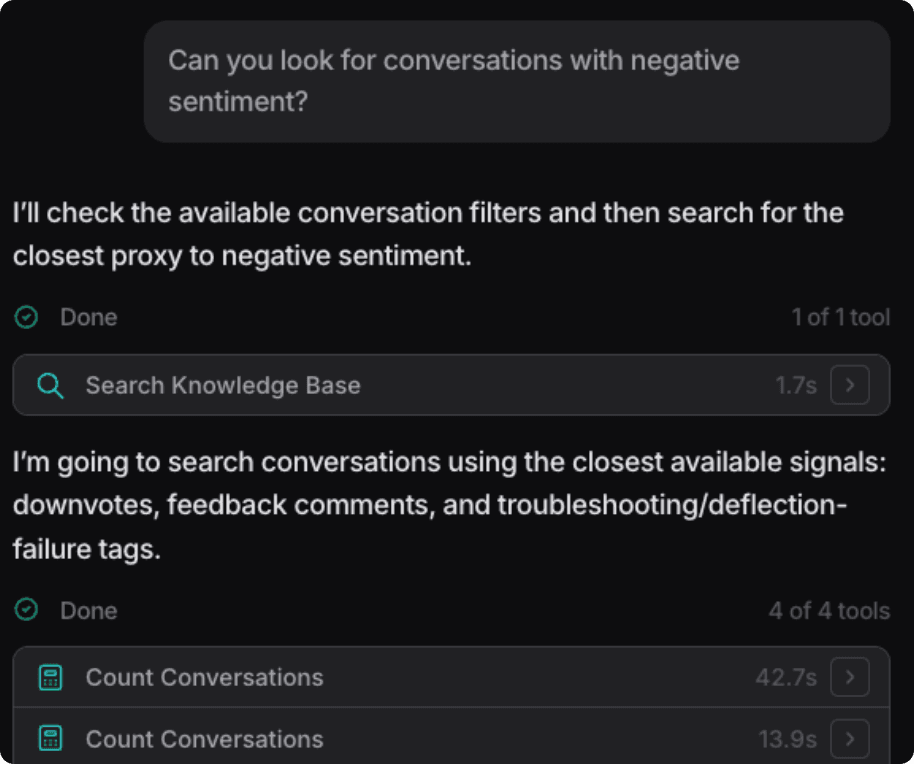
For example, when a user asked “can you look for conversations with negative sentiment” it helped the agent make the right tool calls. Our agent doesn’t have any “sentiment” filters to apply, but using the documentation the agent was able to figure out we collect negative feedback signals in the form of downvotes and feedback comments.
That is different from using docs to answer the user. The docs changed the agent’s plan before the native tool call happened.
So what do we take from this?
The main lesson: product agents need both native tools and knowledge-base search.
Native tools let the agent act on the product. Knowledge-base search helps it understand the product.
The agent works best when both are present: tools keep it grounded in the customer’s actual account, while search gives it the context to explain, adapt, and recover when a request does not map cleanly to a tool.
The tool that only reads is not secondary to the tools that act. It is part of what makes them useful.

Turn technical documentation into customer-facing AI assistants
See how kapa.ai can transform your docs, support, and product experience