Why your agent needs access to your documentation
What 1,192 agents conversations taught us about knowledge base search
Finn Bauer
I'm Finn, co-founder of Kapa - we build customer-facing AI assistants on top of technical documentation.
A few months ago we shipped an agent inside our own product. It lives in our web app and our customers use it to ask questions about their deployment - things like "how many Slack bot questions have users asked in the last month?".
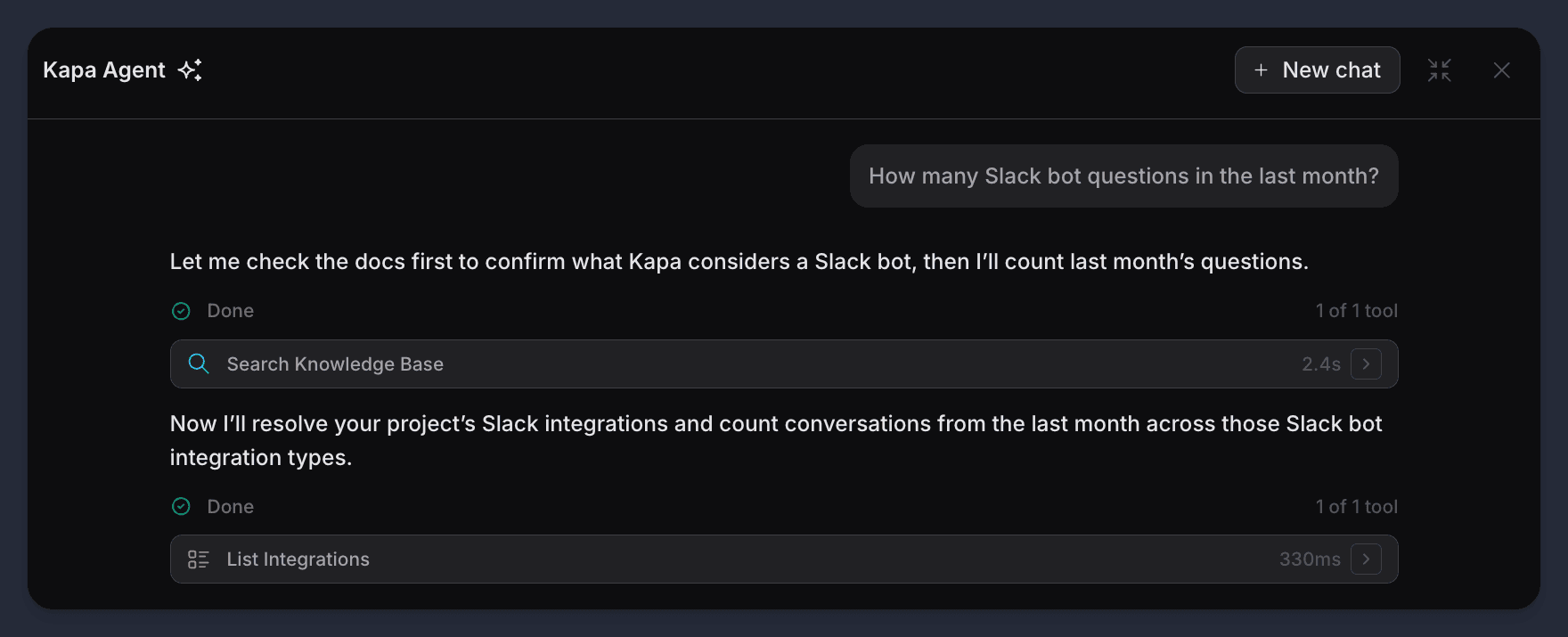
We built the agent because the analytics tooling we'd shipped (clustering, tagging, filters) never quite covered every use case, and we wanted to see if a chat interface could.
For context, the agent has around native 30 tools to interact with our platform like search_conversations, display_chart, and so on.
And the agent also has a single search_knowledge_base that can read our documentation, code examples, support FAQs and API reference.
We expected the native tools to do most of the work.
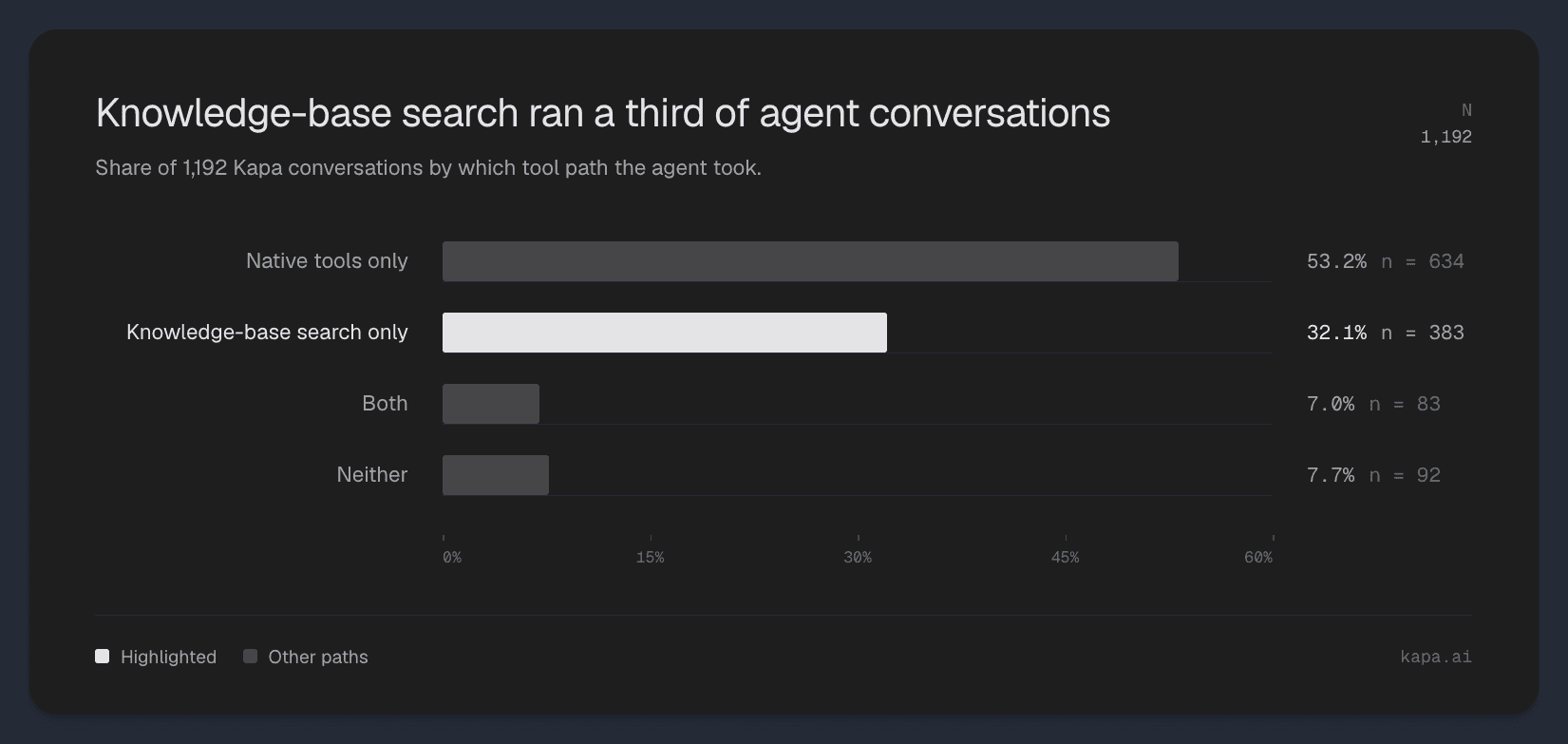
But when looking at the last 1,192 conversations we found that the search_knowledge_base was the most used tool, almost as much as the all the native tools combined.
This post is about what we found when we looked at why.
Finding #1: Documentation became the fallback
The main use case for knowledge base search was acting as a failover for the agent when users asked questions that no native tool calls could help. That accounts for 32.1% of conversation.
These are conversations were users asking completely reasonable product questions like:
"How do I set up the Slack integration?"
"Why am I getting CORS errors on the widget?"
"How often do website crawls ingest?”
If we had shipped with native tools but no search_knowledge_base, the agent would have had to refuse or guess
What happened here is we had built an analytics agent but our users treated it as a “catch-all” product agent.
Finding #2: Documentation adds context to the native tools
The next pattern was conversations where the agent used both kinds of tools. Around 7% of the total.
These were smaller in volume but they made the division of labor between the two kinds of tools clearer than anything else. The native tools answer what is true about the user's account right now. search_knowledge_base answers what it means.
A representative example: a user asked what type of MCP integration they had set up and how it differed from the other options. list_integrations answered the first half - here's what you have configured.
To answer the second half the agent needed to read the docs, because the comparison between integration types lives there.
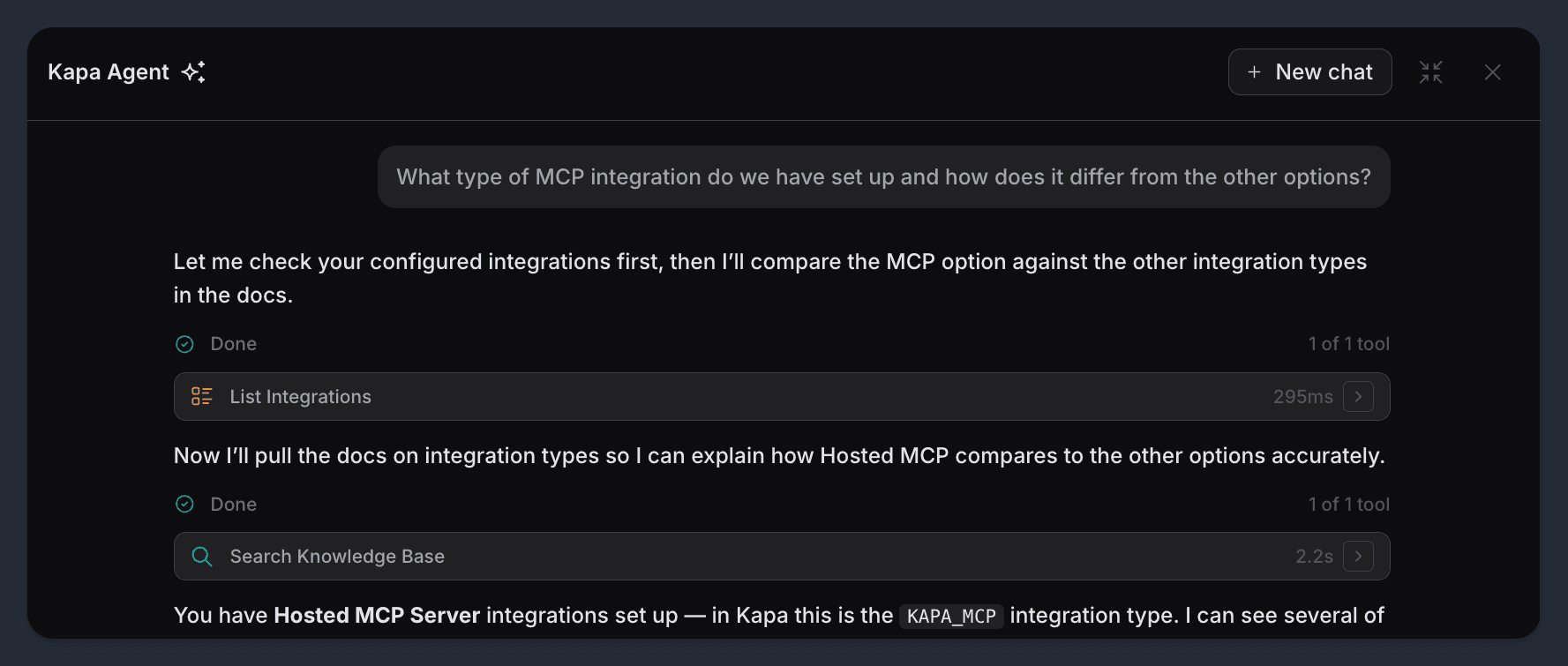
Neither tool could have answered this on its own. The native tool knew the state. The knowledge-base tool knew the product.
The answer required both. This is the role most people probably expect a docs-reading tool to play in an agent. It's real, it matters, and it was the smallest of the three patterns we found.
Finding #3: Documentation helps the agent use its own tools
This was the most interesting pattern and the one we didn't expect.
In some conversations, search_knowledge_base wasn't being called to answer the user. It was being called so the agent could figure out what to do.
The clearest example: a user asked the agent to find conversations with negative sentiment. We don't have a sentiment filter. We don't have a "sentiment" field anywhere in the product. An agent with only native tools would either refuse or guess at a tool that doesn't exist.
What our agent did instead was search the documentation, find that we capture negative signals as downvotes and feedback comments, and then call the right native tool with the right filters.
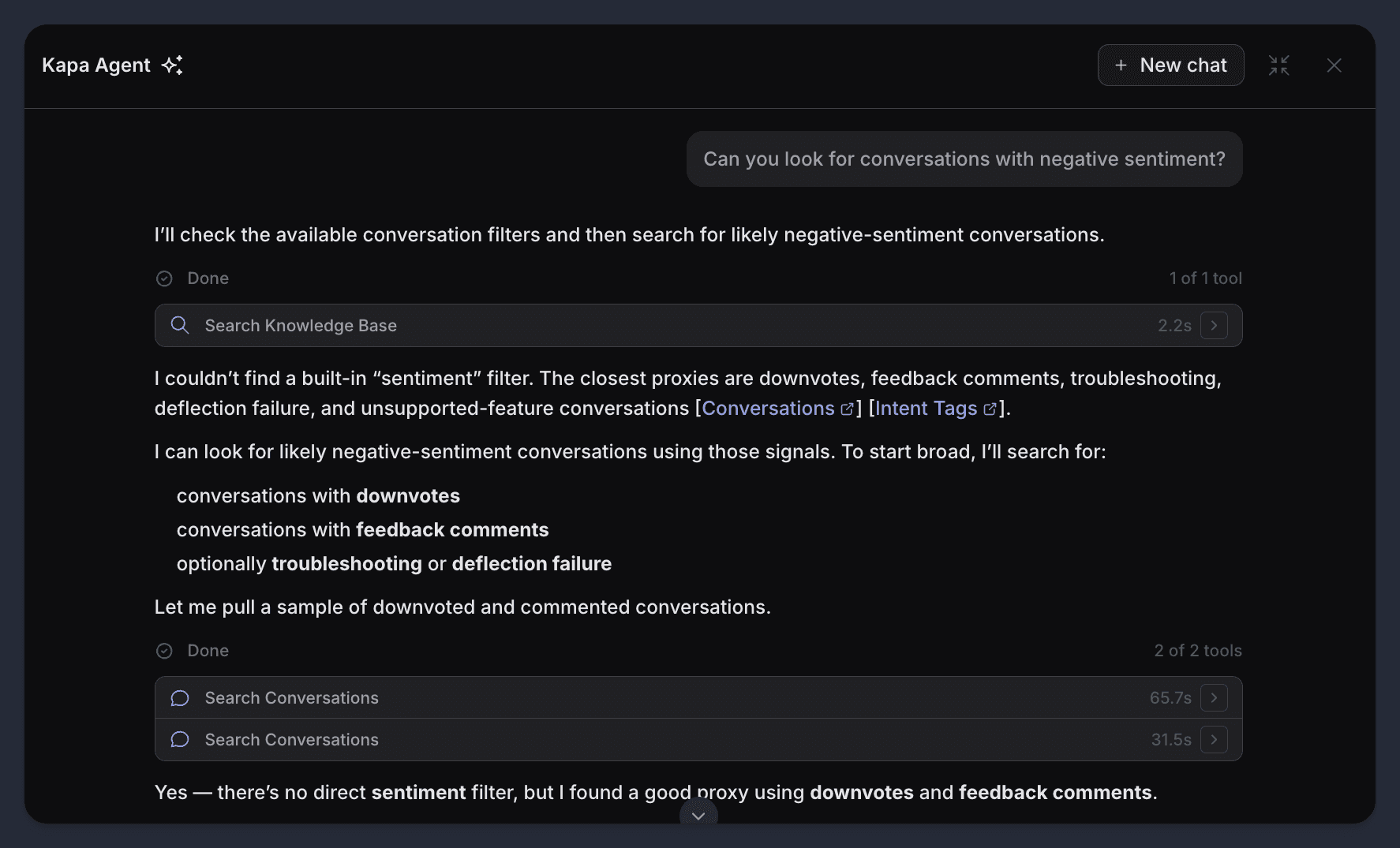
The docs weren't the answer. They were the briefing the agent needed before it could act. Instead the knowledge-base tool was doing planning work.
We've started thinking of this as a third job the knowledge-base tool does, alongside answering and contextualizing: it teaches the agent what the product can actually do, so the agent can pick the right native tool.
So what
If you're building a product agent, the knowledge-base tool is a lot more important than you might think.
It catches the questions your native tools were never designed for, which will be more of them than you think. It explains what your native tools return when the raw output isn't enough. And it tells the agent which native tool to call when the user's language doesn't match your schema.
We shipped 30 native tools and one tool that reads documentation. The one that reads documentation is what makes the other 30 useful.