How to Build an AI Agent That Actually Knows Your Product
Build an in-product AI assistant that answers questions, calls your APIs, and takes actions — with real product knowledge from your docs.

by
Emil Sorensen
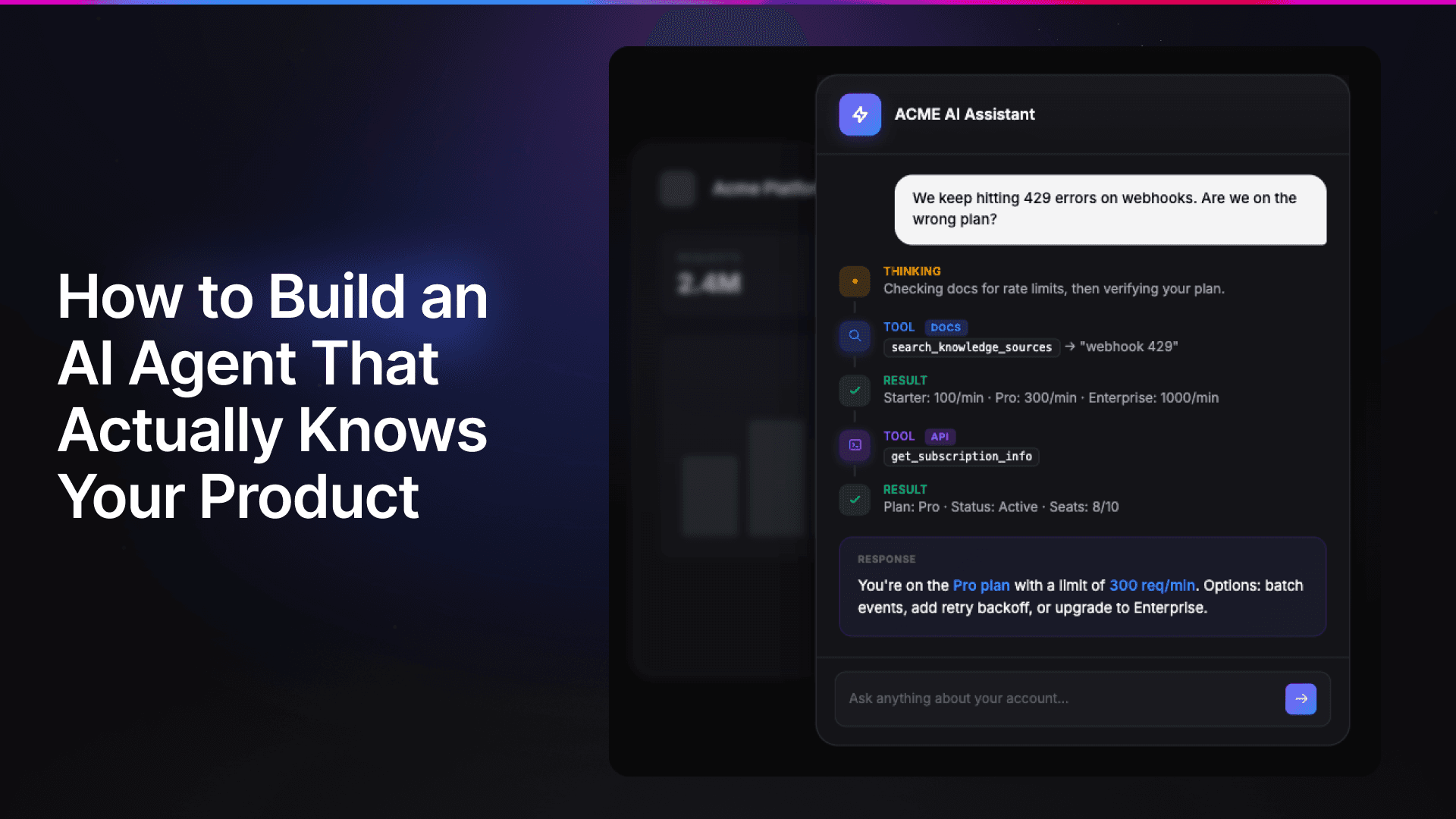
This is what a good in-product AI agent looks like.
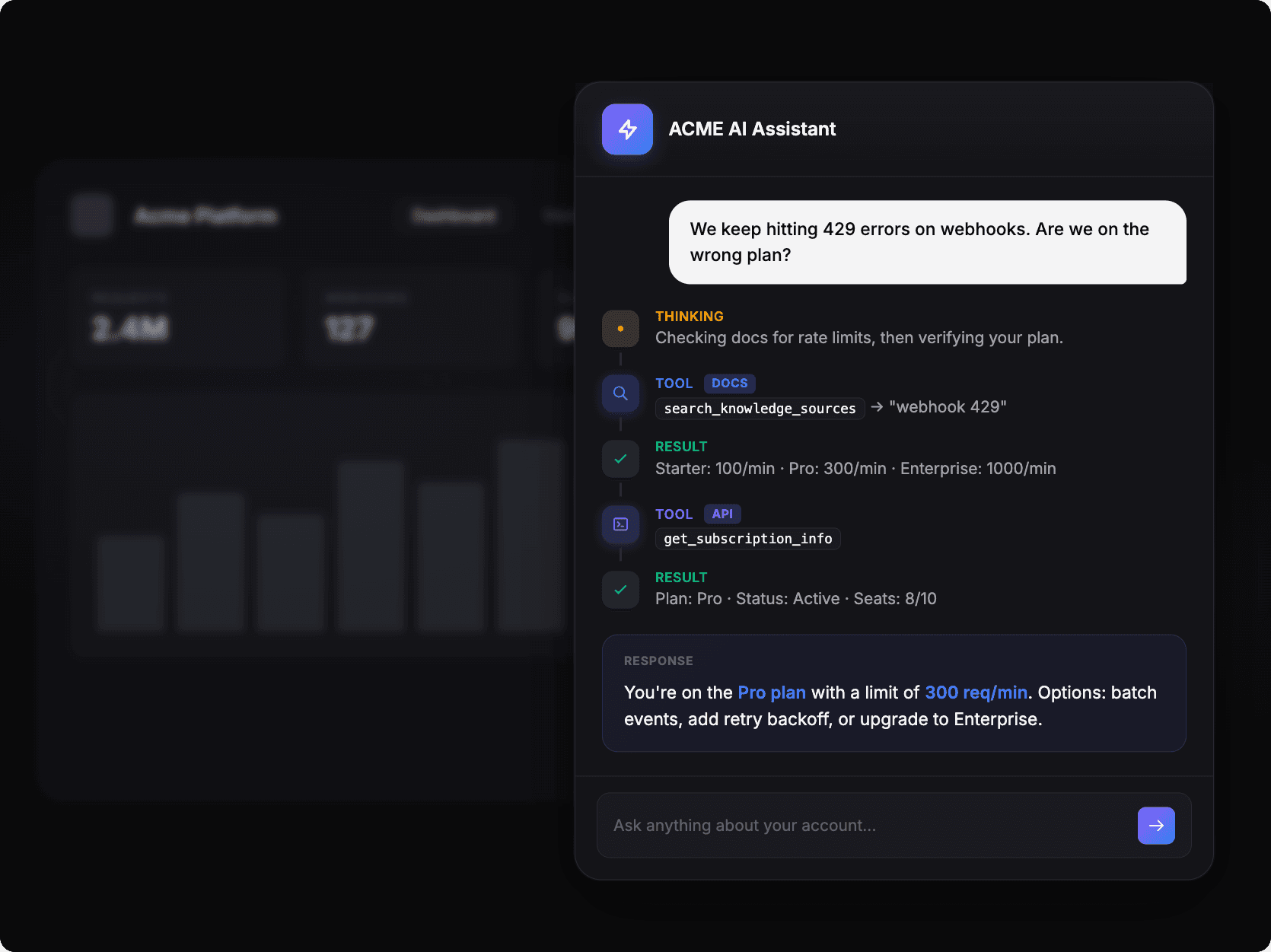
A user asks "We keep hitting 429 errors on webhooks. Are we on the wrong plan?" and the assistant:
Thinks: "Checking docs for rate limits, then verifying your plan."
Calls docs tool: searches
webhook 429and gets back: Starter: 100/min · Pro: 300/min · Enterprise: 1000/minCalls API tool:
get_subscription_inforeturns: Plan: Pro · Status: Active · Seats: 8/10Responds: "You're on the Pro plan with a limit of 300 req/min. Options: batch events, add retry backoff, or upgrade to Enterprise."
This post covers how to build it: the architecture pattern, why retrieval is essential, and a working implementation you can adapt for your own SaaS.
Why agents need product knowledge
A chatbot responds to questions. An AI agent reasons through problems, calls tools, and takes actions on behalf of users.
When you're building an agent inside your product (a sidebar assistant that helps users create dashboards, debug pipelines, configure settings), that agent needs native tools that can actually do things and product knowledge to understand what it's doing.
Most agent frameworks handle the tools part well. LangGraph, CrewAI, OpenAI Agents SDK: you define tools, the agent decides when to call them, the reasoning model orchestrates. Fine.
The knowledge part is where things break down. LLMs don't know your product. They were trained on internet data that's months or years old. Your documentation might be in there somewhere, but it's mixed with outdated Stack Overflow answers and random GitHub issues. The model can't tell your official docs from someone's frustrated forum post.
Result: agents that confidently give wrong answers about your own product.
Extending the RAG pattern for agents
Retrieval-augmented generation (RAG) fixes this by fetching relevant content from your knowledge sources at query time and using it to ground the response.
For a simple chatbot: user asks question → retrieve relevant docs → generate answer.
For an in-product agent, you add native tools:
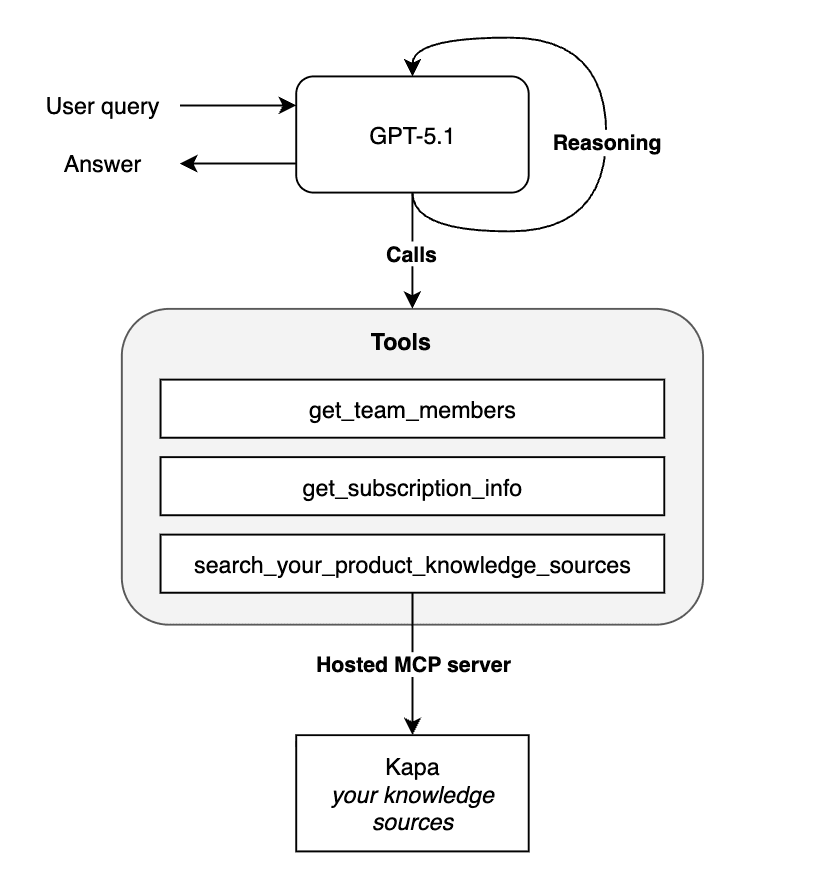
Three components working together:
A reasoning model that decides what to do (GPT-5.2, Opus 4.5, etc.)
Native tools that talk to your product (billing APIs, user management, analytics)
A retrieval tool that provides grounded answers from your documentation
The reasoning model orchestrates. The native tools take action. The retrieval tool provides accurate product knowledge.
This is how you build an AI agent with a custom knowledge base — the retrieval component gives it access to everything in your docs, help center, API references, and guides.
What users actually ask
Once you have this pattern working, users start treating your assistant like a knowledgeable teammate. Real questions we see:
"How do I configure webhooks for retry?" → Searches docs, returns the exact config options
"Why did my pipeline fail?" → Checks error logs via native tool, explains the issue using docs context
"What's the difference between Pro and Enterprise?" → Pulls pricing docs and compares to current plan
"Can you create a dashboard showing last week's errors?" → Uses native tools to actually create it
Users don't separate "product questions" from "account questions" from "action requests." They just ask. Your agent needs to handle all of it, which means it needs both native tools (for actions and data) and retrieval (for knowledge).
How we built it with Kapa + LangGraph
Kapa connects to 50+ types of knowledge sources: your docs site, GitHub repos, Slack threads, Zendesk tickets, Notion pages, Discourse forums, PDF manuals, whatever you've got. We handle the crawling, parsing, chunking, and retrieval. Most teams get set up in an afternoon.
When you're building an in-product agent, you can plug Kapa in as your retrieval component via MCP (Model Context Protocol). Your agent gets a tool that searches your knowledge base and returns cited answers.
The integration looks like this:
Your native tools handle what's specific to your product. Kapa handles the documentation.
We've published a complete working example using LangGraph and Kapa's hosted MCP server:
→ Tutorial: Build an in-product agent with LangGraph & MCP
The tutorial includes a reasoning agent that routes between tools, sample native tools (subscription info, team management), integration with Kapa MCP for documentation retrieval, and a working CLI you can test immediately. You can swap LangGraph for any framework that supports tool calling.
Getting started
If you're building an AI agent for your SaaS and want it to actually know your product, start by setting up a Kapa project with your knowledge sources. Then enable a hosted MCP server in your dashboard (takes about 60 seconds) and follow the tutorial to wire it into your agent.
Already a Kapa customer? The MCP integration is ready in your dashboard.
Not using Kapa yet? Book a demo and we'll show you how it works on your content.
Related:


