All articles
From “I Don’t Know” to Insight: Using AI to Find Documentation Gaps
Discover how AI assistants like Kapa reveal documentation gaps and help create clearer, more complete knowledge bases
Dejan Lukić
As a technical writer, you might have encountered the following scenario. A dev asks a specific question, and you realize the docs do not answer it, not even indirectly. The information might be somewhere, but not in a way you can confidently say ,"Hey, here’s what you are looking for!"
Documentation gaps are the hardest part of your docs work. They are not essentially complicated but are mostly invisible. Developers will not directly tell you, "You are missing an X." They will rephrase the question, ask somewhere else, or give up if they do not find what they are looking for in a timely manner.
No need to worry, though: AI can make these gaps clearly visible. Humans are good at pattern matching, but they can often miss things. AI, on the other hand, can be optimized to look just where you want it.
But how?
This article will show you how to turn the frustrating "I don't know!" into actionable insight for your docs.
The Challenge
Existing knowledge bases (documentation, help center articles, blog posts, and similar) are not fully exhaustive and clear. Users have questions that cannot be answered confidently by these resources.
However, identifying those inadequacies can be quite difficult for technical writers. Here’s how we usually uncover content gaps:
You review support tickets and try to see which questions point to missing or unclear content;
You rely on feedback from the support team;
You monitor communities like Slack, Discord, forums, or GitHub issues;
You run documentation audits and content reviews;
Acting on ad-hoc feedback from users like "this does not make sense," or "customers struggle with X";
You trust your intuition and past experiences.
These approaches are valid and can actually help you detect gaps from time to time. If you find yourself spending the majority of your time as a technical writer hunting for documentation gaps, it’s a sign that something is off. Your focus should be on creating content, not constantly searching for what’s missing.
The Solution
Nowadays, users expect a documentation platform to have some sort of an AI assistant. Crucially, an AI assistant that is able to say "I don't know". It is better to not have an AI assistant at all than to have one that blatantly spits out hallucinated or incorrect information.
You can use that "I don't know" signal to find those documentation gaps. When an AI assistant, powered by a retrieval-augmented engine (RAG), cannot find anything suitable for the user's question, it is a sign that you are indeed missing a piece of content.
Readers, especially developers, like to find a solution on their own. They can feel overconfident in AI that does not deliver, which might redirect them toward a competitor. So, what are your options?
Specialized AI assistants like Kapa | No AI assistants, standard support | General AI bots | |
|---|---|---|---|
Time to resolution | At the time of the query, only the most complex (or uncertain) ones get routed to customer support | From hours to days (or weeks), depends on support availability and user patience entirely | Uncertain due to hallucinations, still gets routed to support even for simple queries |
Time to value | A few hours to few weeks, works out of the box, provides automated dashboards and context, RAG-based, contextual | From days to months, depends on training, headcount, support maturity, organisational load | At least 1-3 months for implementation and robust fine-tuning, and more for analysis and tweaking |
Insights | See queries, contextual conversations, and coverage gaps, get automated pattern seeking, speed up docs writing and product decisions | All information, but spend hours on tickets and community analyses to spot patterns, even more time on agreeing to the right course of action, lots of intuition involved | Queries, but insufficient for pattern seeking and deeper analysis due to hallucinations and inability to sustain factual conversations |
Confidence level | High, thanks to RAG, a 3-layer defence strategy and a “I don’t know” guardrail for uncertain answers | High, as it relies on direct contact and staff training level | Medium to low, as it’s a generalized bot and depends on internal fine-tuning and guardrails (if any) |
Compliance | SOC 2 Type II certified, encrypt all data in transit and at rest, offer secure data connectors, RBAC, PII detection/masking, and DPAs with training opt-outs for all LLM vendors used | Total, as it relies on employees, internal policies, and manual tracing | Don’t provide a full stack of enterprise controls, hard or impossible to really opt out of training |
Adding AI to Your Content
When adding an AI assistant to your content, you can pick between two routes: a do-it-yourself (DIY) solution, where you build and manage your own AI assistant, or a managed, done-for-you solution, where you simply connect a few pieces together and have a fully-working AI assistant.
Usually, documentation teams do not have the time or budget to implement a DIY solution. It requires extensive AI resources, and by the time you do manage to implement it, you’ve already been run over by a technology that constantly changes. To make matters even more challenging, readers expect superior answer quality. For this reason, we will focus on a managed solution.
Meet kapa.ai.
Kapa is a RAG-powered platform that gives you an accurate AI assistant out-of-the-box. It’s trusted by multi-billion dollar companies like Docker, Nokia, and even OpenAI.
A few key differentiators make Kapa great for your content:
Its RAG engine is among the best ones on the market, heavily optimized and built by some of the most talented PhDs.
Kapa's AI assistant is able to say "I don't know" when it is not confident about an answer.
It automatically analyzes all conversations, providing extensive analytics on the content and coverage gaps themselves.
Ask AI and Coverage Gaps
You can implement Kapa's Ask AI feature as a website widget in under an hour. This is the simplest, yet most used type of integration. Kapa also supports more than a dozen data sources, which amplify the quality of the answers.
Adding the Ask AI feature to all relevant sites makes it easier to find content gaps effectively. For example, when users ask questions about topics that are inadequately documented, Kapa will respond with some version of “I don’t know.” Within the Kapa platform (app.kapa.ai), all “uncertain” conversations are automatically analyzed and clustered into specific insights and actionable recommendations, with a convenient “copy” functionality to make acting on them even easier.
Individual conversations can also be reviewed and acted upon, with features like reviewing all the sources Kapa considered when answering and steering its future performances with the “Improve this answer” option.
An example from Kapa’s docs:
Our top coverage gap shows that users are asking about Google Drive as a data source. We’ve decided to build this feature, which will help close that gap.
Using the Coverage Gaps Feature
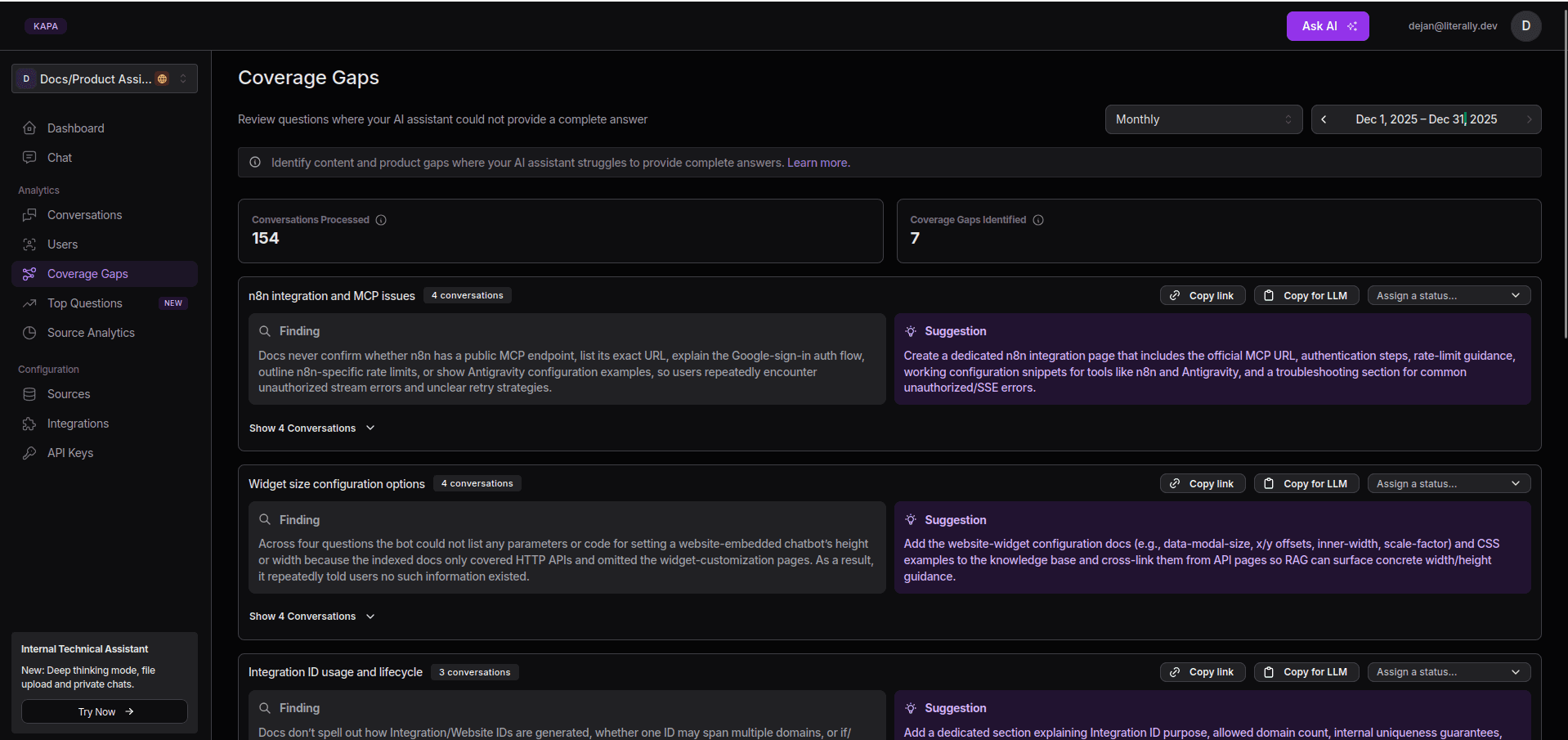
Coverage Gaps section in the Kapa Dashboard
The Coverage Gaps section highlights topics where Kapa can’t give clear answers. This should help you quickly spot documentation and product gaps where users need better support. Here’s how you can use this feature:
Navigate to the Kapa Dashboard > Coverage Gaps.
Select a time interval (weekly, monthly, or quarterly).
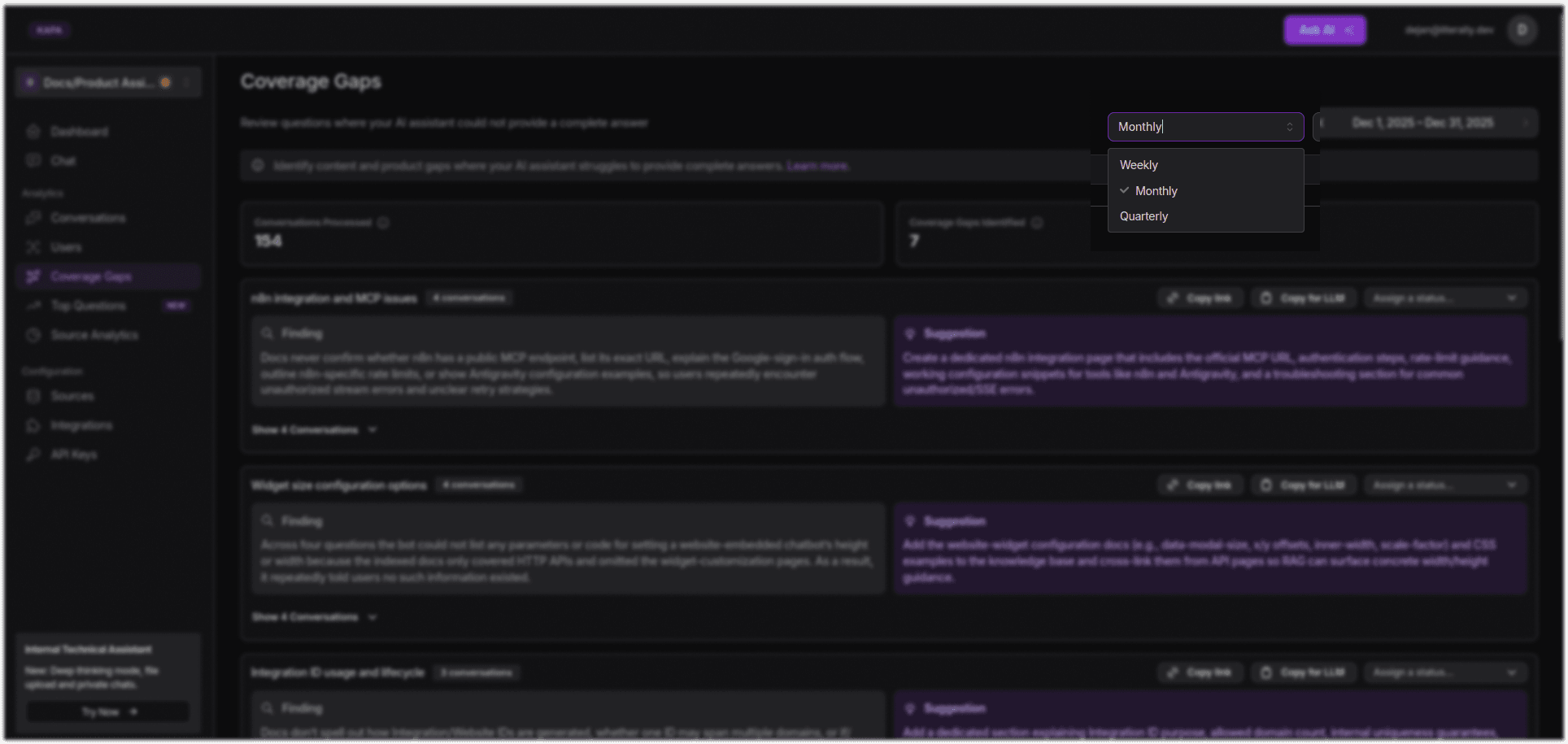
Selecting a time interval in the Coverage Gaps section
Analyze the responses and their summaries.
Use Status tags to track progress.
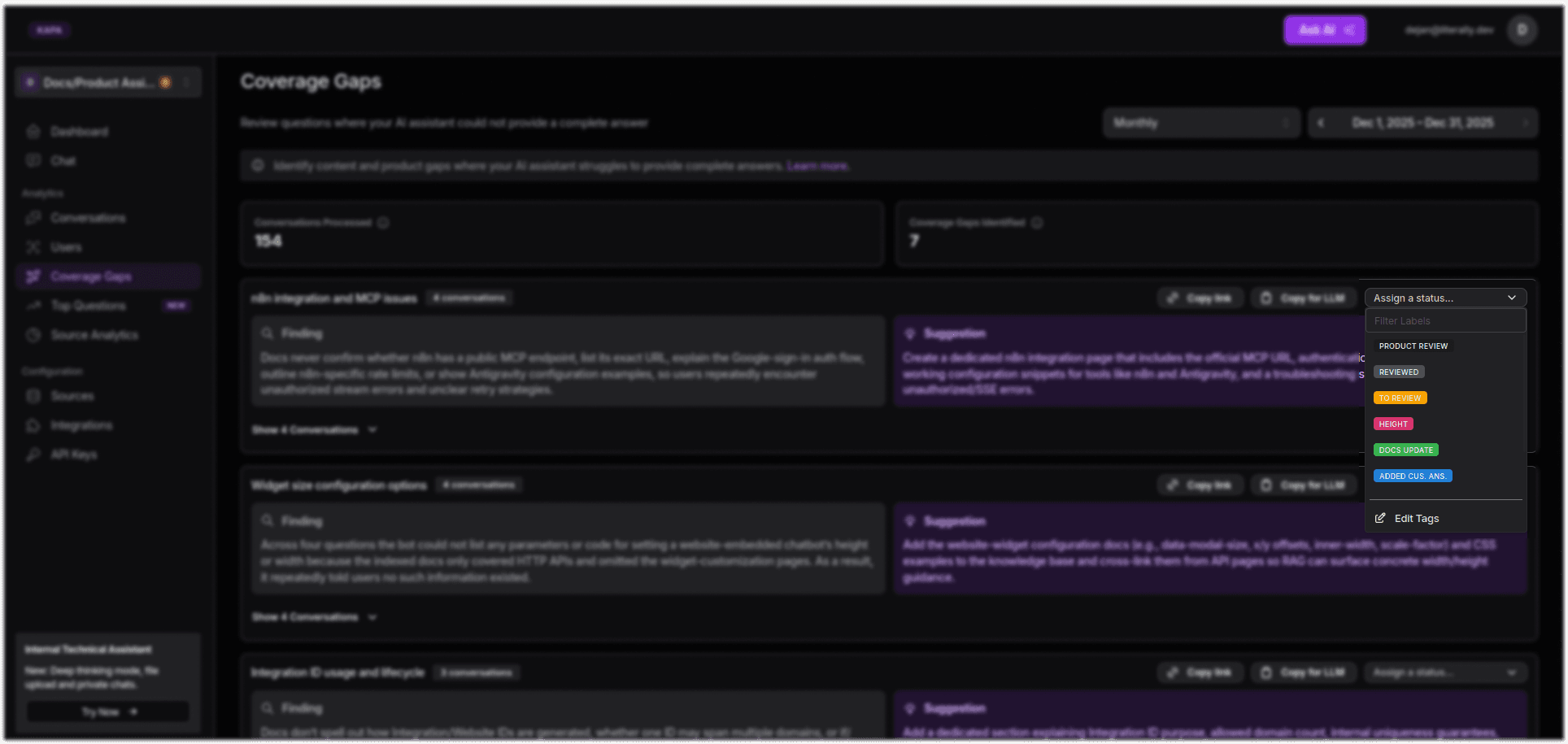
Selecting a Status tag in the Coverage Gaps data
From the Coverage Gaps section, you can also see how many conversations are processed, how many coverage gaps are identified, as well as the findings and solutions: what gap Kapa has found, and a suggestion on how to fix it.
Also, you are able to see in which conversation the gap occurred, with the full conversation transcript, sources Kapa used, and a few other neat details.
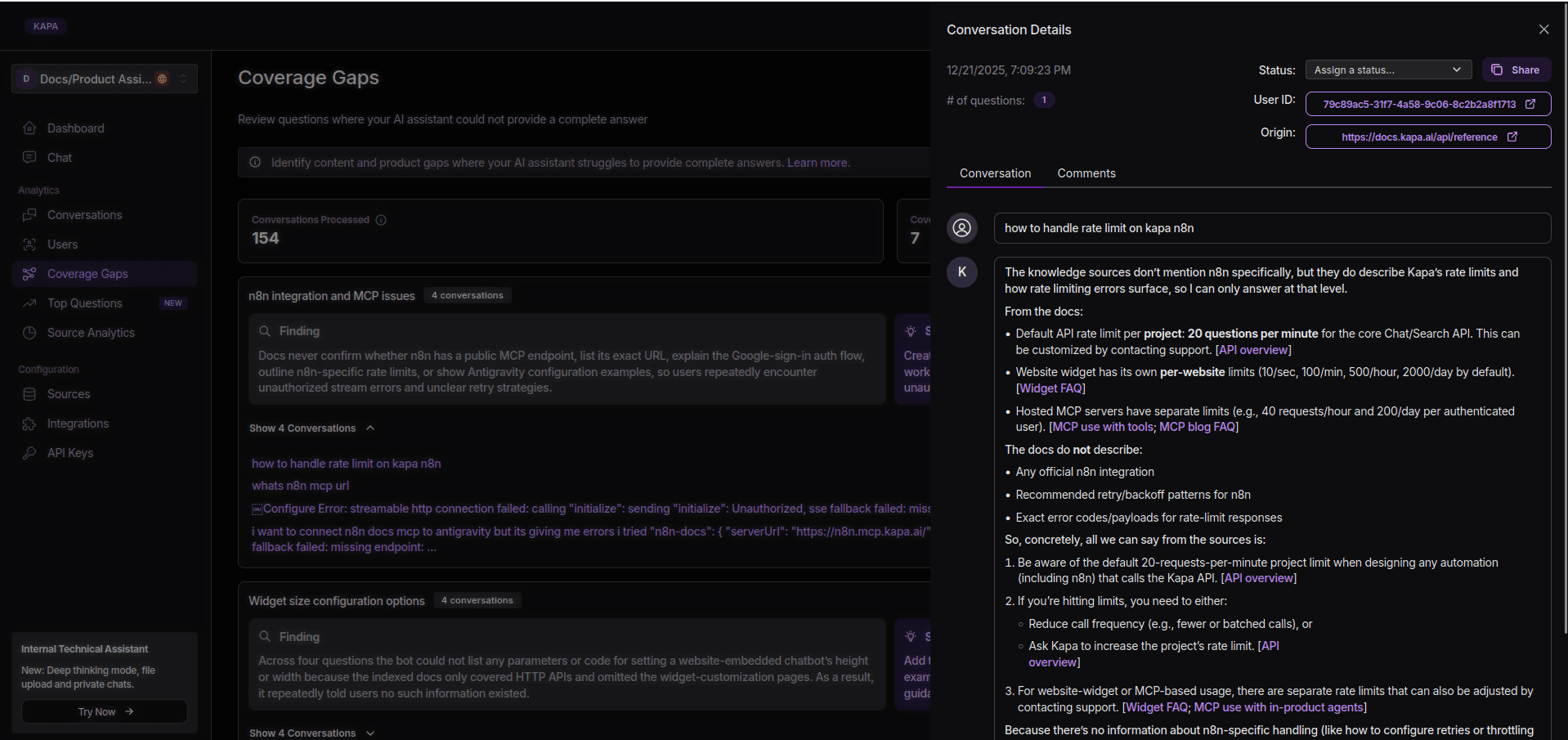
A full conversation transcript shown in the Coverage Gaps section
The Impact
As you can see, adding an AI assistant is not that daunting, right? Well, it might be if you opt for a more bare-hands route, but with Kapa as your AI captain, uncovering documentation gaps becomes as simple as interacting with your users.
This iterative process ultimately results in better content (with a more complete and clear knowledge base), better user experience, as fewer blind spots enable Kapa to unlock more users with instant, accurate answers, and better team productivity since the Coverage Gaps feature lets technical writer teams focus their energy exactly where users need better answers.
Ready to find these gaps? Book a quick demo with Kapa.
Frequently Asked Questions
How does Kapa handle AI hallucinations?
Kapa is explicitly designed to minimize hallucinations by grounding answers strictly in your documentation (RAG) and other connected knowledge sources. It also employs a 3-level defence strategy for outputs that reduces hallucinations significantly.
When uncertain answers occur, Kapa communicates that “it doesn’t know”, but also provides you with a debugging overview in your dashboard, reframing such outputs as documentation gaps rather than errors.
What are Coverage Gaps?
Coverage Gap is a feature in Kapa that allows you to see where the AI chat couldn’t provide (good enough) answers to your users, so it had to say “I don’t know”. It allows you to see where to improve your documentation and support, but also gives you insight into product improvement opportunities (e.g. Q - How do I connect Google Drive? A - Our docs don’t contain [don’t support] this specific integration. Take a look at the list of available integrations at the moment.)
What’s the difference between docs AI assistants and general LLMs?
Specialized docs AI assistants (such as Kapa) work out of the box, are RAG-based (grounded in your docs) and meet enterprise compliance standards. They provide dashboards with insights that help you understand what users need and want in a context. They also have strong guardrails around uncertain answers and questionable queries.
General LLMs take time and budget to implement, fine-tune, test and tweak until they are ready for everyday use. Even then, as they are trained to be helpful at all times and have access to general knowledge base, the level of hallucinations is high for use in documentation. While most key LLM providers allow you to seemingly opt-out of model training on your data, it takes granular customization to meet basic enterprise compliance standards.
More blog posts to read
Top 5 AI Documentation Chatbots [2026]
Explore the top AI documentation chatbots of 2026 that provide accurate, context-aware answers and reduce support tickets for developers.
Why You Shouldn't Build Your Own AI Knowledge Base (And What to Do Instead)
Most teams that try to build an internal AI knowledge base abandon it within 6-18 months. Here's what we've learned from 200+ enterprise deployments about the build vs buy decision for RAG.


