All articles
Documentation Is Becoming Interactive - Here’s What That Means for DevRel Teams
Discover how AI-powered interactive documentation is transforming developer workflows, from bolt-on chat interfaces to headless docs via MCP. Learn why general-purpose AI falls short and what makes technical documentation effective.
Sabrine Bendimerad
Throughout the lifecycle of a software product, documentation has always mattered. However, the way developers use that documentation has shifted. It used to be something you read, but now it's something you interact with.
Just look at how a developer’s reality has changed over the last three years. In the past, every time they got stuck, their focus was broken. Work would come to a halt. They would copy the error, paste it into a search engine, open forums, read docs, and try random fixes.
Now, there's no longer the need for "search, try, fail, repeat." The whole thing happens at once. When a developer who works in a modern IDE hits a bug, all they need to do is simply asks for help, either through a chat interface on the docs site or an assistant right inside their editor. Then, AI will use tools to find precise answers in the documentation, taking into account the specific code context automatically.
The days of searching by hand are over. Being fast is no longer a perk, it's a baseline. However, this baseline cannot be achieved simply by using general-purpose AI tools like ChatGPT.
Limitations of General-Purpose AI
General-purpose AI has greatly influenced the way in which people do their jobs. Still, when you try to use it for particular engineering tasks, cracks start to show.
Let's look at three clear challenges that illustrate this.
Knowledge
General-purpose AI tools depend on old training data. However, even though these models master fundamental knowledge, they miss recent changes most of the time because their data doesn't include what’s new. There's always a cutoff point. They don't know about the library released last month, the deprecation warning issued yesterday, or the specific version constraints of your current project.
Although certain tools browse the web to help fill in the gaps, that is not a perfect fix. The AI model still needs to return answers quickly, which inherently limits how deeply it can validate information. This leads to inconsistent accuracy, and if reliability isn't guaranteed, developers won't trust the tool.
Context
Generic tools don’t understand your system or how it’s set up, so they often guess instead of knowing. Most of the information they need is scattered across different places, such as GitHub, Slack, Jira, and old internal docs that they can't access. And even when they can, they usually miss the architectural details that actually matter when you’re trying to solve real implementation problems.
Uncertainty
General models used in chatbots are probabilistic. They work by guessing what comes next. During training and evaluation, they are rewarded for producing plausible answers, even when uncertainty would be the correct response. They are not calibrated to say, “I don’t know,” and such responses are rarely encouraged.
As a result, when confronted with ambiguous or unfamiliar situations, models tend to guess rather than admit a lack of certainty. In creative tasks, this can be beneficial. In software engineering, it becomes dangerous. A confident but incorrect answer, a subtle assumption, or even an invented function can easily cause a system to fail.
How Interactive Documentation Works in Practice
To fix the gap between regular AI helpers and precise technical details, teams have started to reshape documentation based on their process.
AI as a "Bolt-On" Search Experience
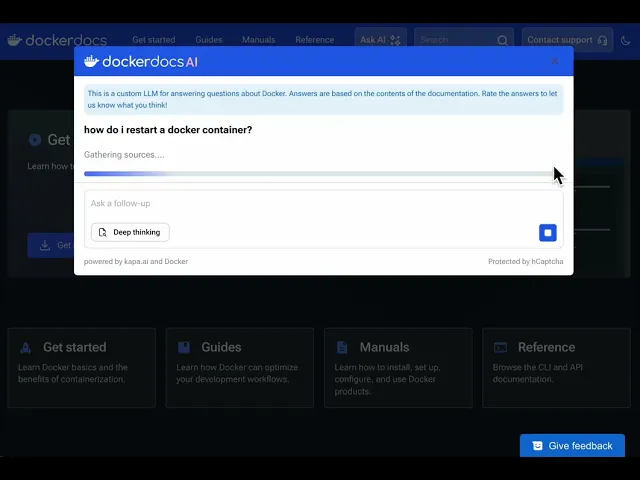
This tends to be where most teams start. The main documentation stays the same but now there's a chat box layered on top. With tools like Docker Docs, developers can get help right when they need it. Rather than having you scroll through menus or type into a search bar, the system grabs responses straight from existing static information.
That cuts down response time but doesn't force a full overhaul of the documentation layout.
Example from the Docker Docs interface
AI as THE Search Experience
Here, the chat is not just something extra, it’s where everything starts. Devs don’t show up to dig through menus. They come because they need something specific.
Take Redpanda, for instance. A user pops in asking how to tweak settings or adjust some configuration. Rather than hunting through pages, they just type their question. The interface leads users to useful explanations and points back to relevant sources. In this case, the conversational chat is the product.
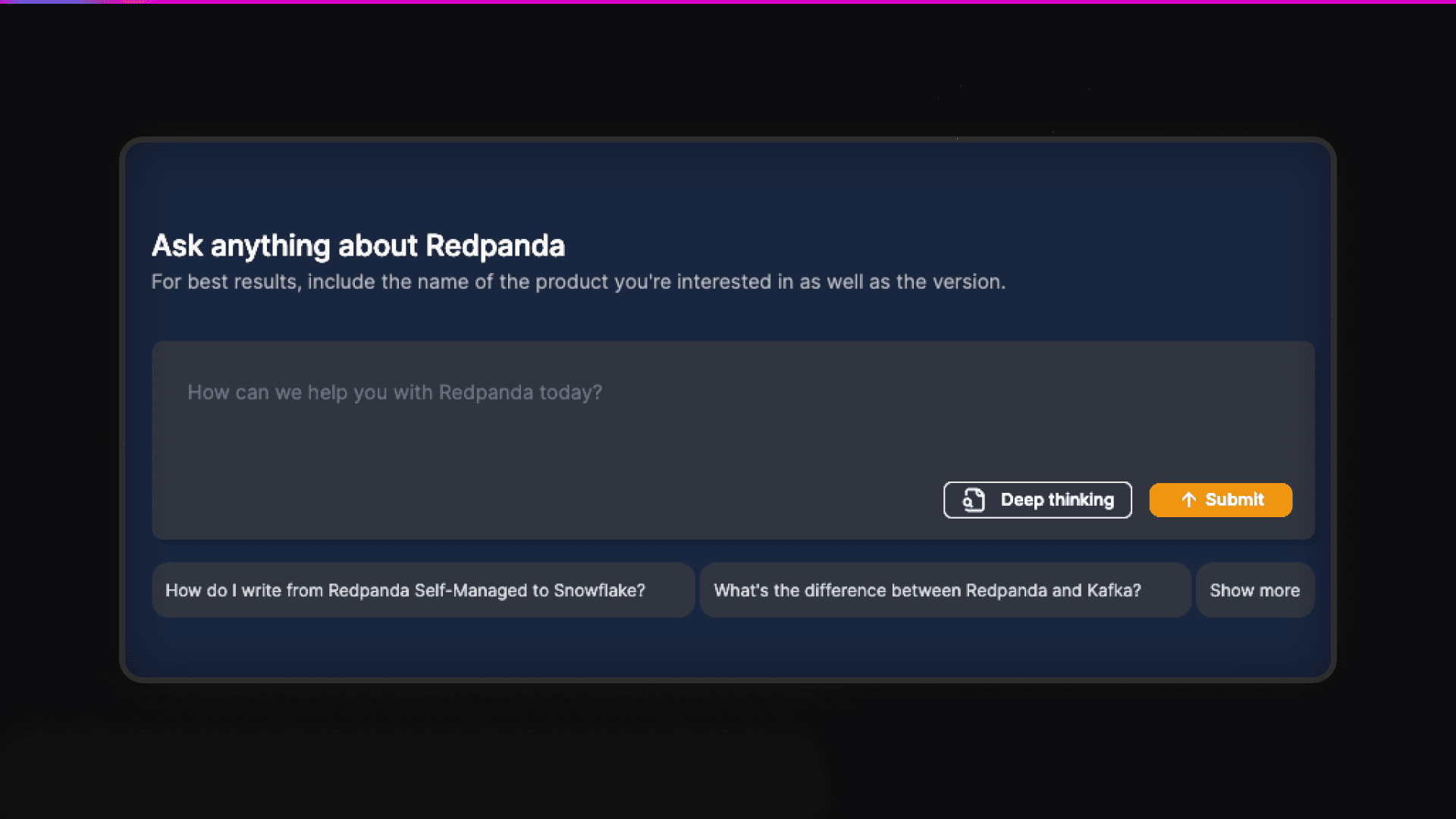
Key results for Redpanda in the first 6 months of using Kapa.ai.
4,500+ support hours boosted from 20,000+ questions answered by Kapa.ai
93% average certainty rate
5x increase in monthly usage from 1,135 to 5,000+ monthly questions in 5 months
In-Product Documentation
Sometimes, the best information is the kind you don't need to exit your app to find.
Port is a great example here. They realized that forcing a user to open a new tab just to read a guide is a distraction. So, they put all the answers right where the work happens.
Feeling stuck? The info slides into view right in the app.
And the best part is, everything feels smooth because support fits naturally into the steps you’re already taking.
Headless Documentation
At a higher level, documentation also feeds systems. Manuals are turned into formats that machines can understand, like MCP. This data can then be accessed directly by command lines, code editors, or silent helpers running behind the scenes.
And this is how it works when you think of docs as data. Instead of telling devs to search online each time they need details, the information comes straight to them.
Companies like Expo and Medusa are a good example here. While devs code, bots pull doc data silently, dropping answers straight into the command line before anyone even thinks of opening the browser.
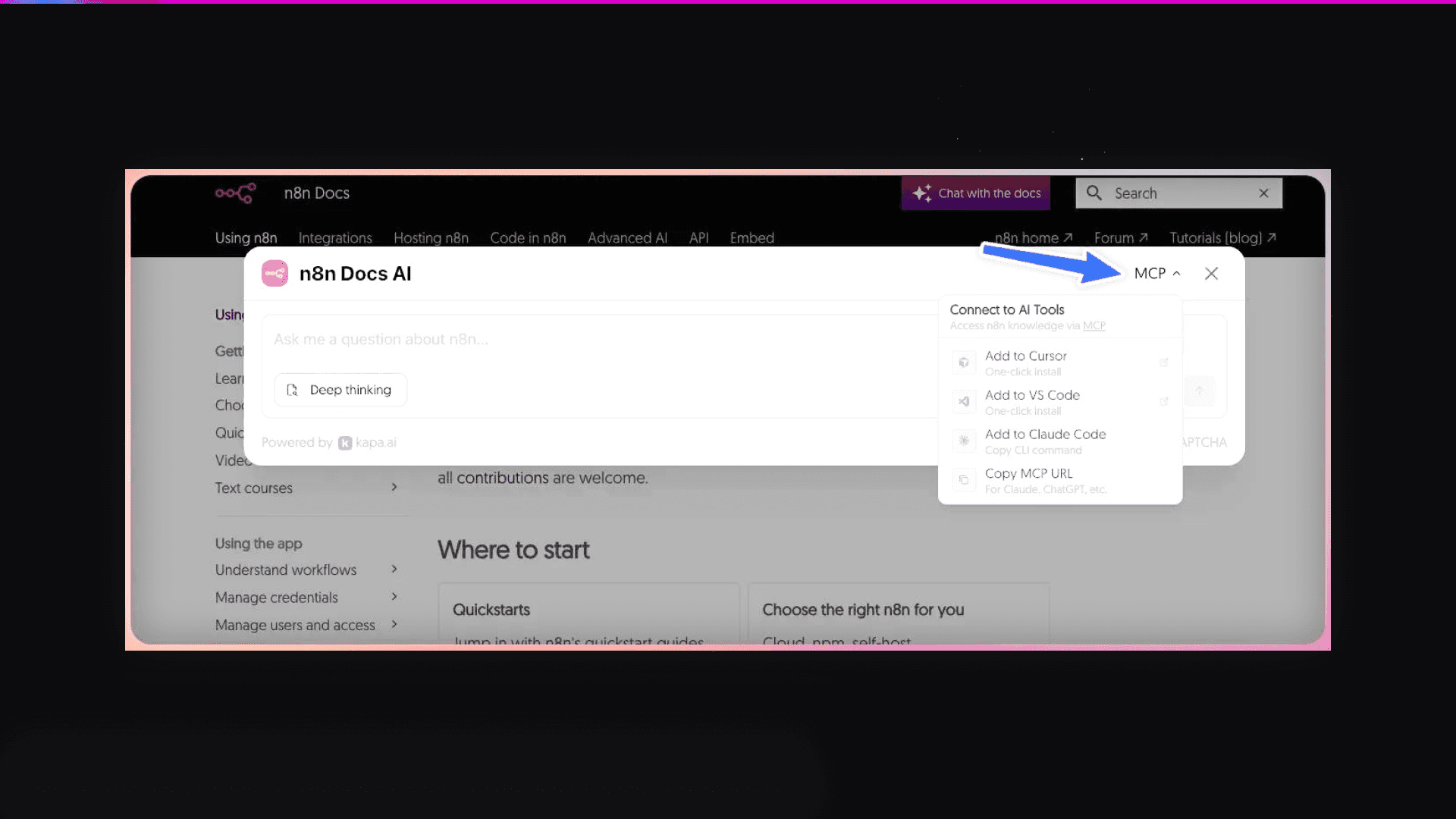
n8s is another good example of the MCP architecture. As you can see below, it provides a direct MCP connection that developers can integrate into tools like Cursor or VS Code.
Characteristics of Effective Interactive Docs
Interactive docs generally succeed when multiple factors work together:
Minimum friction: Smoother start leads to stronger retention. If the initial experience feels slow or confusing, adoption drops. Good interactive docs help by offering instant clarity exactly when it's needed.
Guidance: Developers often get lost in huge piles of docs. That’s when AI steps in. Old school manuals leave you guessing which page comes next, but smart assistants understand your intent and guide you to your next step. It’s like having a helper who can point to a sandbox or drop a ready-to-run code piece right when needed, turning passive reading into hands-on problem solving.
Personalized experience: A newbie coder may want basics explained in plain language, whereas an experienced engineer likely only needs code setup details. Good AI guides adjust by offering more or less detail depending on skill. Some people learn step by step, others skip straight to the implementation. The best docs meet users where they are; they don’t force everyone into one mold.
Why Building This In-House Is Much Harder Than It Looks
Once teams see the value of interactive documentation, the natural instinct is to build it in-house. In practice, this is often a mistake. A bad AI assistant that doesn't bring the right answers and wastes developers time is significantly worse than no assistant at all.
If a user tries your internal AI tool, and its answers are outdated or sound like hallucinations, they will lose trust immediately and revert to manual searching.
That’s why building a production-grade system requires careful planning and expertise in the following areas:
Managing RAG architecture: Complicated RAG setups require integrating multiple tools and machine learning skills.
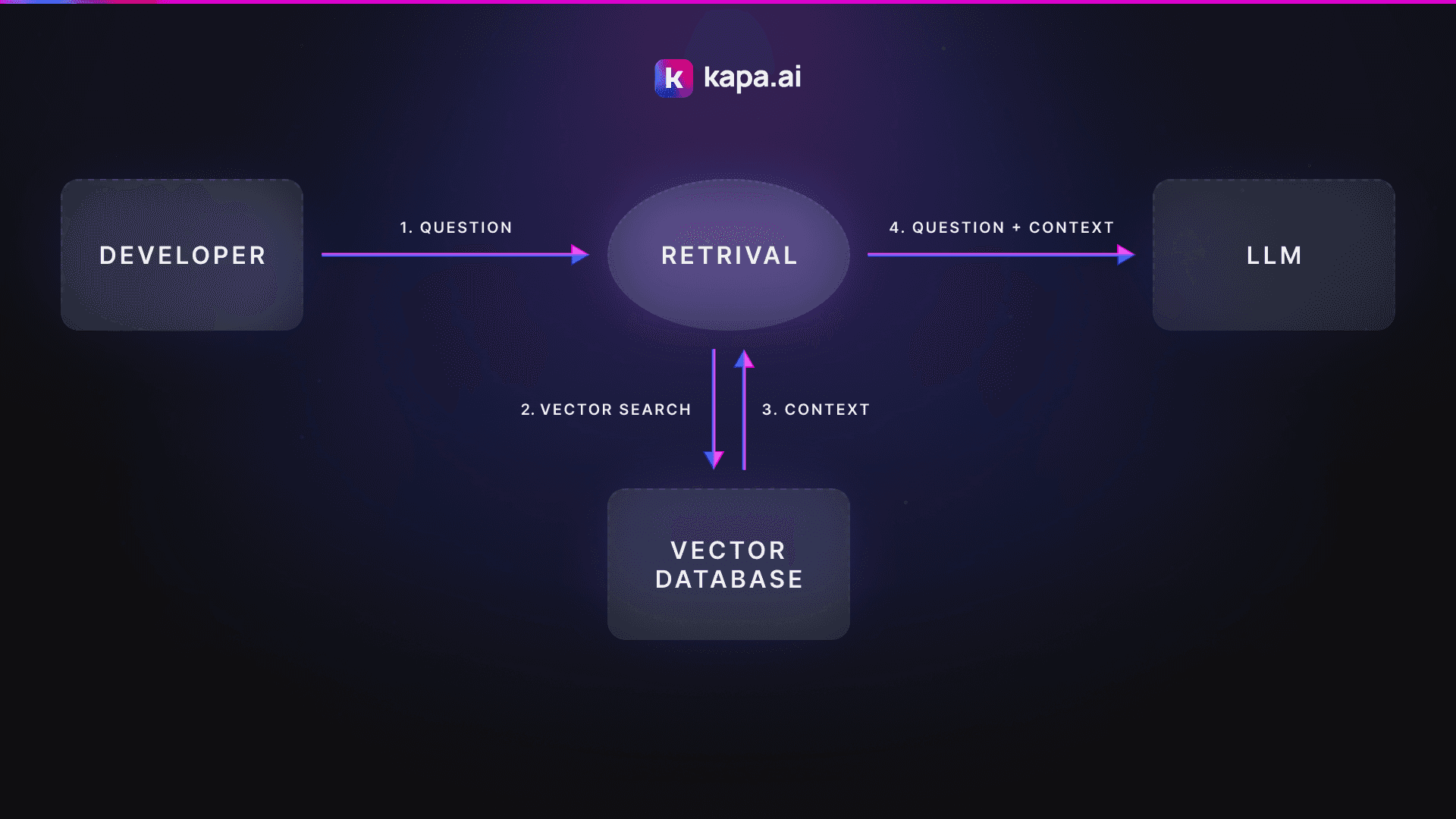
Maintenance: Information changes every day. Your search setups have to keep up with it; otherwise, your developers will be confused.
Infrastructure cost: Running the system gets expensive fast, as more users mean higher bills for data processing, storing information, and fetching answers from LLMs.
Wrap-up
Developers want to use documentation in a way that works with their standard workflows. Instead of scrolling through docs, developers prefer prompting AI agents on top of docs.
This shift is fundamentally changing the user experience. Historically, consuming technical content felt like a chore. AI, on the other hand, has the potential to transform that interaction from frustrating to intuitive (or even enjoyable).
As developers’ expectations rise, companies that fail to provide a smooth experience risk falling behind. Those that embrace it, however, turn their documentation into a competitive advantage and key to retention.
This is where purpose-built tools like Kapa.ai come in. They allow teams to save the effort of building internal tools and immediately deliver the high-quality support experience that developers expect.
FAQs
Why is ChatGPT not enough for developer documentation?
General-purpose AI tools like ChatGPT lack up-to-date knowledge, system-specific context, and uncertainty calibrations. Those systems often make up information when they don’t have enough context which makes them unsafe to use as technical guidance.
What is headless documentation?
Headless documentation treats docs as structured data. This allows documentation to be consumed by IDEs, CLIs, bots, and internal tools via APIs or protocols like MCP.
How hard is it to build an AI documentation assistant in-house?
Building an AI documentation assistant requires expertise in RAG architecture design as well as funds to cover the infrastructure and maintenance cost. This is why handling this task in-house is very hard and time consuming. A poorly implemented AI assistant does more harm than good and is often worse than having no AI assistant at all.
More blog posts to read
How to Turn Your Docs AI Chat Into a Perpetual Feedback Loop
You can use AI chatbots for far more than support. It just takes a mindset shift.
How to Add an AI Assistant to Your Docs (in Under 1 Hour)
Learn how to add an AI assistant to your documentation in under an hour using Kapa. This guide covers RAG basics, widget setup, and how to turn static docs into a 24/7 support tool.