AI Tool For Developer Onboarding
AI-powered onboarding helps developers find instant answers from docs, reducing friction, support load, and time-to-value while improving overall product adoption

by
Dejan Lukić
Developers are notorious for rarely reaching out to support. Instead, they prefer to figure things out on their own using the docs. In fact, it’s usually the first (and often the only) place they turn to. By the time they’ve given up and reached out to support, they’ve already wasted a lot of time being stuck. As a result, they’ve switched away from their real work, and their frustration is through the roof.
Traditional support flows don’t really align with developers’ habits. Tickets are slow and formal, chat support can be unavailable due to time zone differences, and answers tend to arrive long after the momentum has been lost.
Let's explore how AI tooling can help with developer onboarding, and what you should use to make the experience smoother.
Product Adoption Challenge
But first, let’s try to see what expectations developers have when using a new product. In short, they are looking for:
Quick installation (great CLI tools win; lengthy, complex configurations lose)
Upfront value (why they should use your product over a competitor’s)
Low friction (the ability to move forward without unnecessary hiccups)
As natural problem-solvers, developers adopt products faster when they can self-serve. But documentation is often dense, complex, and time-consuming. Answers can be hard to find, which hinders productivity. For example, I was once hired by a company with an undocumented codebase written by a Czech guy who did not use any standardized programming conventions. Guess how long it took me to get up to speed and do anything useful, let alone try to figure out and document what did what?
There’s the same issue with AI coding tools today. Tools like Cursor or Claude Code can be incredibly helpful, but they still rely on good context. If your API specs aren’t clear, accessible, or machine-readable, the AI won’t “know” your product either.
This leads us to common onboarding friction points that impose questions like:
Where is X documented?
Is this information still up to date?
Is this even correct?
Those are the questions I had, and I hope you never encounter the same thing I did.
Long pages with too much context don’t help either. We all probably suffer from a shorter attention span, and we want information now. That goes for critical information in particular. If it’s buried deep down, no one will find it.
How AI Helps Developers Onboard Faster
Now that we’ve seen the problems, you might be wondering how we can tackle them. Besides fixing what can be fixed, you can opt for an AI solution that delivers instant, precise answers from your documentation directly to your developers.
AI understands natural language queries. You can ask something like how to configure X with Y?, just like you would with a support ticket. However, instead of waiting days for a response, you will get an immediate answer.
It can pull context from official docs, FAQs, and even previous support cases. Not only does this provide faster answers (which can help with the shortened attention spans mentioned above), but it can also reduce the cognitive load: no manual searching or tab hopping.
Prisma uses Kapa on its documentation site and handles 10,000+ developer questions per month. Key results include:
2,500 hours of support saved per month
24/7 multilingual replies (over 20% of non-English questions)
10+ documentation gaps identified and fixed
"Kapa.ai's technology doesn't just answer questions; it reveals insights and solutions to potential challenges, fostering a deeper understanding and engagement within our community."
— Petra Donka, Head of Developer Connections, Prisma
AI Developer Onboarding Tools
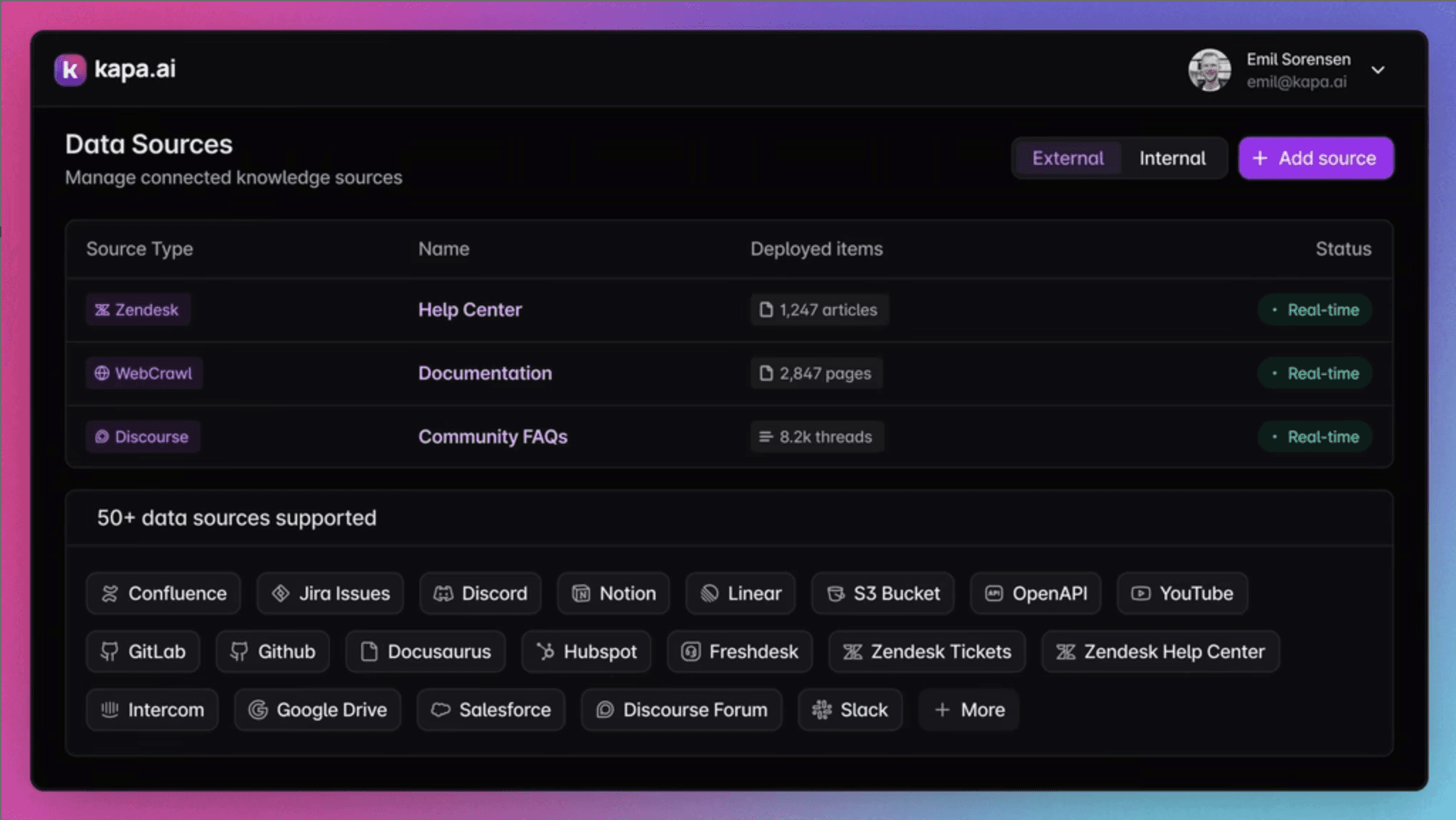
Data sources
You could scaffold a ChatGPT, Gemini, or Claude agent to answer questions from your docs and call it a day. But that approach may not be the best way to add AI to your onboarding. Response accuracy from these tools can be low compared to using a purpose-built solution like Kapa.ai.
The listed LLM providers often struggle with data freshness and answer accuracy, as they are general-purpose tools. Kapa, on the other hand, is a platform built for this exact use case in mind.
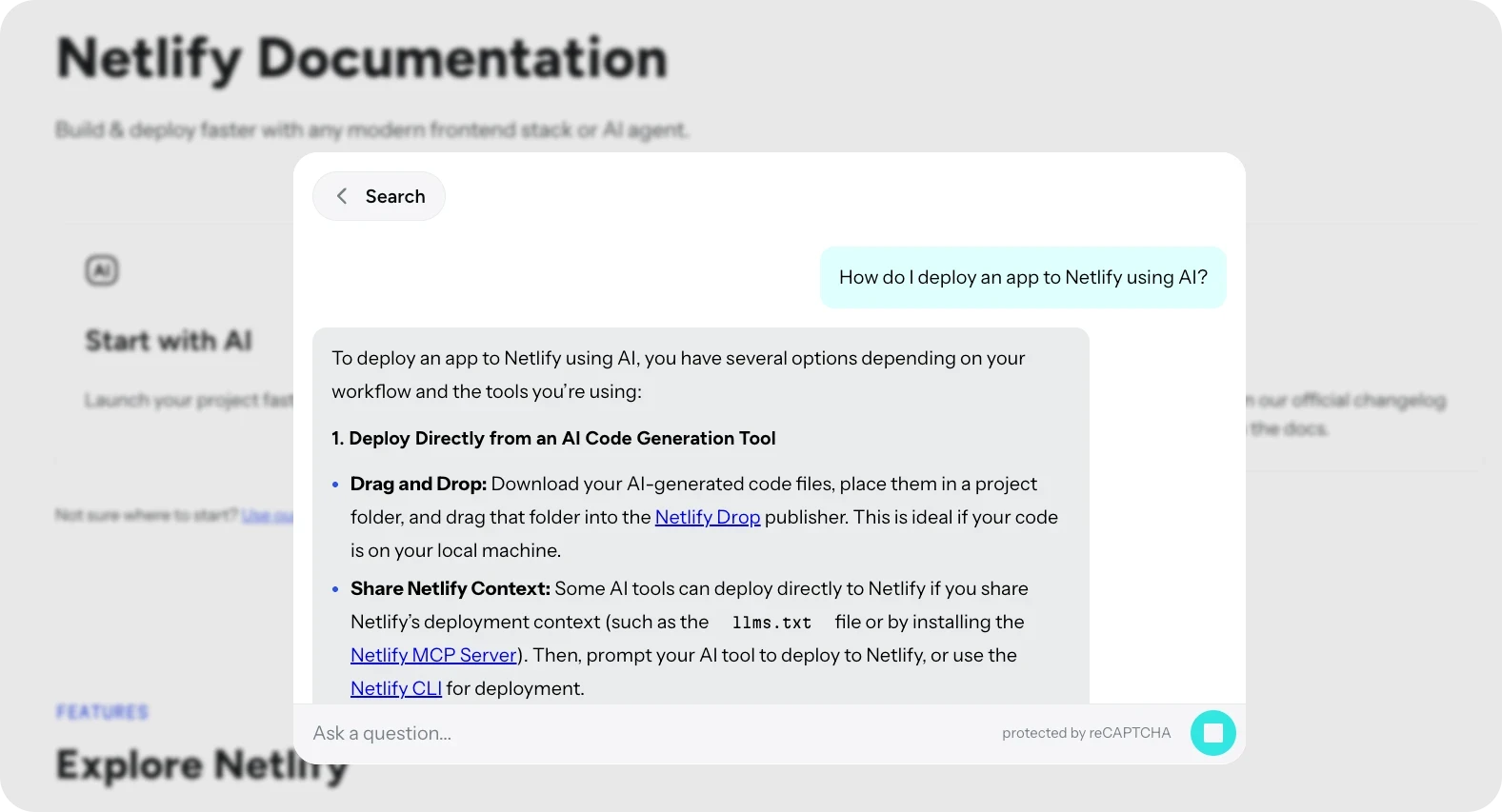
A Kapa chat demo
Netlify uses Kapa to answer over 200,000 questions a year. The setup that led to these numbers took less than a week. As Netlify’s CTO, Dana Lawson, puts it: ”The value is irrefutable.”
Kapa can be embedded where developers already are: docs, dashboards, support portals, and even Claude Code or Cursor, thanks to its plug-and-play MCP support. It can speed up new developer onboarding by providing instant and precise answers. What sets it apart is accuracy, as Kapa uses a heavily optimized, state-of-the-art retrieval-augmented generation (RAG) engine to power its response generation.
Another key feature is its access to documentation and past support cases, which helps reduce repeated questions.
Benefit | Description |
|---|---|
Faster time-to-value for new users | Developers get answers instantly, reducing deployment times. |
Higher documentation ROI | AI ensures documentation is actively used and easily accessible. |
Reduced support load with fewer tickets and repetitive questions | Repetitive questions are answered by AI, allowing support teams to focus on complex tasks. |
Happier developers | Reduced frustration leads to better experience and engagement. |
Faster activation | Developers can start building and using the product without anything slowing them down. |
Lower churn | Smooth onboarding increases product adoption and long-term retention. |
n8n Docs AI
Start with AI Developer Onboarding
Many teams worry that adopting AI requires AI engineers and an unlimited budget, but that’s not necessarily the case.
As we’ve seen with common pain points, opting for a solution like Kapa simply makes sense. There will be no need to create anything from scratch: connect your data sources, deploy it, and you’re ready to go.
Running AI long-term is handled by specialists, so it won’t become a part of your day-to-day tasks. Book a demo to get rolling!
Frequently Asked Questions (FAQ)
How can AI improve developer onboarding?
An AI engine, like Kapa, provides instant, contextually aware answers from documentation, FAQs, and past support cases. This reduces the time developers spend searching for information.
Why use a tool like Kapa instead of ChatGPT or other LLMs?
General-purpose LLMs struggle with accuracy and data freshness, as they have fixed cut-offs and limited data ingestion abilities. Kapa, on the other hand, is optimized for a diverse set of data, with automatic real-time updates that keep information current.
How does AI reduce context switching for developers?
Instant answers by tools like Kapa prevent developers from hopping between docs, Stack Overflow threads, or support chats.
How secure is the information handled by AI tools like Kapa?
Kapa integrates with your existing systems and is SOC 2 Type II compliant. It has DPAs in place with LLM providers that prevent your data from being used for model training, along with masking for personally identifiable information (PII).
Does AI replace human support entirely?
No. AI handles first-line questions. Complex, high-impact issues should still be escalated to human support.


